How do I move my students off WhatsApp groups and keep my challenges running?
Move the challenge before the chat, run both places for a fixed window, give every member a one-tap way in, and carry their totals across. A four-week plan with the exact messages to send.
The short answer
Move the challenge first, not the chat: start your next challenge round on the new platform, so members have a reason to open it every day. Run the WhatsApp group and the new space side by side for a fixed window of two to four weeks, then make the group announcements-only. Give each member a one-tap way in that does not depend on an email address, because many people in coaching groups don't use one. You can't import a WhatsApp streak, since the group never recorded one, so carry each member's running total over as starting points. In Prolaud, you import your member list from a spreadsheet of names and phone numbers, members join with their phone number and a fingerprint or 4-digit PIN, and the challenge runs with check-ins, streaks, points and a leaderboard; Prolaud does not connect to or post in your WhatsApp group. Paid programs sold there pay into your own Razorpay or Stripe account at 0% commission.

If you coach fitness, teach a language or run an exam batch, there's a good chance your challenge lives in a WhatsApp group. Members post a photo of their walk or a voice note of today's sentences, you reply with a thumbs-up, and at the end of the week you scroll back through hundreds of messages to work out who kept going. It works beautifully at 20 people. At 150 it becomes your evening job.
This guide is for the moment you decide to move. It's mostly about the move itself, which is the same on any community platform: what to take, in what order, what to say, and how to keep the people who matter.
A word on bias first: I'm Renu Rawat, and we build Prolaud, a platform coaches move to. So the advice here is written to work wherever you go, the Prolaud section is near the end and clearly labeled, and there's a section on what WhatsApp still does better.
Why do WhatsApp groups stop working for challenges once they grow?
WhatsApp is a chat app, and a chat is a stream: the newest message wins and everything else scrolls away. A daily challenge needs the opposite. It needs a record of who did what, on which day, that stays put. The gap shows up in five ways.
- Nobody keeps count but you. A group has no idea that Priya has checked in nine days in a row. If streaks and a leaderboard exist at all, they live in your spreadsheet, filled in by hand from screenshots.
- Today's task gets buried. The task you posted at 6 a.m. is forty messages up by 9. Members who join late ask for it again, and again.
- Questions get answered once and lost. The best answer you gave last month can't be found by the member who asks the same thing today, so you answer it again.
- Admin is manual. Adding new members, removing people whose payment lapsed and keeping a free group separate from a paid one are all done by hand, one number at a time. WhatsApp's own help center says group admins add and remove members, and a group holds up to 1,024 people.
- Everyone is in one room. A shy member's first check-in sits next to a regular's tenth. There's no quieter space for beginners, no channel per batch, and every member sees every message.
WhatsApp has its own answer to some of this: WhatsApp Communities, which collect several groups under one community, with an announcement group every member is added to. Its help center says that in a community your phone number is visible only to community admins, people who've saved it, and people who have it from other chats.
If privacy and announcements are your only problems, that may be enough. It still doesn't count check-ins, keep streaks or run a leaderboard, which is usually why coaches with challenges move.
WhatsApp group vs community platform: which is better at each job?
| Job | WhatsApp group | Community platform |
|---|---|---|
| Getting a message seen within minutes | Strong: people already have it open all day | Weaker unless members allow notifications or add it to their home screen |
| Recording who checked in each day | Not possible; you count by scrolling | Each check-in is stored against the member and the day |
| Streaks and a leaderboard | Kept by hand in a spreadsheet | Counted automatically from check-ins |
| Finding today's task | Buried under the day's messages | Pinned at the top of the challenge |
| Answering a question once | The answer scrolls away | Stays under the post and can be searched or marked as the answer |
| Separate spaces per batch or program | One group per batch, each managed by hand | Channels or communities, joined automatically when someone enrolls |
| Removing someone when their paid time ends | By hand | Can follow the paid-until date, depending on the platform |
| Getting a 65-year-old member started | Nothing to set up; they already use it | A sign-up step; easier if the platform doesn't need an email |
| Cost and setup | Free, no setup | A subscription and an afternoon of setup |
What should move off WhatsApp, and what can stay?
The most common mistake is trying to move the whole conversation. People won't leave a chat app for another chat. They'll move for something the group can't give them, and for a challenge group that something is the challenge: their streak, their progress, the finish line. So move the parts that need a record, and leave the parts that only need reach.
| Move to the new platform | Keep on WhatsApp (for now, or for good) |
|---|---|
| The challenge: daily tasks, check-ins, streaks, points, the leaderboard | A short daily line that links into the new space |
| Questions and answers you'd otherwise repeat | Urgent notices: a class moved, a venue changed |
| Recordings, worksheets, meal plans and other files | Personal one-to-one chats with members, if you already have them |
| The member list, with who has paid and until when | Nothing that needs a record of who did what |
| Introductions and wins people will want to look back on | Old message history: leave it where it is |
Don't copy old chat history across. It's other people's messages and photos, and a fresh space reads better anyway. Copy the agreement instead: what the challenge is, the rules, who's in it, and each member's running total.
When is the right moment to move a challenge?
Move at a boundary, not in the middle. The cleanest switch is between rounds: finish this 21-day challenge on WhatsApp, celebrate the finishers there, and start the next round on the new platform. Members then have a reason to show up on day one, and you never have to reconcile two places counting the same days.
If your challenge never ends (a daily walk, a habit group, a running doubt-clearing group), pick a cutover date and time, and say which time zone. A Monday works well. From that moment, only check-ins in the new space count. Count a day by when the member did the task, not when they posted it, and count a day that shows up in both places once.
What does a four-week move from WhatsApp look like?
Week 0: prepare, quietly
- Set up the space and the next challenge before anyone sees it. Post the first few days' tasks, a pinned welcome and one or two posts of your own so it isn't empty.
- Build your member list. A spreadsheet with name, phone number (with country code), email if you have one, and the date each paying member has paid until. Most coaches already have this in payment records or a sign-up form; if you don't, build it from the group's member list by hand.
- Test with three members, including your least app-confident one. Watch them join on their own phone, without your help, and fix whatever trips them up.
- Write down your rules for the move: the cutover date, what happens to current streaks and totals, and how long the group stays open.
Week 1: launch, and run both
- Send the launch message (templates below) and pin it in the group.
- Start the new challenge round in the new space. Check-ins count only there from now on.
- Keep the group open as normal. Reply to WhatsApp check-ins with a friendly link: "Love this! Post it in the challenge so it counts for your streak."
- Every evening, check who has joined. Send a personal message to anyone who hasn't by day 3.
Week 2: point the group at the new space
- Change the group so only admins can send messages. It becomes a notice board, not a second community.
- Post one short line a day: today's task title and the link. Not the full task: that lives in the new space.
- Run one live session, or one highlight post, inside the new space only. Give people a reason to look.
Weeks 3 and 4: close the move
- Send the final-date message a week ahead.
- Call or voice-note the last few who haven't joined. This is where most of your remaining members come over.
- On the final date, post a thank-you and a last link, then leave the group as an announcements-only board, or close it.
What exactly do I send in the WhatsApp group?
Keep every message short, warm and about the member, not the software. Say what they get, what to tap and what happens to their progress. Fill in the brackets.
Hi everyone! From [Monday 1 December], our challenge moves to its own space: [link]. Why? Your check-ins and streaks will finally be counted for you, today's task will always be at the top, and you won't miss anything in the scroll. Everyone keeps their total so far. This group stays open until [date]. Questions? Reply here or message me.
It's live! 🎉 Tap here: [link]. Type your name and the same phone number you use here, and you're in. Day 1's task is waiting. Post today's check-in there so it counts for your streak.
Hi [name], I didn't see you in the new challenge space yet, and I've kept your [12-day] total for you. Here's your own link: [link]. If anything gets stuck, send me a voice note and I'll help.
From [date], this group is for announcements only. Everything else (tasks, check-ins, questions, recordings) is here: [link]. Thank you for making this group what it was. See you inside 💛
How do I bring members who have no email or aren't comfortable with apps?
This is where most moves quietly fail. A WhatsApp coaching group often includes parents, grandparents and people who've never made an account anywhere. Many don't use an email address at all. If your new platform asks for an email and a password, a share of your group will stall on that screen and go back to WhatsApp.
- Choose a platform that lets people join with a phone number. Sign-in that works like a payments app (a number to say who you are, a fingerprint or a short PIN to open it) is far easier for this group than email and a password.
- Send each person their own link rather than one shared sign-up link, where your platform allows it. A link that already knows who they are removes typing.
- Hold a 15-minute "join together" call. Share your screen, join from your own phone, and do it step by step while they follow along.
- Make a 30-second screen recording of the join steps on a phone and post it in the group.
- Ask a family member to help older members. Say so kindly in the group: "If your son or daughter is nearby, ask them to tap the link with you."
- Never ask anyone to send you a password or PIN in WhatsApp, and tell members you never will.
Decide in advance what you'll do for someone who simply can't use the new space: a member who sends you their check-in on WhatsApp and is happy for you to count it, for example. A small exception is better than losing a loyal member over a screen.
How do I keep members' streaks and the leaderboard when I move?
Be honest with yourself first: WhatsApp never recorded a streak. Whatever exists is in your spreadsheet or your memory, so there's nothing for any platform to import. That leaves three fair options.
- Finish the round, then start fresh. Close the current challenge on WhatsApp with a proper celebration, and start the next round on the platform with everyone at day 1. This is the simplest and causes the fewest arguments. Recognize everyone who finished the WhatsApp round by name in your first post.
- Carry totals over as starting points. If members care about the leaderboard, give each one their WhatsApp total as a one-time points award with a reason they can see ("Carried over from our WhatsApp challenge"). Do it on launch day, before anyone checks in, so nobody feels they started behind.
- Honor current streaks in words. A live streak is hard to re-create, because a new challenge counts from its own day 1. Name the people on long streaks in a welcome post, and tell them their new streak in the platform is the same habit continuing.
Whichever you choose, announce it in the heads-up message, before the move. Don't add chat-era scores into the new leaderboard unless they measure the same thing, for example one point per day checked in on both. If the units differ, keep the old totals as a separate "founding members" recognition instead.
Designing the challenge itself?
This guide is about moving one. For how to design the days, check-ins, the mid-challenge dip and the finish, read how to run a community challenge.
How do I make the first week in the new space feel alive?
- Post first, every day. Do the day 1 task yourself and check in. An empty space tells people nobody's there.
- Reply to every check-in on the first three days, even with one line. That's what the WhatsApp group gave them, and they'll look for it.
- Ask three regulars to check in early on day 1. A handful of early posts gives everyone else permission.
- Ask everyone to turn on notifications on day 1, with a sentence on why: "so today's task reaches you." Without it, the new space depends on members remembering to open it.
- Put one thing there that isn't on WhatsApp: a short live session, a downloadable plan, a recording of last week's class.
What do I do about members who never move?
Expect a tail. Some members will move on day one, most within the first two weeks after a personal message, and a few won't move at all. That's normal, and it doesn't mean the move failed.
- Paying members first. Anyone who has paid for time with you must keep that time. Call them before the final date, not after.
- Free members get a fair window, then a clear end. After the final date, the group becomes a notice board or closes. Don't keep two communities running indefinitely; you'll end up answering everything twice.
- Ask the ones who stay behind why. "Too many apps" and "couldn't sign in" are fixable; "I only wanted the reminders" may mean they were never really in the challenge.
- Don't shame or chase. One personal message and one reminder is enough. People who leave kindly often come back for the next round.
- Respect consent. Only add people to the new platform who were in your group or paid you, and give them an easy way to leave.
What's the checklist for moving off WhatsApp?
- New space set up, with a pinned welcome and a few posts of your own
- Next challenge round ready, with its first days written
- Member list in a spreadsheet: name, phone with country code, email if any, paid-until date
- Joining tested on three members' phones, including the least confident
- Rules written down: cutover date and time zone, what happens to streaks and totals, how long the group stays open
- Four messages drafted: heads-up, launch, personal follow-up, final date
- A short screen recording of how to join, from a phone
- Starting points carried over on launch day, if you chose that option
- Group switched to admins-only messages in week 2
- Personal message to everyone not in by day 3, and a call to the last few
- A plan for members who can't use the new space
- Final date posted a week ahead, and kept
How do you move a WhatsApp challenge group to Prolaud?
Here's the same plan done in Prolaud, with the labels you'll see on screen. Prolaud doesn't connect to your WhatsApp group: there's no bot in the group and nothing is synced from it. You send the messages yourself, and members move to your academy.
- Choose coach mode. At sign-up, under What kind of academy is this?, choose Coach or community (health, fitness, life); an existing academy can switch in Settings to A coach's community. Your home becomes the Feed, with a General channel open to every member and a channel for each program (coach mode).
- Make the program for paying members first, if you have one: on the Feed, ⋯ → New program.
- Import your members. On the Feed, open ⋯ → Bring members from Circle or TagMango, choose From another app, and choose your CSV. Despite the menu name, a spreadsheet of names with phone numbers or emails works. Under We read these columns, fix any column it guessed wrong. Each person needs a name and a phone number or an email. Up to 2,000 members at a time.
- Keep paid time. Everyone joins General. People with a Paid until date also go into the program you choose until that date, and are reminded 3 days before it ends. Then press Bring (number) members over. The import itself sends nothing to anyone.
- Send one message. Under Send them one message, edit the ready-made text, then press Share or Copy and paste it in your WhatsApp group. Members tap the link, type their name and the same phone number, and their place is ready.
- Send personal links to anyone who'd rather not type. Each link signs that member in with one tap, works once and lasts 14 days. Copy one at a time to send privately, or Download all.
- Post the welcome. Under A welcome on your Feed, press Post it.
- Start the challenge. In the community, press Start a challenge, then under Start from a plan type what members do each day and pick 5, 7, 21 or 30 days, or A habit (no end). Set Points per check-in; for a fixed-length challenge, also choose whether Missed days can be done later and the Days needed to finish; and if the community has more than one space, pick where Check-ins go to. Then Start it (run a challenge).
- Carry totals over, if you chose to: on the leaderboard's ranking, give each member points by hand with a reason. The member is told.
What members get: they join with Your name and Your phone number ("No email needed"), then Open it next time with your finger, or Choose 4 numbers to open it if their phone can't use a fingerprint. Email is still there under Other ways to join. Each day the challenge shows the task and a Check in button; a check-in can be a few words, photos, a video or a link, and it also appears as a post so others can cheer it.
The challenge shows the days they've done and their run of days in a row. Across the academy, their streak counts days with a lesson, class, quiz or challenge check-in, and a freeze, earned for every 7 days in a row (at most two held), covers a missed day. Points from check-ins build their level and their place on the leaderboard.
What you get: a progress grid of every member against every day, with a one-click reminder to everyone who hasn't checked in today; check-ins that can wait for your approval; certificates for finishers, with the Certificates plugin; and moderators, so a trusted member can pin posts and mark answers.
Members get today's task from 8 a.m. their time and a reminder at 7 p.m. if they haven't checked in. If a member forgets their PIN and locks themselves out, Reset sign-in (PIN) on the Members page lets them set a new one. The full walkthrough is in the help article bring your community and challenges to Prolaud.
Communities and challenges are on every plan: Pro includes 5 communities, and Studio has no limit.
Set up your new space before you announce it
Try it on a 14-day Studio trial with no card: import a test list, join as a member from your phone, and check in to day 1.
Start your academyWhat are the honest limits of moving off WhatsApp, on any platform?
- WhatsApp is where people already are. Almost nothing reaches a member as fast as a WhatsApp message. Any community platform depends on members turning notifications on, or remembering to open it. Expect fewer people to see each post at first.
- Notifications need permission. On iPhone and iPad, a web app can only send notifications once it's been added to the Home Screen. Prolaud runs in the browser and can be added to the home screen; it isn't a native app in the App Store or Play Store.
- Prolaud limits community pushes. Community, challenge, streak and points notices are capped at three phone notifications a day per member, so you can't flood anyone; the rest wait in the in-app bell. A class starting and anything about payments are never held back.
- Phone sign-in has no SMS code. Nothing is sent to the number; the fingerprint or PIN is the lock. That keeps it free and simple, but it means a wrong number typed at import time has to be fixed by you. After 15 wrong PINs, only you can unlock a member.
- Subscriptions don't move. A card or UPI mandate belongs to the payment account that set it up. With a paid-until date, members keep their place until that date, then pay again in the new place.
- You still need some WhatsApp. Prolaud can send class reminders, campaigns and reminders to quiet members from your own WhatsApp Business number, using templates Meta has approved (connect WhatsApp Business). That's messages from your number to members who allow them, not a group, and it needs the Studio plan or above. Studio is $42/month billed monthly, or $34/month billed yearly ($408 a year).
For a wider look at which channel to use for which message after the move, see email vs WhatsApp for course updates. If you're still choosing where to go, the best community platforms for course creators compares the options.
Sources
- How to add and remove group members · WhatsApp Help Center · read 25 November 2026
- About building private, safe, and secure communities on WhatsApp · WhatsApp Help Center · read 25 November 2026
- Moving a WhatsApp workout challenge to an app · Rally · read 25 November 2026
- Moving a WhatsApp group to a platform · Snatr · read 25 November 2026
- Moving course platforms as a course creator · Spiderhunts · read 25 November 2026

Renu Rawat
Founder of prolaud.com. Helping teachers and creators build profitable, independent learning businesses without losing a cut of every sale to platform fees.
About the founderFrequently asked questions
- How long should I run the WhatsApp group and the new platform side by side?
- Two to four weeks is enough for most groups: one week of running both normally, one or two weeks with the group set to admin-only messages that link to the new space, and a final date announced a week ahead. Stretch it to six weeks for an older or less app-confident group. Keeping both open with no end date splits your attention and lets members put off the move.
- Can I export the members of a WhatsApp group?
- WhatsApp's help page on group members covers adding and removing them, not exporting the list, so don't plan on a one-click export. Most coaches build the list from their own records: payment receipts, a registration form, or the group's member list typed into a spreadsheet. Include each person's name, phone number with country code, and the date they've paid until.
- Can I keep my members' current streaks when I move?
- Not automatically. WhatsApp never recorded a streak, so there's nothing to import. Either finish the current round on WhatsApp and start fresh, or give each member their running total as starting points on launch day with a visible reason. Announce which one you'll do before the move, so nobody feels their progress was taken away.
- Should I move in the middle of a challenge?
- Only if the challenge never ends, such as a daily habit group. Otherwise finish the current round where it started and begin the next round on the new platform. If you must switch mid-way, pick a cutover date and time with a time zone, count only check-ins in the new space after it, and count any day that appears in both places once.
- How do I get older members, who have no email, to join?
- Pick a platform where they can join with a phone number, and send each one a personal link. Hold a short join-together call, post a 30-second screen recording of the steps from a phone, and ask family members to help. On Prolaud, members join with their name and phone number and open the app next time with a fingerprint or four numbers they choose; no email is needed.
- Does Prolaud connect to my WhatsApp group?
- No. Prolaud doesn't read, sync or post in WhatsApp groups, and there's no bot. You copy the join message from Prolaud and paste it in your group yourself. Separately, on Studio and above, you can connect your own WhatsApp Business number to send class reminders, campaigns and reminders to quiet members using templates Meta has approved.
- Should I delete the WhatsApp group after the move?
- You don't have to. Many coaches keep it as an announcements-only notice board, with only admins able to post, for short reminders that link into the new space. What matters is that the group stops being a second place for check-ins and questions, so everything that needs a record happens in one place.
Keep reading
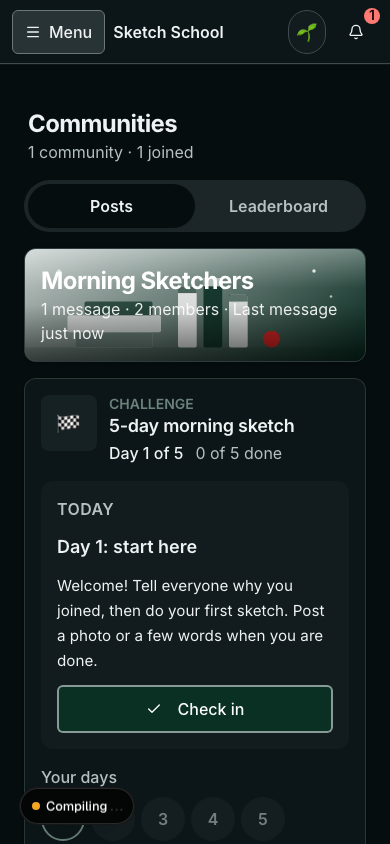
How to run a 21-day community challenge that people finish (template inside)
A good challenge turns a quiet community into the place your students check every day. A weak one goes silent in the second week. The difference is design: one outcome, small daily tasks, proof people can see, a plan for the dip, and a finish line worth reaching. A full 21-day template is inside.
Read
Email vs WhatsApp for Course Updates: Which to Use When
Email or WhatsApp for reaching your students? In India the answer is both — but for different jobs. Here's which channel to lean on for reminders, launches and announcements.
Read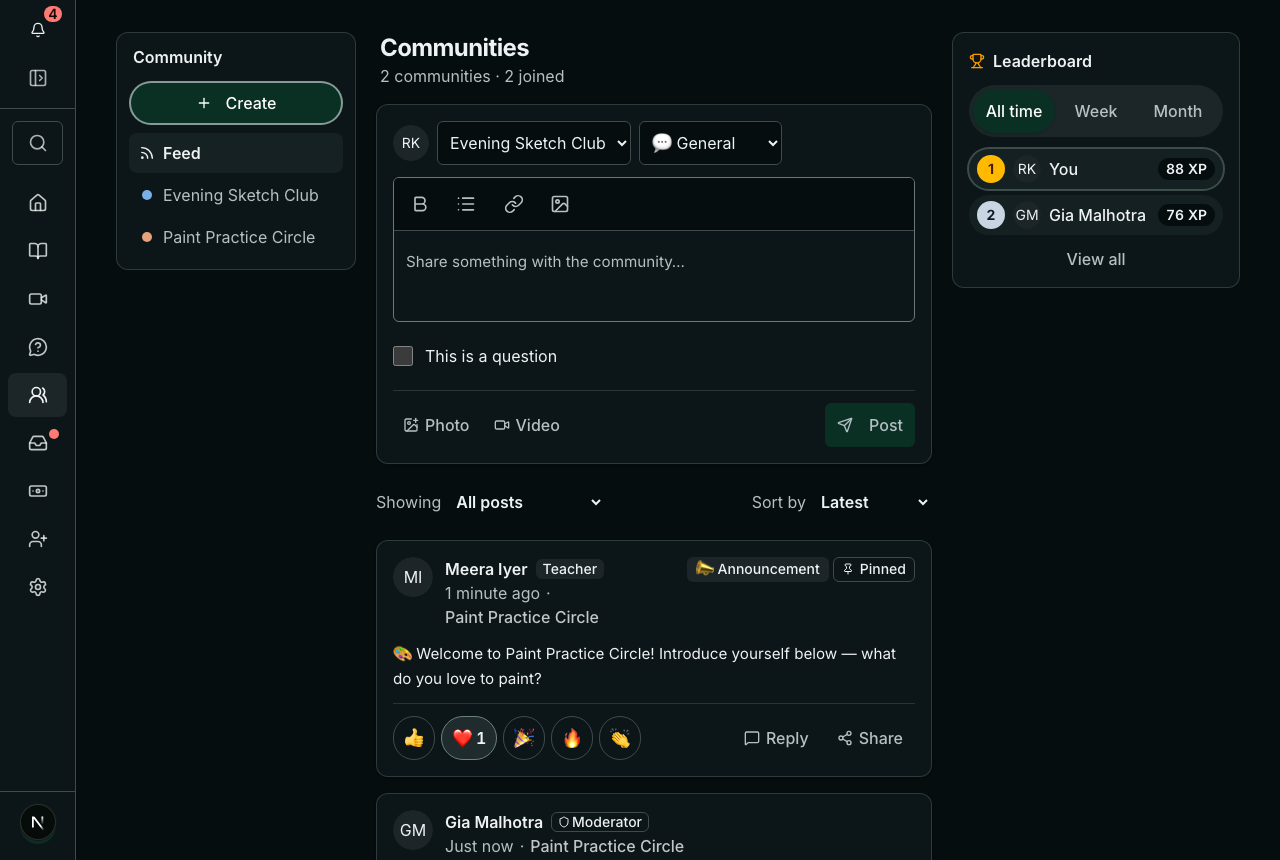
Best community platforms for coaches and course creators (2026)
Skool, Circle, Mighty Networks, TagMango, Communi and Prolaud compared on the things that decide the fit: what earns points, whether challenges are built in, where live sessions happen, your own domain and app, and where the money goes.
Read
Which tools replace Zoom, course hosting and WhatsApp groups together?
Five tools checked against the three jobs (live class, course hosting with checkout, student community), then a job-by-job look at what to replace, what to keep, and what changes when a student is one record.
Read
How to Get Students to Come Back and Finish an Online Course
Most people who buy an online course never finish it. Here's why they drop off, how to measure your completion rate honestly, and the features and habits that bring students back every week.
Read