For creators
Run a challenge in your community: daily tasks, check-ins, streaks and certificates
A challenge is a few days of small tasks inside a community: members do the day's task and check in, with a photo or a few words. They see their streak and the challenge's board; you see who is keeping up and who is fading. Finishers get XP and, if you choose, a certificate. You can also sell a challenge on its own page.
Last updated Oct 22, 2026
Make one
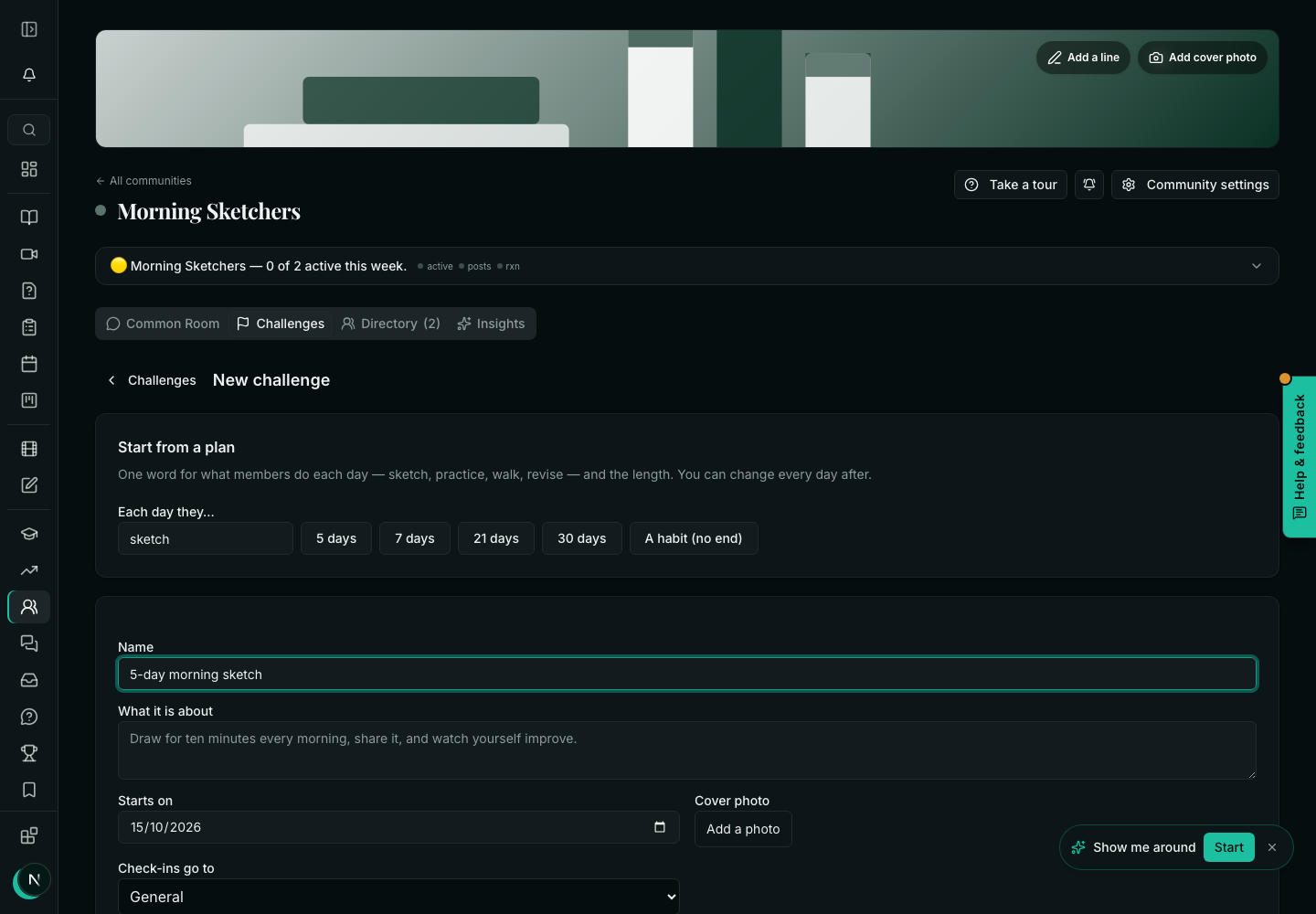
- Open the community and click Start a challenge, above the posts — or Challenge, under the post box. (Both open Manage community → Challenges → New challenge.)
- Under Start from a plan, type one word for what members do each day (sketch, walk, revise) and pick 5 days, 7 days, 21 days, 30 days or A habit (no end). Every day is written for you; change any of them.
- Or choose Or from a course: one day per lesson: pick a course and Make the days. Each day links its lesson, and finishing the lesson counts as that day's check-in.
- Give it a Name, a date it Starts on, and where check-ins go (Check-ins go to: a space of the community).
- Under Rules: whether A check-in needs a photo or words, whether Missed days can be done later, how many Days needed to finish, XP per check-in and XP for finishing, and a Certificate for finishers.
- Press Start it. It is on the wall at once, with today's task.
Turn on Email the day's task each morning only for short challenges: members get the task by notification every morning anyway, and a reminder in the evening if they have not checked in.
What a member sees, and checking in
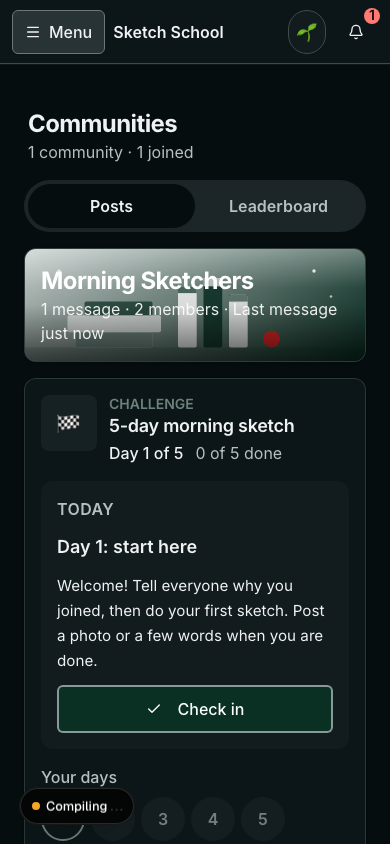
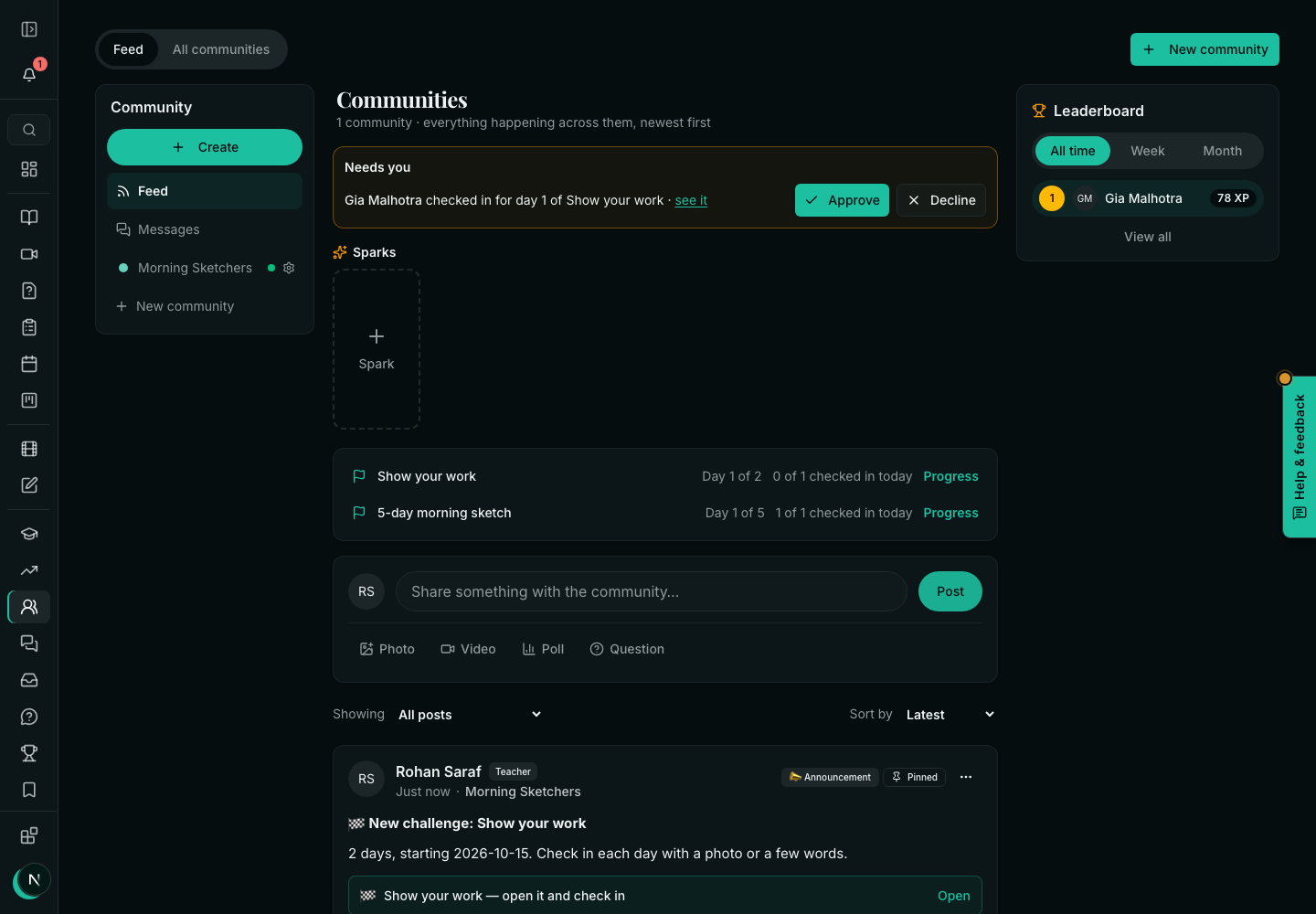
- The challenge sits at the top of the community: Today, the task, and Check in.
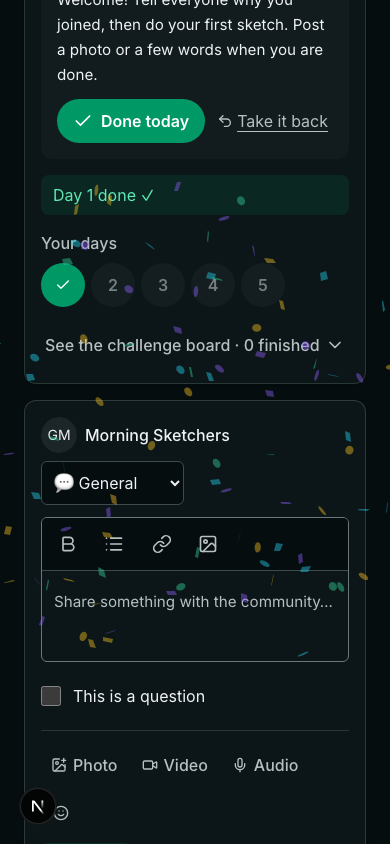
- A check-in is a few words, photos, a video or a link — drag files onto the box, or paste a YouTube, Vimeo or Loom link and it plays right there. It also appears as a post, so classmates can cheer it.
- Your days shows each day done; the streak counts days in a row.
- One check-in a day. A second one the same day is refused, in words.
See who is keeping up
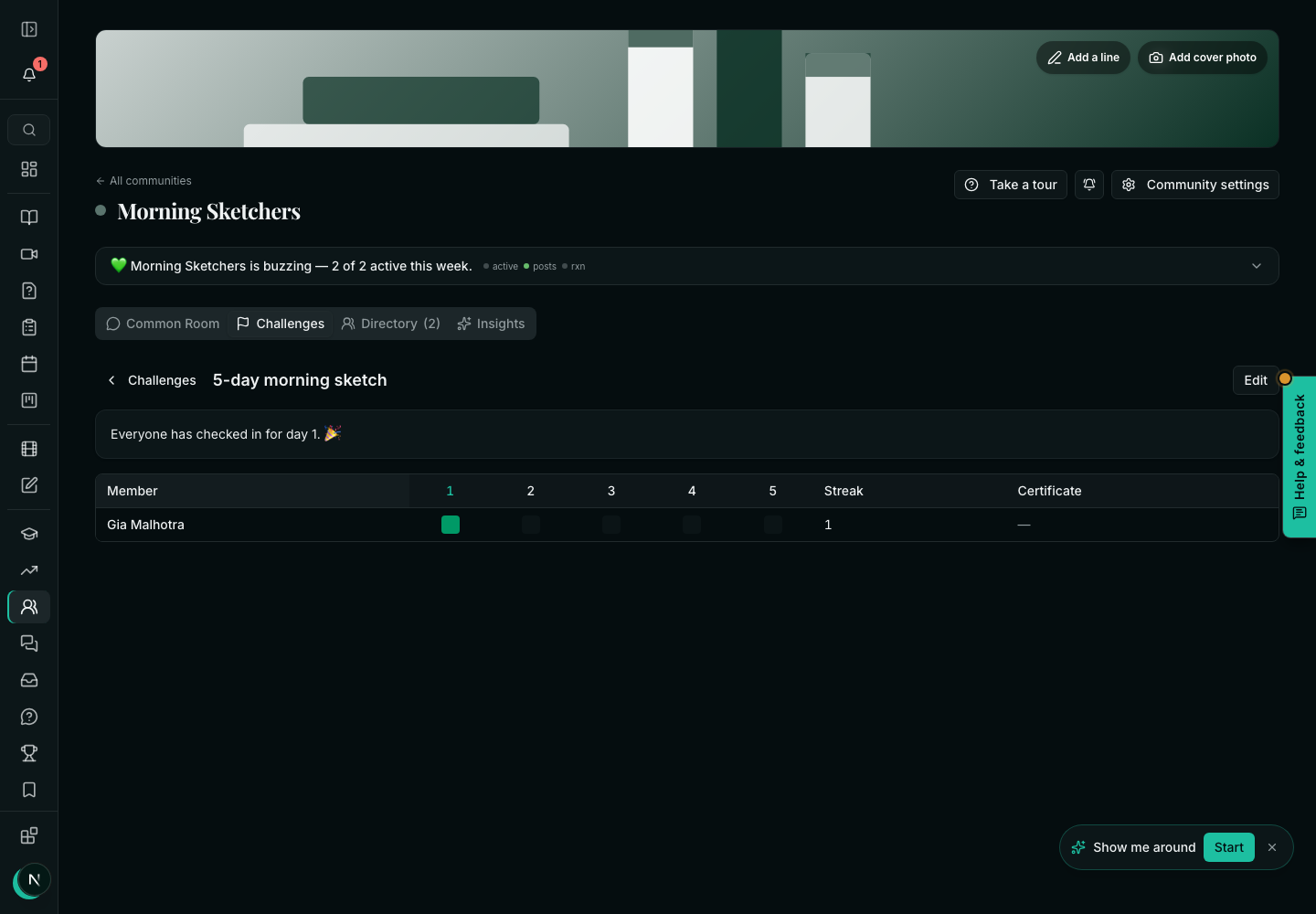
- Click Progress beside the challenge on the community's wall (or open it from Manage community → Challenges) to see the grid.
- Click any member's day in the grid to see what they sent — their words, photos, video or link — and react or reply to cheer them on. A check-in that waits for you has Approve and Decline right there.
- Nudge sends a reminder to everyone who has not checked in today, in one click.
- When proof matters, set a check-in to need approval. Check-ins then wait in Needs you, with Approve and Decline; XP counts once it is approved. Moderators can approve too.
- Certificates are issued by themselves when someone meets the rule, with the academy's own verify link. You can also issue or take one back by hand from the grid.
Sell a challenge on its own page
Under Who it is for, and selling it, choose Only for buyers of a product, or Sell it on its own page through a product of your store. Buyers join the community and the challenge. On the last day, offer puts your next course in front of everyone who finished.
- Can a challenge have no end?
- Yes: choose A habit (no end). Members check in every day or every week, and see a heatmap of their days.
- What if someone misses a day?
- If Missed days can be done later is on, they can check in for it until the challenge ends. A streak counts days in a row; a missed day ends it.
- Do challenges cost extra?
- No. Challenges are part of communities on every plan.
Related