For creators
Bring your community and challenges to Prolaud (from TagMango or anywhere)
Moving a community is mostly moving people. Export your member list from your current platform as a CSV, import it into a Prolaud community, and each member gets an invite to it. Then rebuild your challenge, and keep both places running until everyone has moved.
Last updated Oct 16, 2026
1. Make the community
On Communities, press Create. Add the spaces you use (a space can be a chat), your cover and your line.
2. Bring the members in
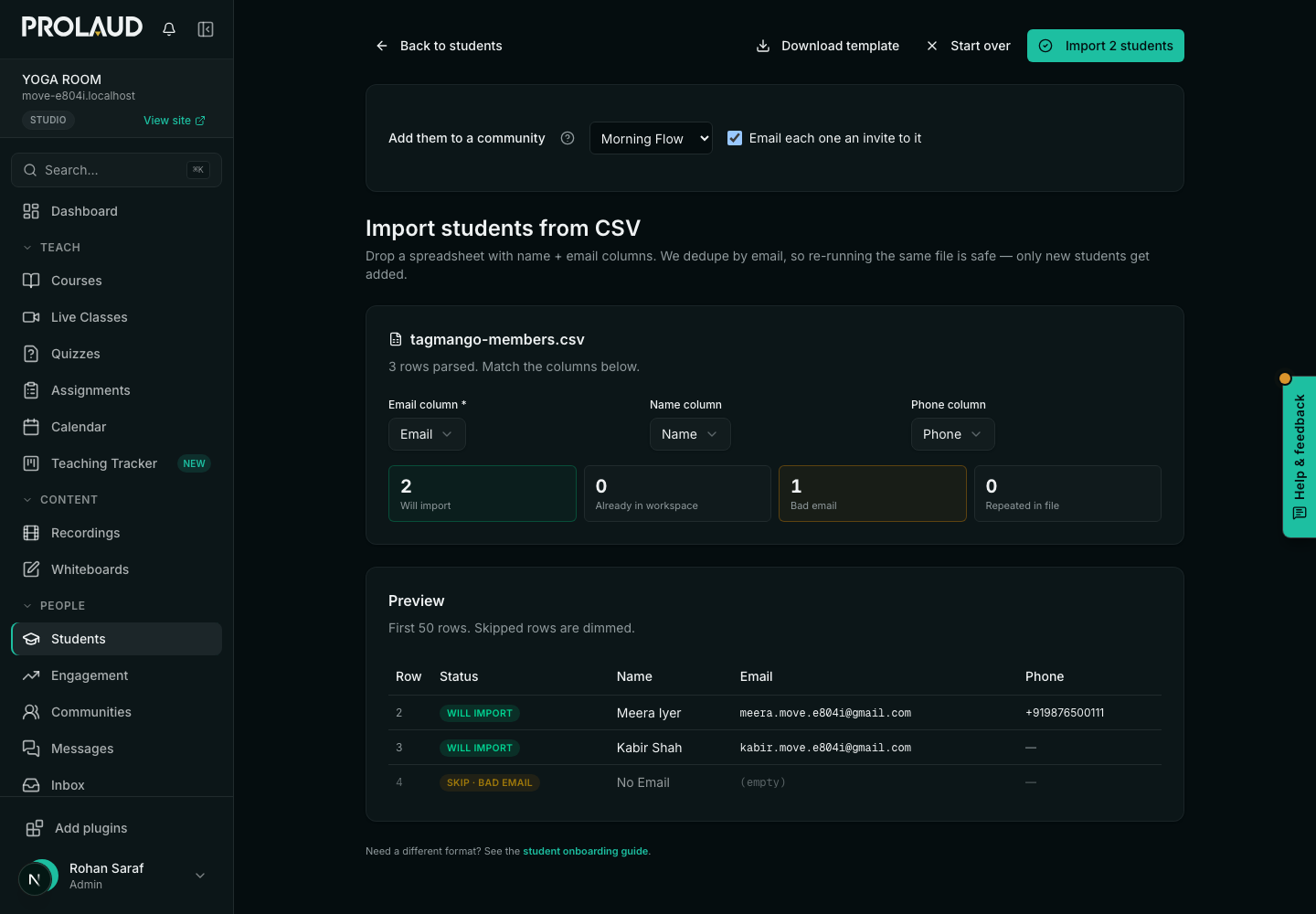
- Export your members as a CSV with at least an email column (a name and phone help).
- In the community, open its settings menu and choose Bring members in (CSV). The import opens with that community chosen.
- Drop the file in. Rows with a bad email or repeated rows are skipped and shown, not imported.
- Keep Email each one an invite to it on: each member gets an email naming the community, with a link to set a password. Students already in your academy join the community too.
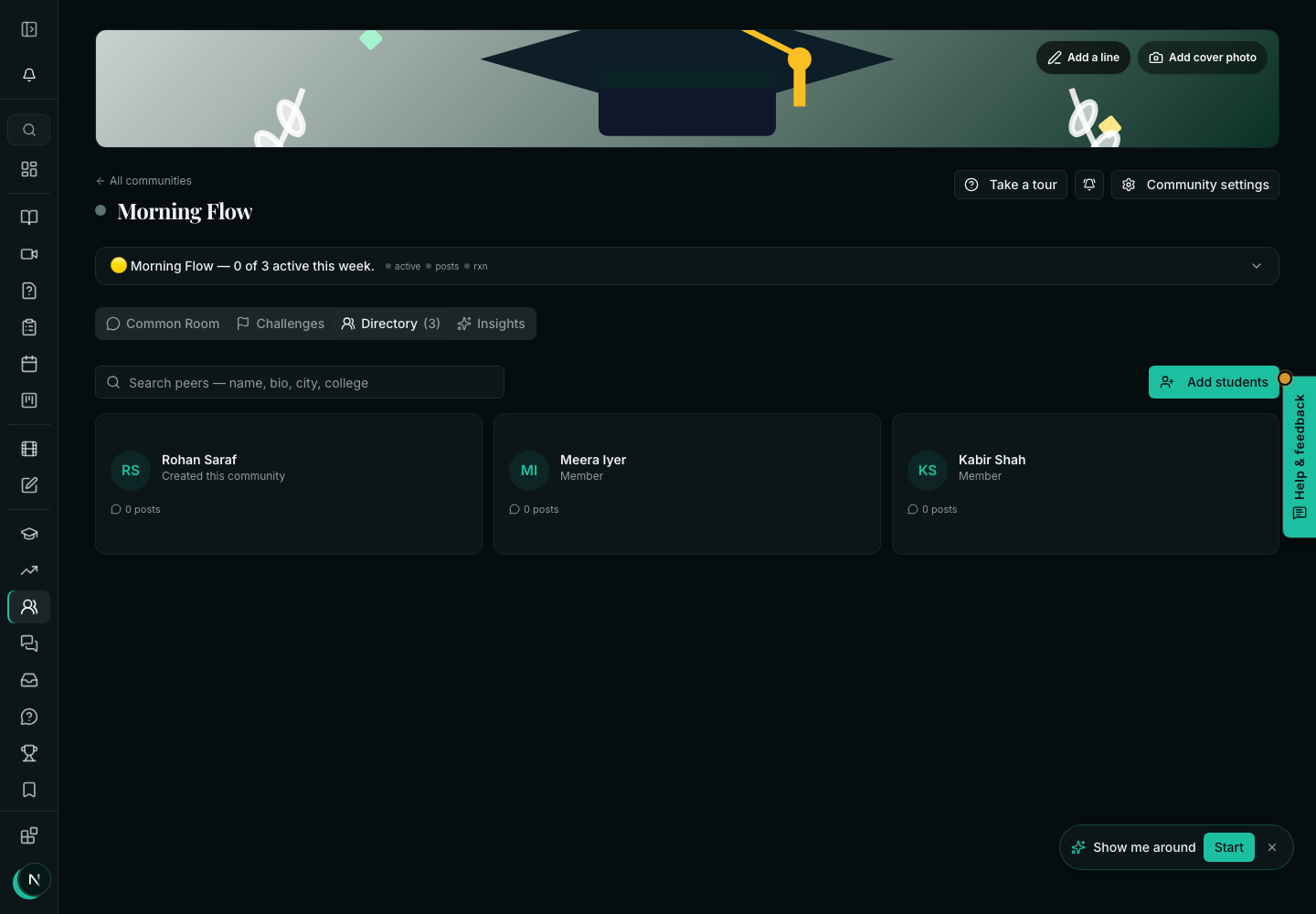
- Press Import. You land on the community's directory.
3. Rebuild your challenge
Use New challenge → Start from a plan with the same number of days, then paste in each day's task. If the challenge follows a course, Or from a course writes one day per lesson. See the challenge guide for the rules and certificates.
4. Run both for a while
Post a pinned note in your old community with the new link, and keep it open until your members have moved. Members who have not set a password can be invited again from the import.
Related