For creators
Moderators and approvals: who helps run a community, and who gets in
A moderator is a member you trust to help keep a community tidy. They can pin, spotlight, mark the answer to a question, hold a post for you to review and delete a post that should not be there. They can never delete your posts, remove anyone or change settings: those stay with you.
Last updated Oct 15, 2026
Make someone a moderator
- Open Communities and find a post written by the person.
- Press ⋯ on their post, then Make (their name) a moderator.
- They are told in the app: “You're now a moderator of (the community)”. A Moderator badge appears beside their name on their posts.
You can also do it from the community's Directory tab. To take it back, choose Make (their name) a member in the same menu. If they leave the community, they stop being a moderator.
What a moderator can and cannot do
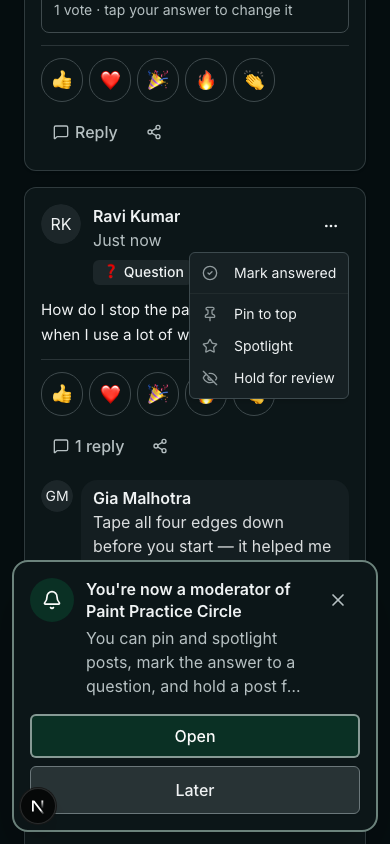
- A moderator can: pin and spotlight posts, hold a post or a reply for review, delete a member's post, mark a question answered, and make polls.
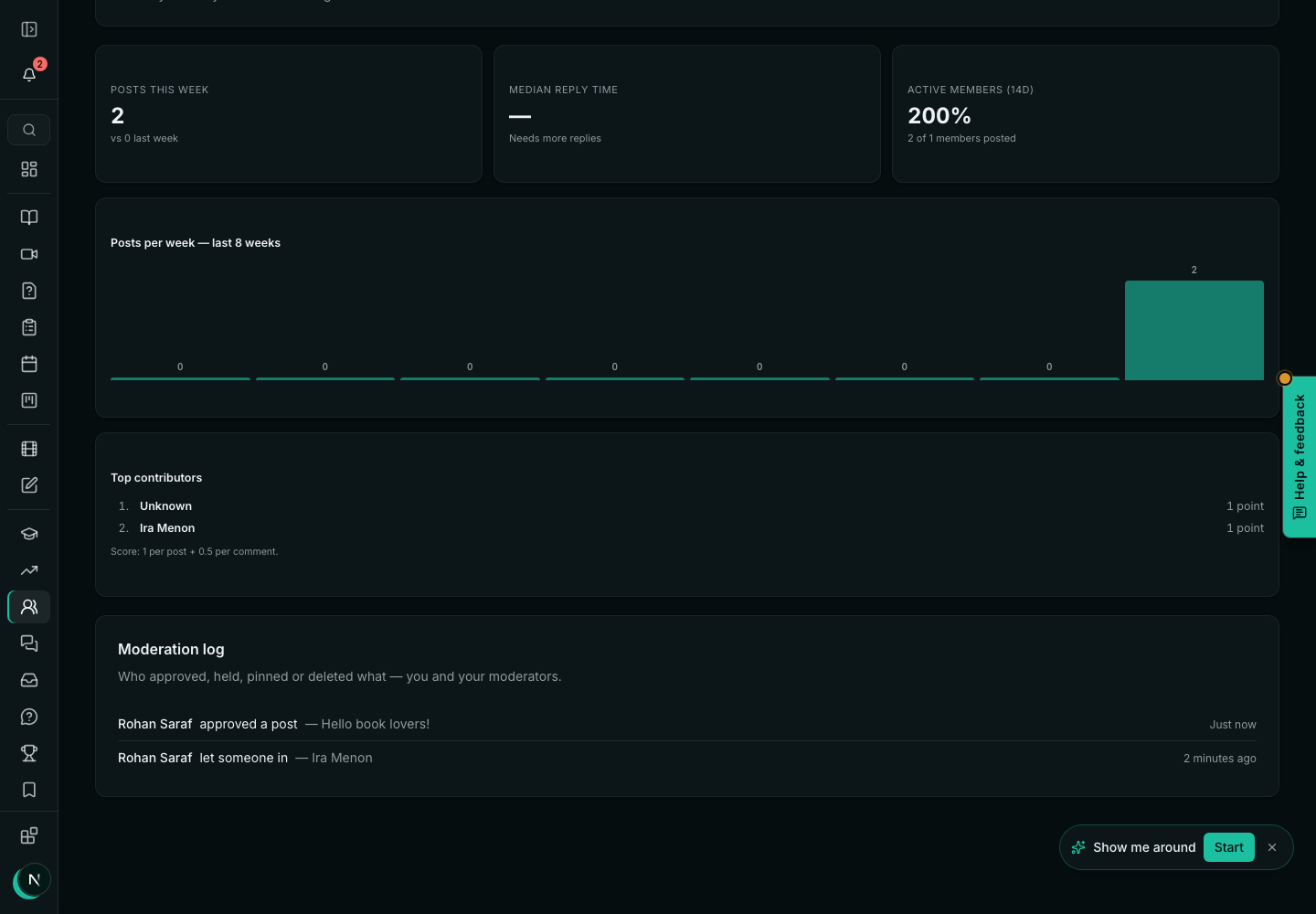
- A moderator cannot: delete your posts or someone's reply, remove or block anyone, make someone a moderator, or change the community's settings. Every post a moderator deletes is listed, with who did it, in the moderation log under Insights.
- A member can: write, reply, react and vote; edit or delete what they wrote; and mark their own question answered.
- You, the teacher, can do all of it.
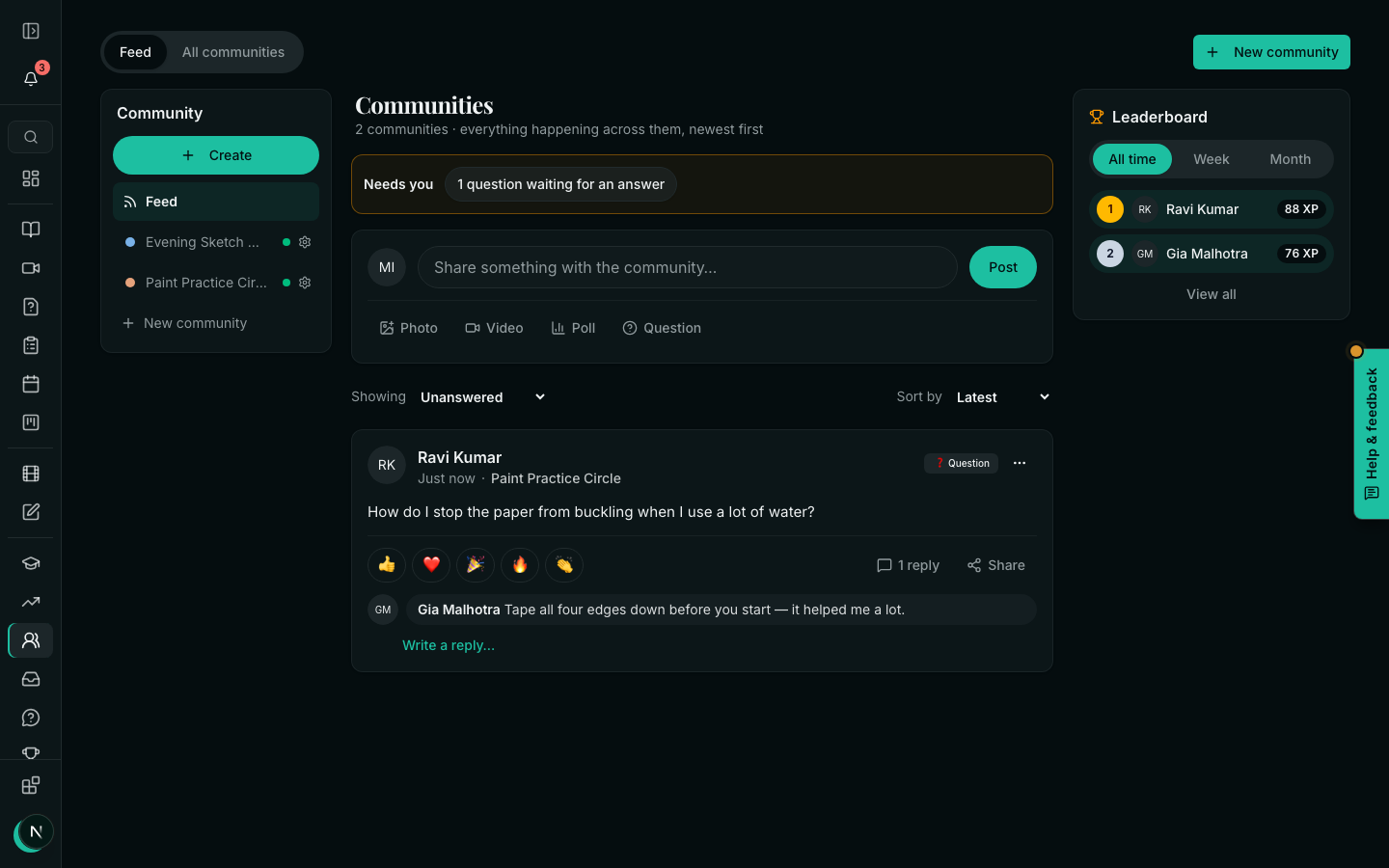
Hold for review is the moderator's tool for something that should not be on the wall. The post disappears for everyone except you, its writer and the moderators, and waits in Needs you on your Communities page until you put it back or delete it.
Approve who joins, and new members' first posts
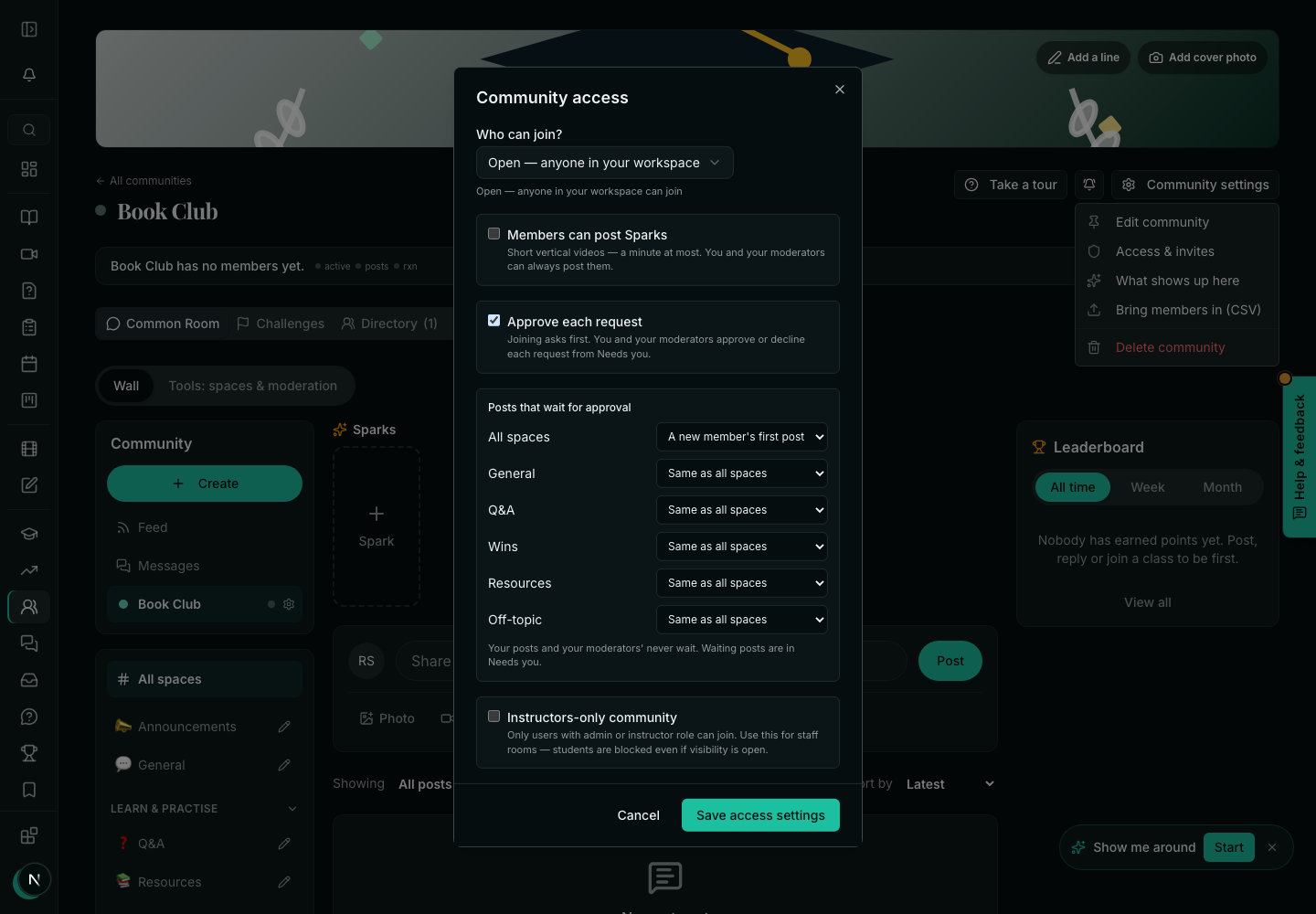
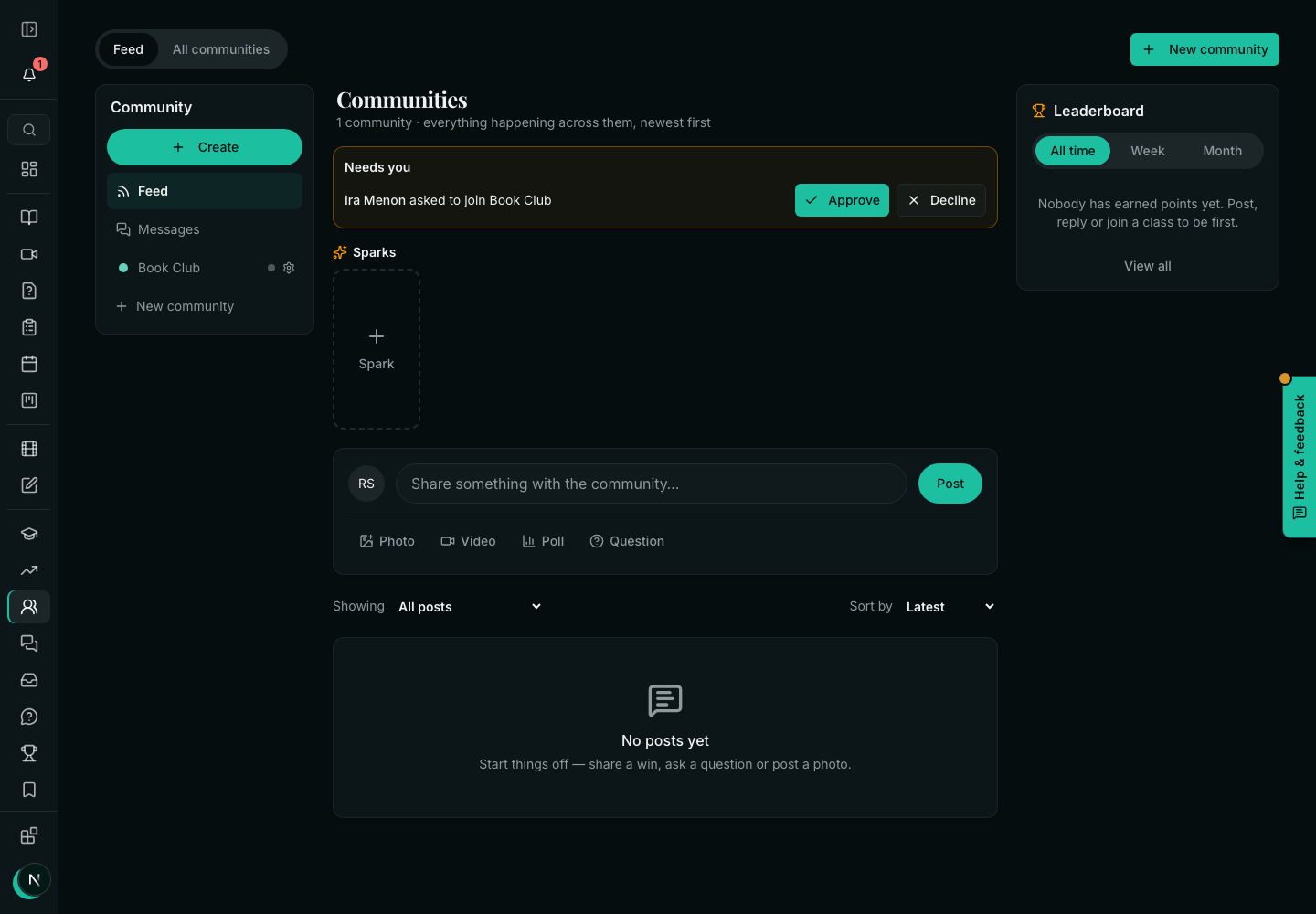
- Approve each request: an open community's Join (or its invite link) becomes Ask to join. Requests wait in Needs you with Approve and Decline; you and your moderators decide.
- Post approval, per space: none, a new member's first post, or every post. A post that waits is marked Waiting for approval for its writer, and waits in Needs you.
- Members can post Sparks: short vertical videos (see the teacher's tools guide).
The moderation log
Related