For creators
Coach mode: Members, Programs, and your community first
A school has students, courses and live classes. A coach has members, programs and live sessions, and leads with the community. Coach mode changes the words and the order of the menus for you, your teachers and your members. Nothing is switched off, and you can switch back at any time.
Last updated Oct 23, 2026
Turn it on
When you sign up, under What kind of academy is this?, choose Coach or community (health, fitness, life).
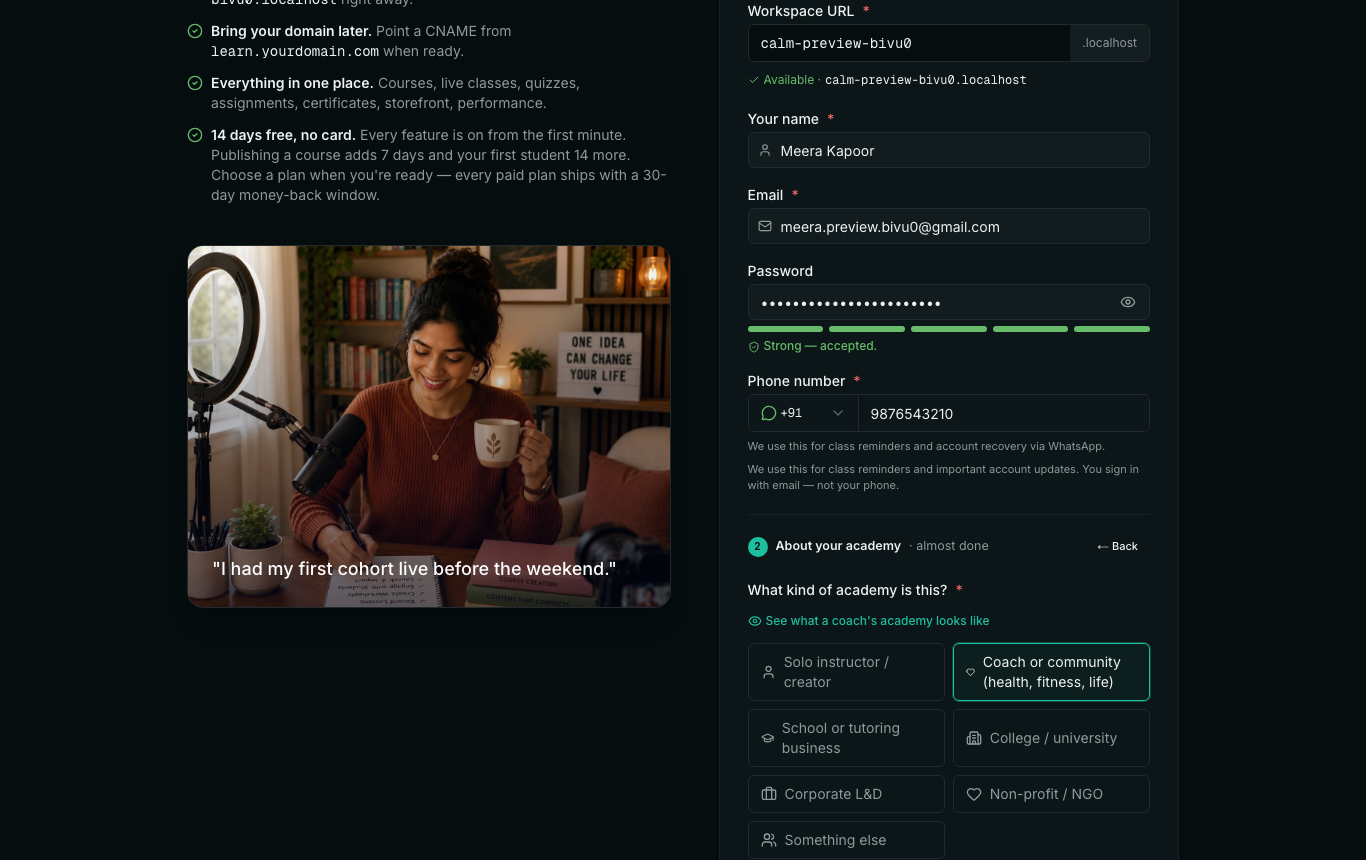
Already have an academy? Open Settings. Under What kind of academy is this?, choose A coach's community. Only the academy's admins see this card.
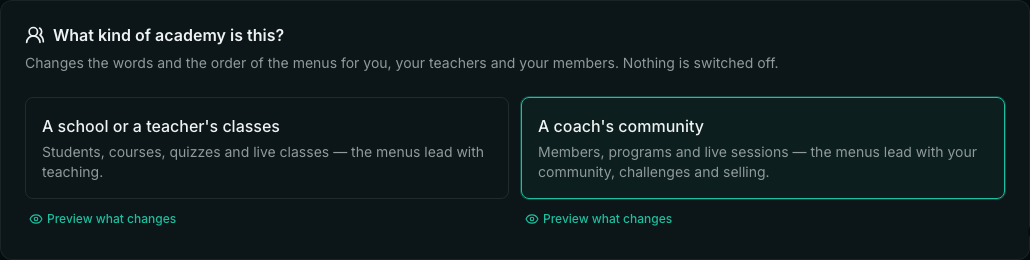
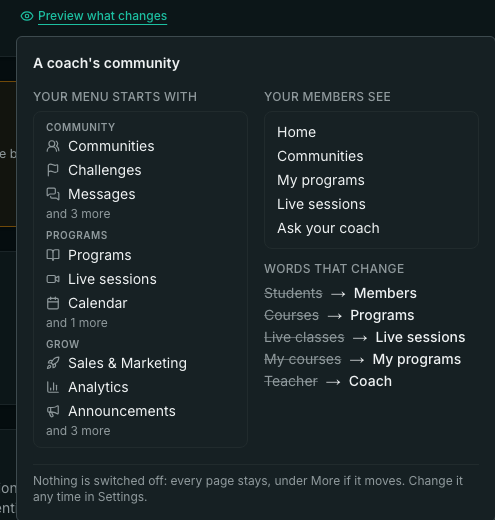
Not sure? Preview what changes under each choice — or See what changes at sign-up — shows the menu it leads with, what your members see, and the words that change, before you choose.
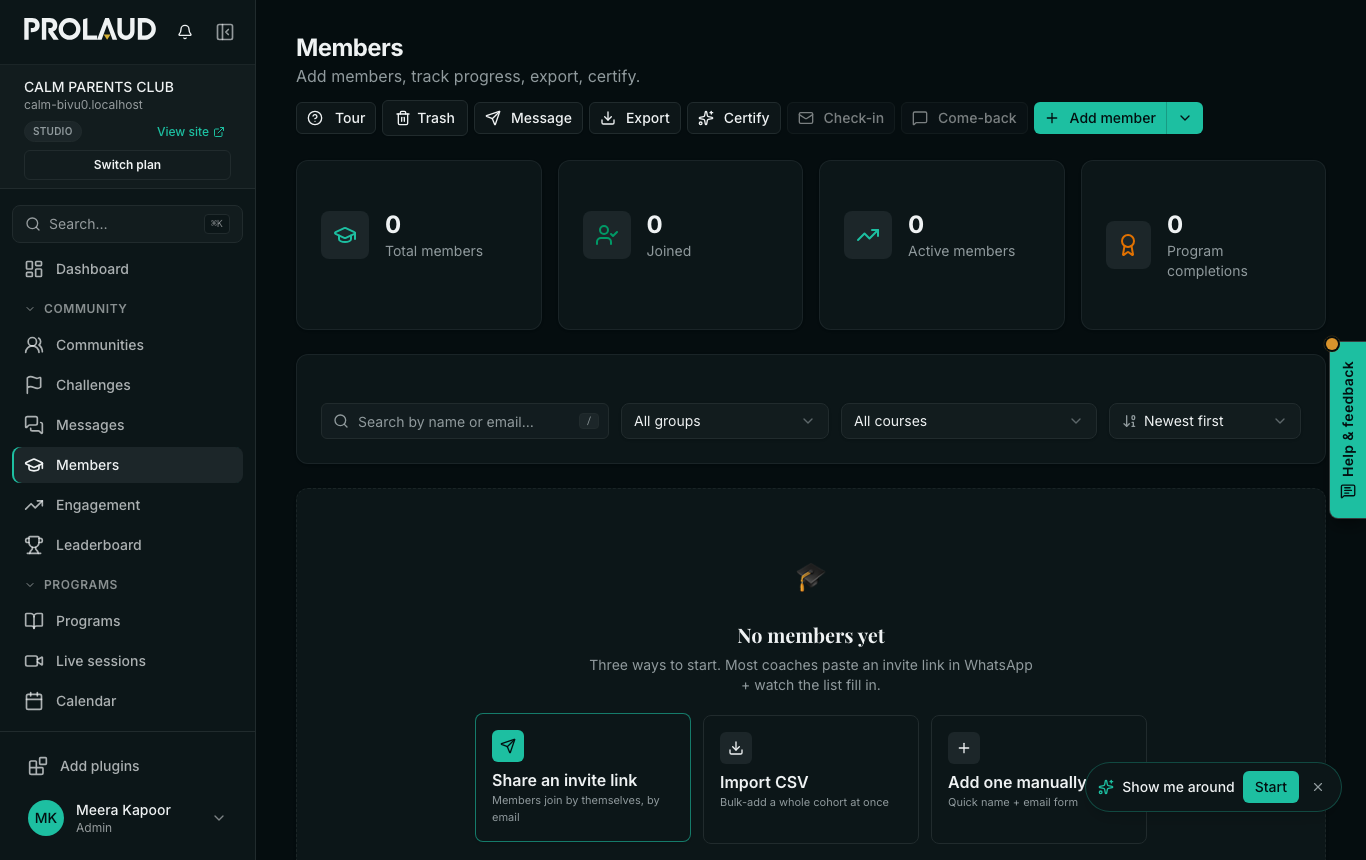
What changes for you
- The menu starts with Community (Communities, Challenges, Messages, Members, Engagement, Leaderboard), then Programs (Programs, Live sessions, Calendar, Recordings), then Grow.
- Quizzes, assignments, exams and the rest are under More, closed until you open it. Every page is still there.
- Pages say Members and Programs: the Members page, the Programs page and each program's page, creating a program, quizzes, assignments and your dashboard home.
- Your posts in a community carry a Coach badge.
- Challenges gets its own row in the menu — see All your challenges on one page.
What changes for your members
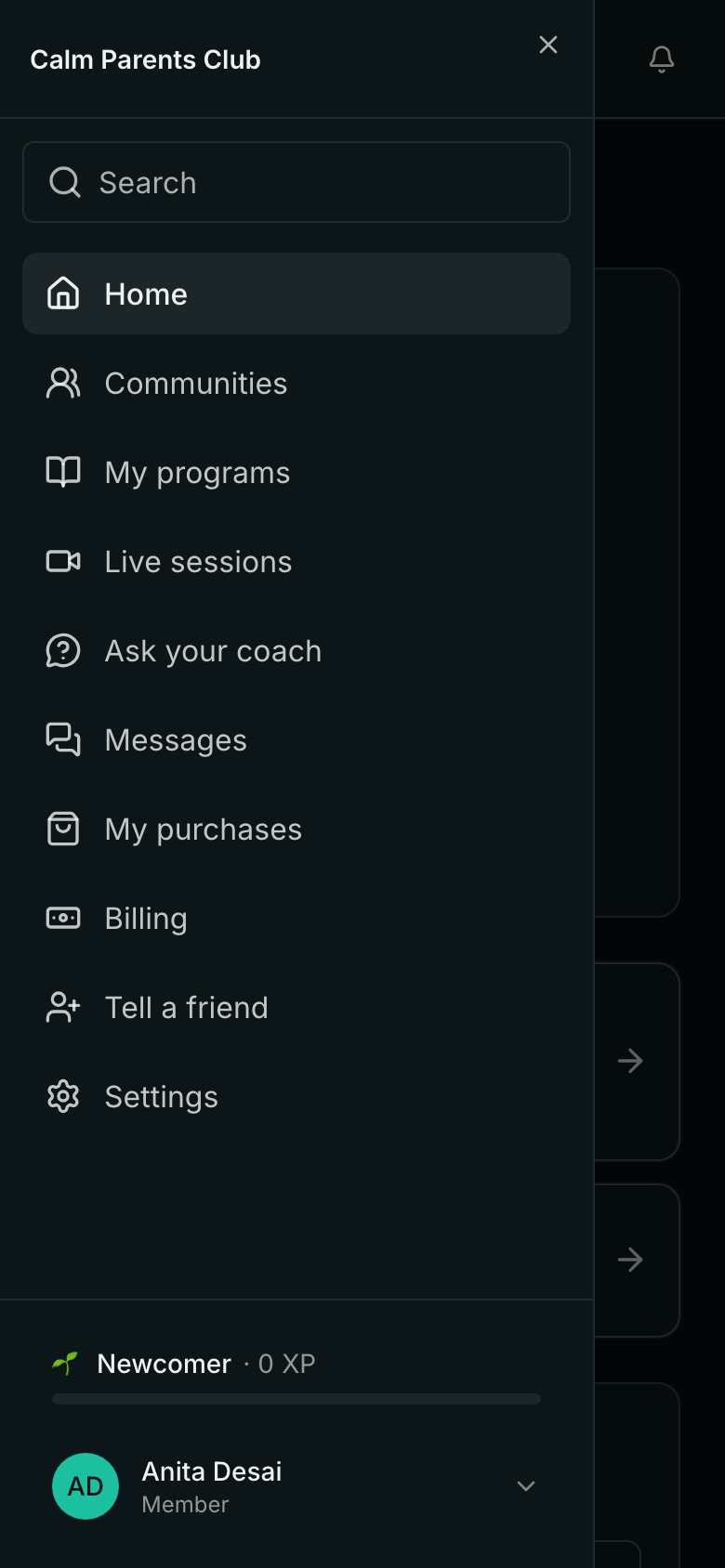
- Their menu leads with Communities, then My programs, Live sessions and Ask your coach.
- Their home says You finished this program, Your other programs, and so on.
- Under their name the menu says Member.
- Your public site's menu and footer say Programs, and its Wall of Love speaks of members and programs. A footer label you wrote yourself stays as you wrote it.
Messages in a coach's words
- The invitation email offers your programs, live sessions and community.
- Reminders before a live session, by email and in the app, say Session, Program and Coach. (The WhatsApp reminder is a fixed message Meta approved, so its words do not change.)
- The notice when you schedule one says Live session: ….
- Does coach mode turn anything off?
- No. It changes words and the order of the menus only. Quizzes, assignments and every other page are under More.
- Can I switch back?
- Yes, in Settings under What kind of academy is this? — choose A school or a teacher's classes.
- Do my members need to do anything?
- No. Their menus and pages change the next time they open them.
- Who can change it?
- The academy's admins. Teachers and members cannot.
Related