For admins
The University plugin: what it is and who it is for
Most course platforms model a shop: a catalog, a buyer, a receipt. A university is not a shop. It has programmes with regulations, candidates with enrolment numbers, terms that open and close, examinations somebody must be able to defend at an appeal, and records that outlive the software. The University plugin adds that second model alongside the first, and it is installed per workspace — so a workspace that teaches yoga never sees a word about invigilation.
Last updated Aug 28, 2026
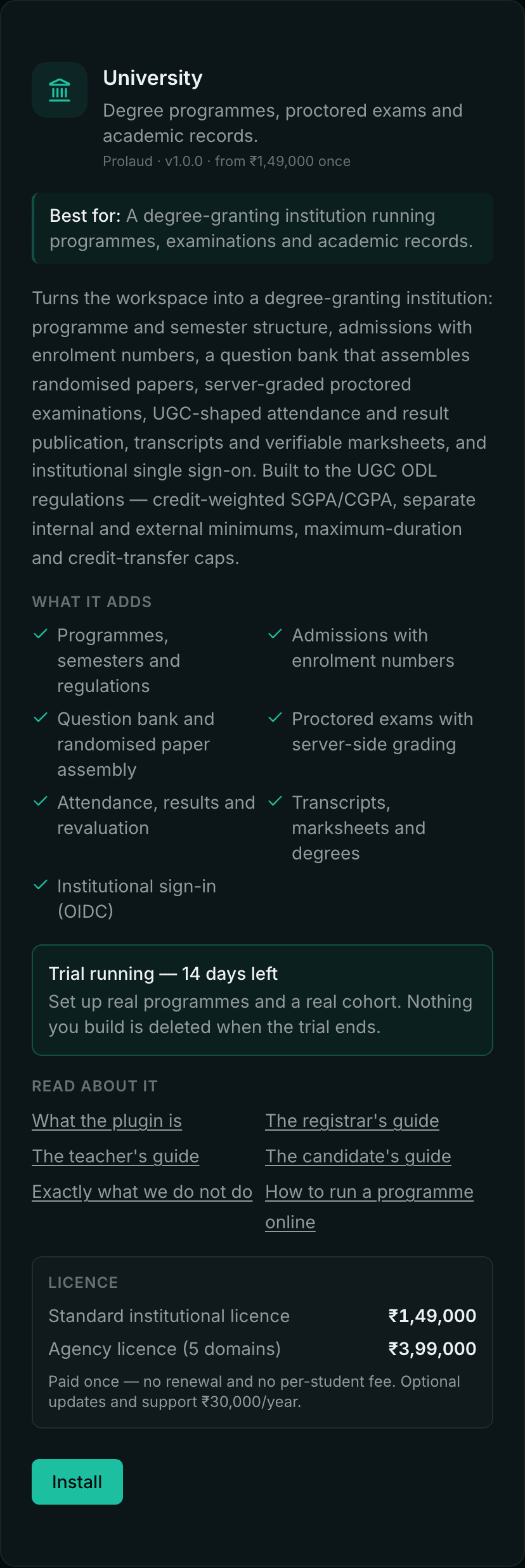
The plugin is off until you install it. Nothing about it appears in the sidebar, and its entire API is closed, until an administrator turns it on — so the ordinary product stays uncluttered for the workspaces that will never need a degree programme.
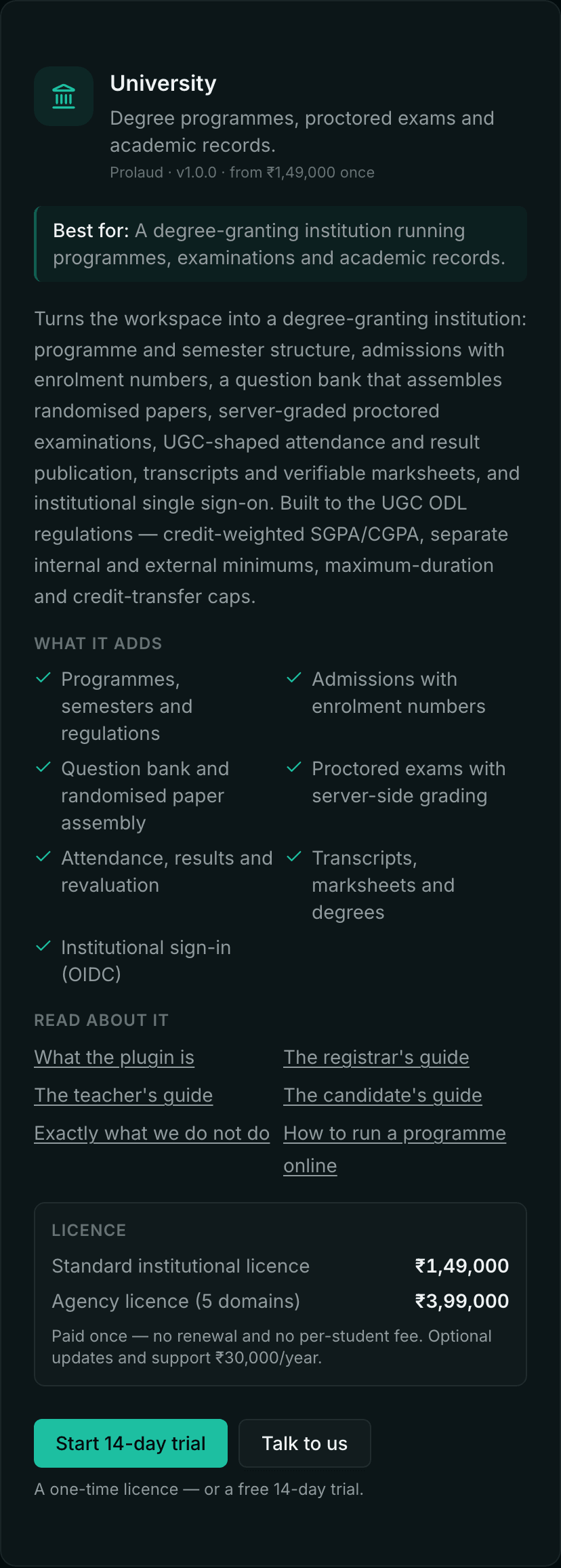
What it adds
- Programmes and regulations — duration in semesters, total credits, the internal/external mark split, minimum attendance, elective groups and prerequisites.
- Admissions — candidates admitted against a programme and an entry semester, each given an enrolment number: generated as programme code + year + sequence (BCA20260001), or supplied by you if your institution has its own numbering.
- Question bank and paper assembly — a pool of questions with difficulty and topic, and a blueprint that draws a randomised paper per candidate from it.
- Proctored examinations — the paper is assembled and graded on the server, the candidate's browser never holds the answer key, and the sitting leaves an evidence trail.
- Attendance, results and revaluation — attendance recorded as sessions held against sessions attended, marks entered against separate internal and external minimums, results published and then correctable.
- Transcripts, marksheets and degrees — issued as PDFs with a verification code an employer can check without an account.
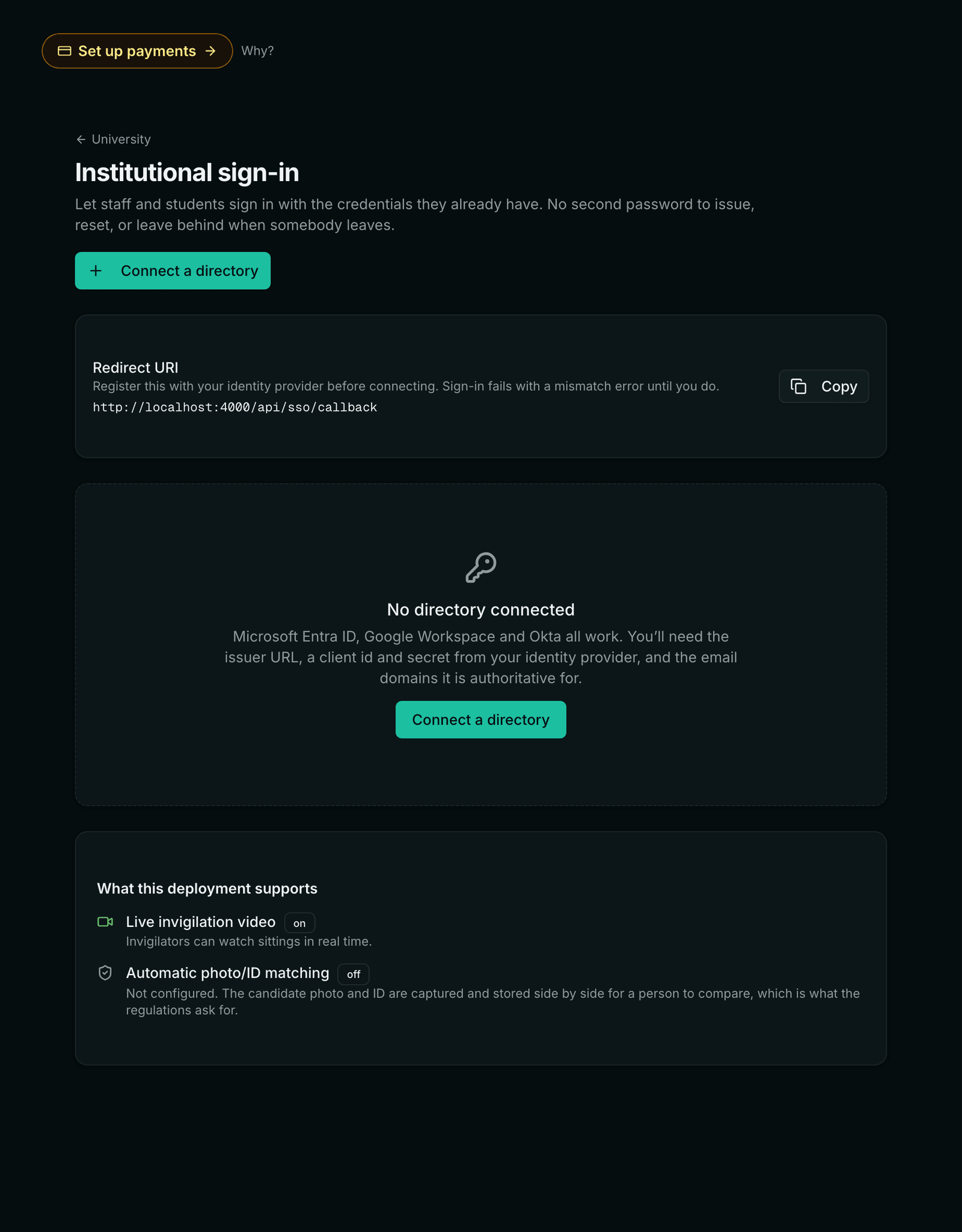
- Institutional sign-in — staff and students sign in with the credentials your directory already issues.
Who does what
The plugin does not use the flat owner/instructor/student roles the rest of the product runs on. A university has a chain of authority, and marks are the thing it exists to protect, so the roles are scoped and separated: a head of department publishes their own department and nobody else's, and the person who marks a script is not the person who makes that mark final.
- Exam controller — owns the examination process end to end: authoring papers and the question bank, invigilating, voiding a sitting, entering marks, publishing results and revaluing them.
- Registrar — admissions and records: registrations, enrolment numbers, marksheets and transcripts, and creating programmes. Note the deliberate gap — a registrar does NOT publish results.
- Head of department — their own department, end to end short of voiding: papers, invigilation, mark entry, publication and programme structure.
- Evaluator — enters marks, and nothing else. Specifically NOT publication: the person who marks a script must not be the person who decides the mark is final.
- Invigilator — watches live sittings and flags incidents. Never sees or changes a mark.
- Coordinator — read-only oversight of the sittings on their programmes. Changes nothing.
- Candidate — sits examinations and sees their own results and documents, and nobody else's.
Built to the UGC ODL regulations
The regulations are encoded as rules the software enforces, not as a checklist you tick. Where a rule is a number, you set it per programme and the system holds you to it.
- Credit-weighted SGPA and CGPA on the UGC ten-point scale, computed from credits and grade points rather than a simple average.
- Separate internal and external minimums — a candidate who clears the aggregate but fails the external minimum has not passed, and the software says which.
- Maximum duration — a candidature lapses at double the programme duration, and the system tracks the lapse date from the entry semester.
- Credit-transfer cap — the share of a programme that may be brought in from elsewhere is capped per programme; a transfer that would breach it is refused with the arithmetic shown.
- Minimum attendance — recorded as sessions attended against sessions held, with detention applied against the threshold you set.
What this is not
It is not a full university ERP. There is no fee-collection ledger, no hostel or transport module, no payroll, and no admission-test engine. It covers the academic spine — programme, candidate, examination, result, record — and it integrates with what you already run for the rest.
- Do we have to move our whole institution onto this?
- No. The academic spine works against the roster you already have, and institutional sign-in means staff and students keep the credentials your directory issues. Most institutions run it alongside an existing ERP and use it for the teaching, examination and record layer.
- Can we try it before buying?
- Yes — one click starts a 14-day evaluation with the full plugin, no card and no call. Use it properly: set up a real programme and a real cohort rather than throwaway data, because nothing you build during the trial is deleted when it ends. If you buy afterwards, it is all still there exactly as you left it. One trial per workspace; if you need longer, ask and we will extend it.
- Is it a subscription?
- No. The University plugin is a one-time license — ₹1,49,000 for a single domain, ₹3,99,000 for five. There is no renewal and no per-student fee. Optional updates and support are ₹30,000 a year, and the license stays valid whether or not you take them.
- What happens when the trial ends?
- The screens close and the API stops, exactly as if the plugin had been removed. Nothing is deleted, and nothing reaches your students: an examination already in progress finishes, candidates keep seeing their own results, and any document you issued during the trial keeps verifying.
- What happens to our data if we stop using it?
- Nothing is deleted. Removing the plugin hides the screens and closes the API; every programme, registration, result and issued document stays exactly where it was, and reinstalling brings the workspace back as it was. Marksheets you have already issued keep verifying regardless — a document in somebody's hand must never stop being checkable because of a billing change.
Related