For admins
The registrar's guide: programmes, admissions, results and degrees
This is the whole administrative year in order: define the programme, open a term, admit the cohort, record attendance, enter and publish marks, deal with the appeals that follow, and issue the documents. Each step names the rule the software enforces, because the point of encoding a regulation is that you cannot accidentally breach it at 11pm on results day.
Last updated Aug 28, 2026
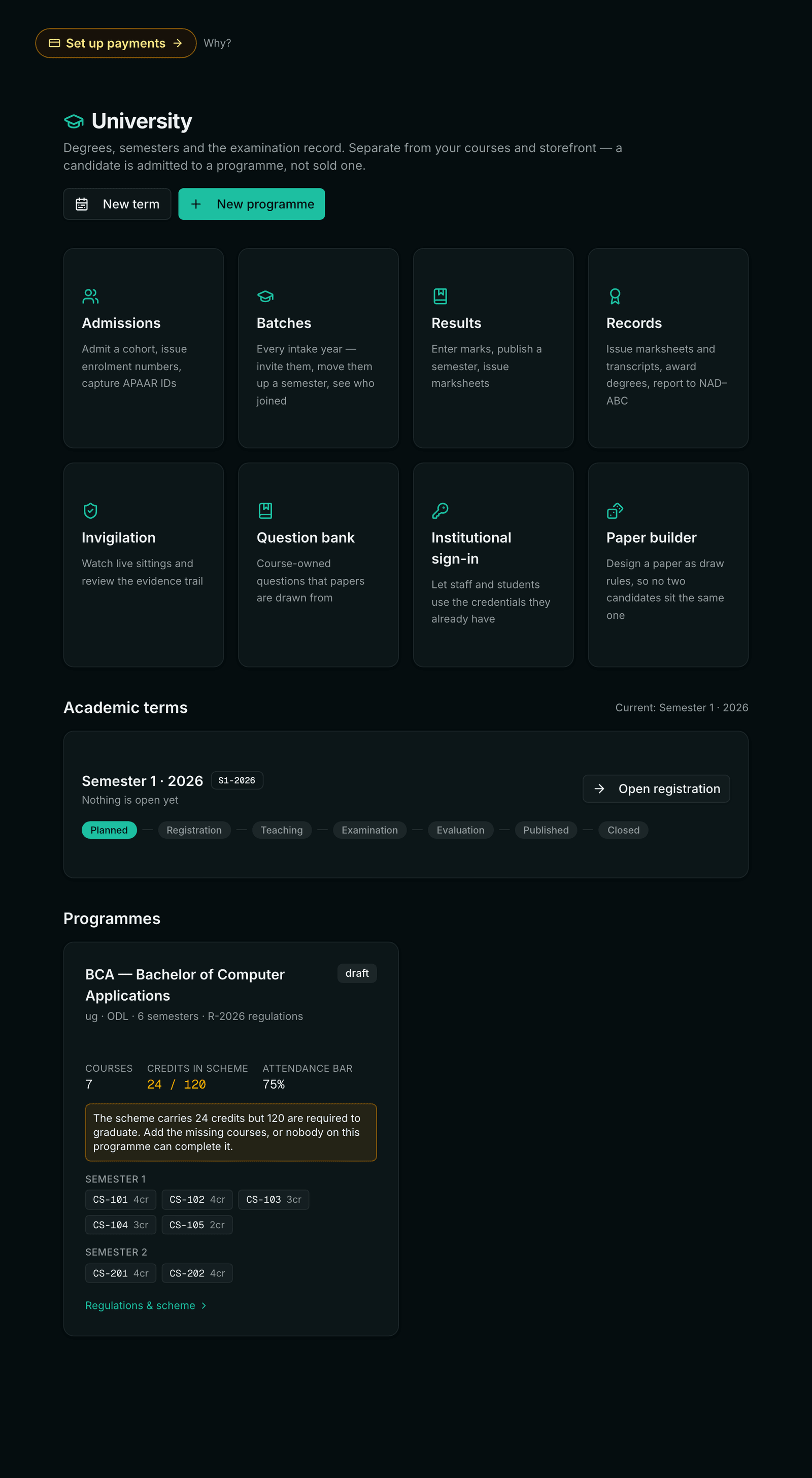
1. Define the programme
A programme is the rulebook. Everything downstream — whether a candidate has passed, when their candidature lapses, how much credit they may bring in — is decided against what you set here, so it is worth doing carefully once.
- Code and name, level (UG, PG, diploma, certificate) and mode (ODL, online, regular).
- Duration in semesters and total credits.
- Maximum duration — leave it blank and it defaults to double the duration, which is the UGC ODL rule.
- Minimum attendance percent — the bar below which a candidate is detained.
- Maximum transfer credit percent — the cap on credit brought in from elsewhere.
- Credits per term, minimum and maximum, so a candidate cannot register for a term they could never complete.
Then add the courses. Each carries its credits, its category (core, elective, practical, project, audit), and — the part that matters at results time — its internal and external maximums with a separate minimum for each. A course may also name prerequisites by code and belong to an elective group.
The scheme is entered on a grid rather than a form, because it arrives as a spreadsheet. Put the cursor in a cell and paste a block straight out of Excel, or import the CSV the board of studies circulated — its own column headings are read, including the older ones like “CIA Max”, “ESE Max” and “Basket”. One paste can carry every semester at once; the semester dropdown only supplies a default. Export gives the same columns back as a CSV for the approval file.
A scheme is corrected on the same grid. Edit a semester in place to fix a credit, move a course to another semester or remove one that should never have been there. Renaming a course carries every prerequisite that named it. Removing one is refused once a candidate has registered for it — their marks would point at nothing, and a marksheet that cannot name its own paper is worse than a scheme with a wrong row.
The scheme check runs every rule the table itself cannot show: a prerequisite naming a course that does not exist, or one taught in the same or a later semester, both of which silently skip the paper at registration; an elective group asking candidates to choose more courses than it offers; a semester whose lightest possible load already breaches the per-term credit ceiling; and the credits a candidate actually earns on the cheapest legal path through the electives, against the total required to graduate.
2. Open a term
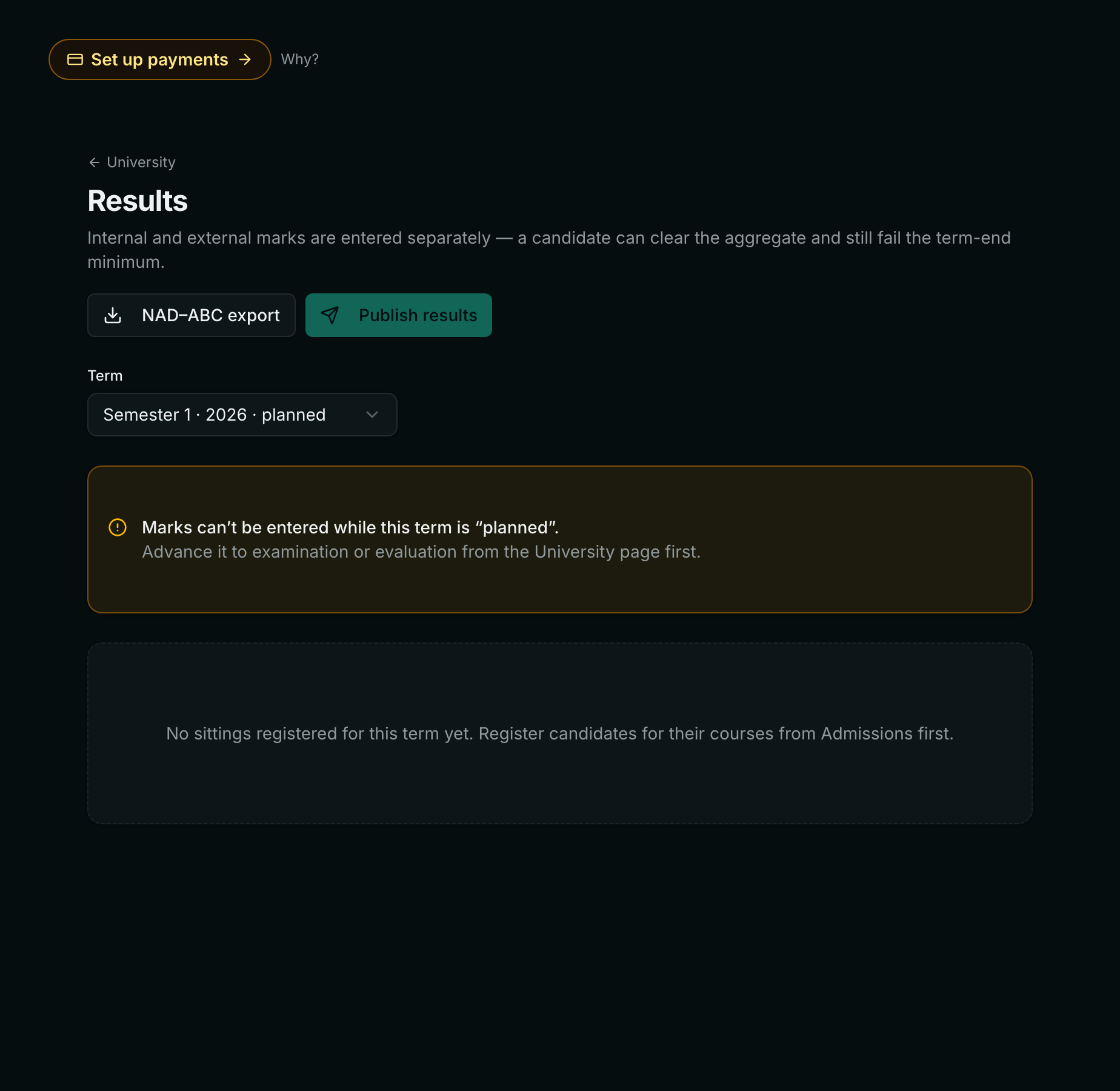
A term is a window with a state. In registration it accepts course registrations and refuses marks. Once teaching starts it accepts attendance and marks. On publication it freezes. That ordering is deliberate: entering marks against a term still open for registration is how a candidate ends up graded for a course they later dropped.
3. Admit the cohort
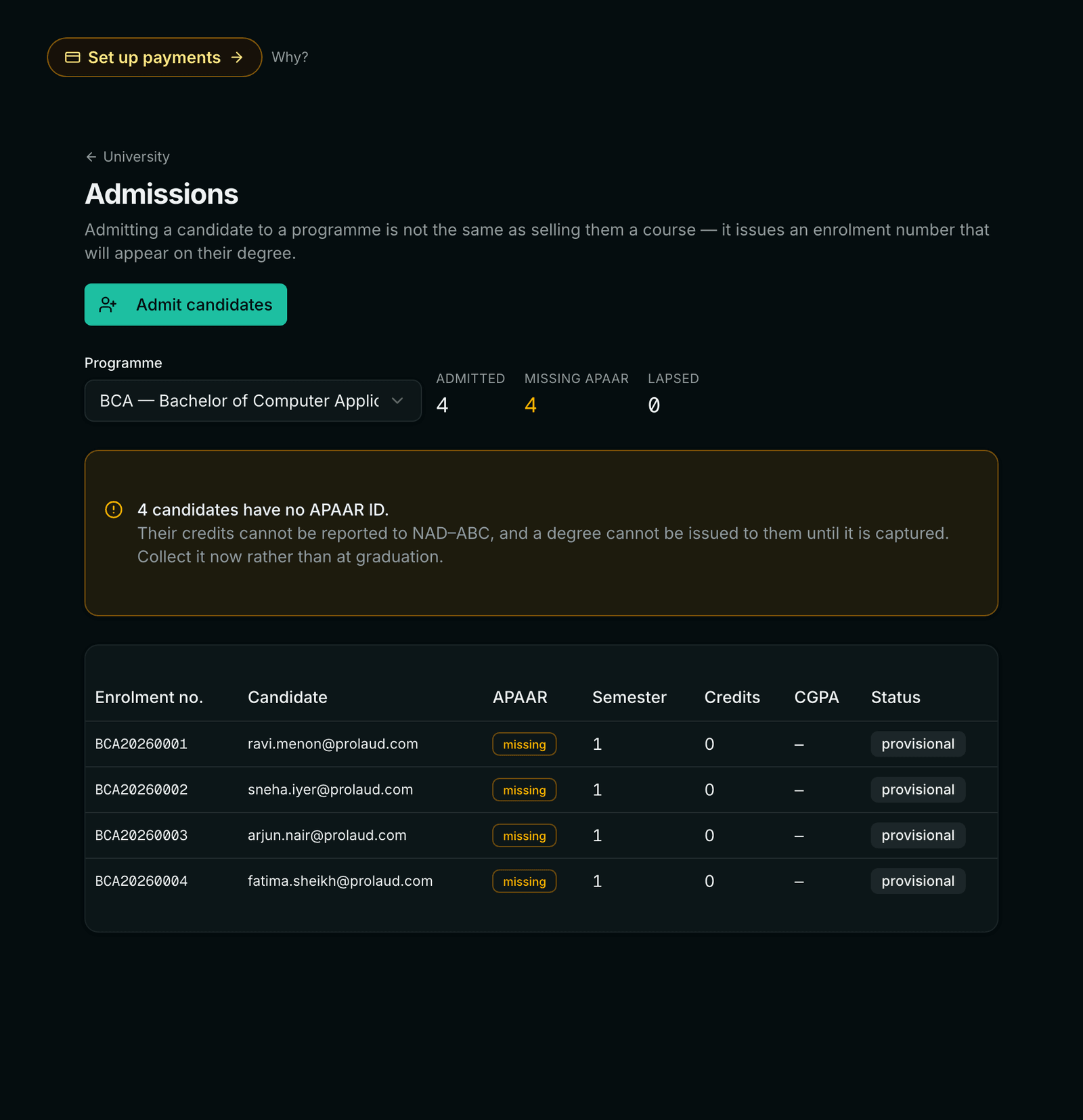
Admission creates the candidature: a candidate against a programme, an entry semester, an admission date, and an enrolment number. The generated format is the programme code, the year, then a four-digit sequence — BCA20260001 — and it is unique within the institution. If your institution already has its own numbering, pass the number with the admission and it is used as given, in single admissions and in a bulk import alike. Admission also creates the person on your ordinary roster, bridged by email — so an admitted candidate is the same person the workspace already knows rather than a second record of them.
- One at a time for a late admission or a transfer-in.
- Bulk import from a spreadsheet for the intake, deduplicated by email so re-running a corrected file is safe.
- Cohort registration to register an entire term's candidates for their core courses in one action instead of one at a time.
4. Record attendance
Attendance is recorded as two numbers per candidate per course — sessions held and sessions attended — not as a percentage. The percentage is derived, so a correction to the denominator (a canceled class) recomputes every candidate rather than requiring a manual pass. Detention is applied against the programme's minimum, and a detained candidate is shown with the arithmetic that detained them.
5. Enter and publish results
Marks are entered per course as internal and external. Evaluation applies the programme's rules: both minimums, the aggregate, the UGC ten-point band, and the grade point. Publication then computes the term's credit-weighted SGPA and the running CGPA, and freezes the result.
Publication is scoped. A head of department publishes their own department; a partial publish leaves the term open for the rest, so one department being ready does not force the others. A registrar publishes anything.
6. Handle the appeals
A published result can be revalued. Revaluation recomputes the SGPA, the CGPA and the marksheet immediately — it does not ask you to republish the term to refresh them, which is the kind of hidden second step that leaves a corrected mark on paper and the old one on the portal.
A result can also be withheld — for unpaid dues or a pending disciplinary matter — which removes it from the transcript without deleting it, and a hold on a candidature can be placed and released the same way.
7. Issue the documents
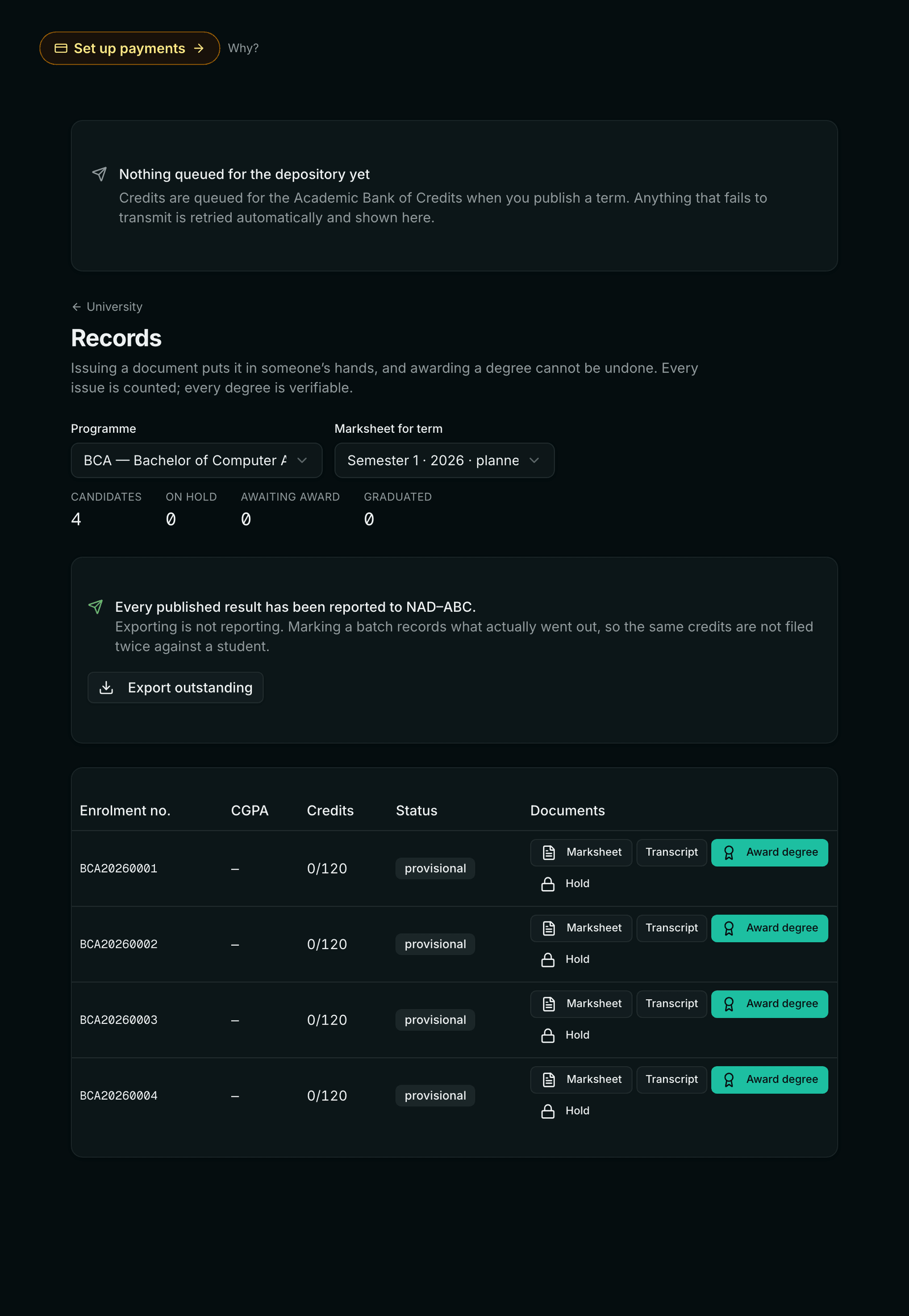
Transcripts and marksheets are generated as PDFs carrying a verification code. Anyone holding the document can check it at a public URL without an account: they get a confirmation, not a record. No APAAR ID, no email, no per-paper marks — a verification endpoint that returns a candidate's full academic history to anyone holding one code is a data leak with a search form attached.
8. File credits with the depository
Completed credits are queued for the Academic Bank of Credits rather than posted directly, because the moment this matters most is a graduation spike — thousands of records at once, which is exactly when somebody redeploys or the depository rate-limits.
- The queue is durable — it survives a restart, because work held in memory is not a promise.
- It is idempotent — a record carries a stable key, so a retry after an ambiguous timeout cannot credit a candidate twice.
- It is visible — the records screen says in a sentence what still owes the depository, and names anything that gave up. A queue whose failures live only in a log file is one nobody checks.
- Can a head of department publish another department's results?
- No. Scope is checked on the server for every write, not by hiding the button. An attempt is refused and recorded in the audit log with the actor and the department.
- What happens if we publish a result with a wrong mark?
- Revalue it. The corrected mark recomputes the SGPA, the CGPA and the marksheet straight away. The original is kept — the audit trail shows what changed, who changed it and when, which is what you need at an appeal.
- Can we set our own enrolment number format?
- There is no setting for the generated format — it is the programme code, the year, then a four-digit sequence (BCA20260001). What you can do is supply the number yourself with each admission, including in a bulk import, and it is stored exactly as given. So an institution with its own numbering scheme brings it along; it just does not generate it for you.
- Does a candidate's candidature expire?
- Yes, at the programme's maximum duration — double the programme length unless you set otherwise, which is the UGC ODL rule. The lapse date is tracked from the entry semester and is visible on the candidature.
Related