For admins
Proctoring: invigilate a test somebody has to trust
Everything needed to sit a test whose result somebody outside your organization has to trust — and, just as important, a straight account of what each measure does not prove. Nothing here fails a candidate on its own.
Last updated Aug 28, 2026
The one idea worth holding on to
Every signal in this system is evidence for a person to weigh. Not one of them decides anything. There is no score that fails a candidate, no threshold that voids a paper, and no automatic referral — because every measure here has an innocent explanation that is more common than the guilty one. A face leaves the frame because somebody reached for a glass of water. A second display is attached because that is how the desk has always been. A connection drops because it is a distance programme and that is the point.
What it costs
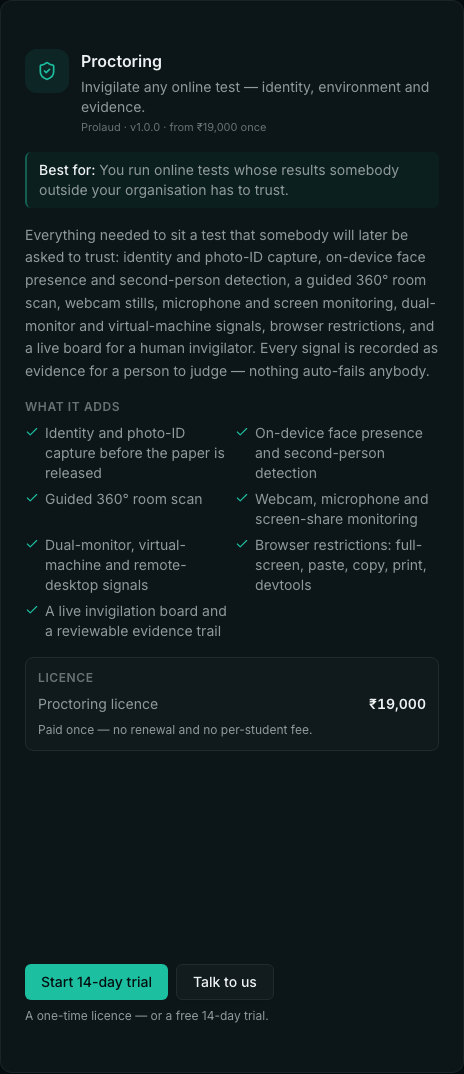
₹19,000 once, for one workspace. No per-exam fee and no per-student fee — which is the comparison worth making, because per-seat proctoring runs ₹4,200–5,000 a candidate a year and per-exam pricing ₹250–450 a sitting. A single 300-candidate entrance test costs more with a per-seat vendor than this does forever.
It is included free with the University plugin, which already sells proctored examinations as part of what it is. That is enforced by the software, not remembered on a pricing page: a workspace holding University reaches every proctoring screen and endpoint without installing or paying for anything, and loses that access if University is removed. There is also a 14-day trial, and nothing built during it is deleted when it ends.
Using it without the University plugin
Proctoring stands on its own. A coaching institute running entrance tests, a company running a certification, a school running a scholarship exam — none of them wants degree programmes, enrolment numbers or transcripts, and none of them has to buy them.
What a Proctoring-only workspace gets is an Examinations section with two screens: the paper builder, where a paper is designed and its monitoring set, and invigilation, where sittings are reviewed. Candidates sit papers exactly as they do under University — the examination runtime is shared. What it does NOT get is the degree-issuance half: programmes, admissions, attendance, results, transcripts and the question bank all belong to University.
Turning it on for a paper
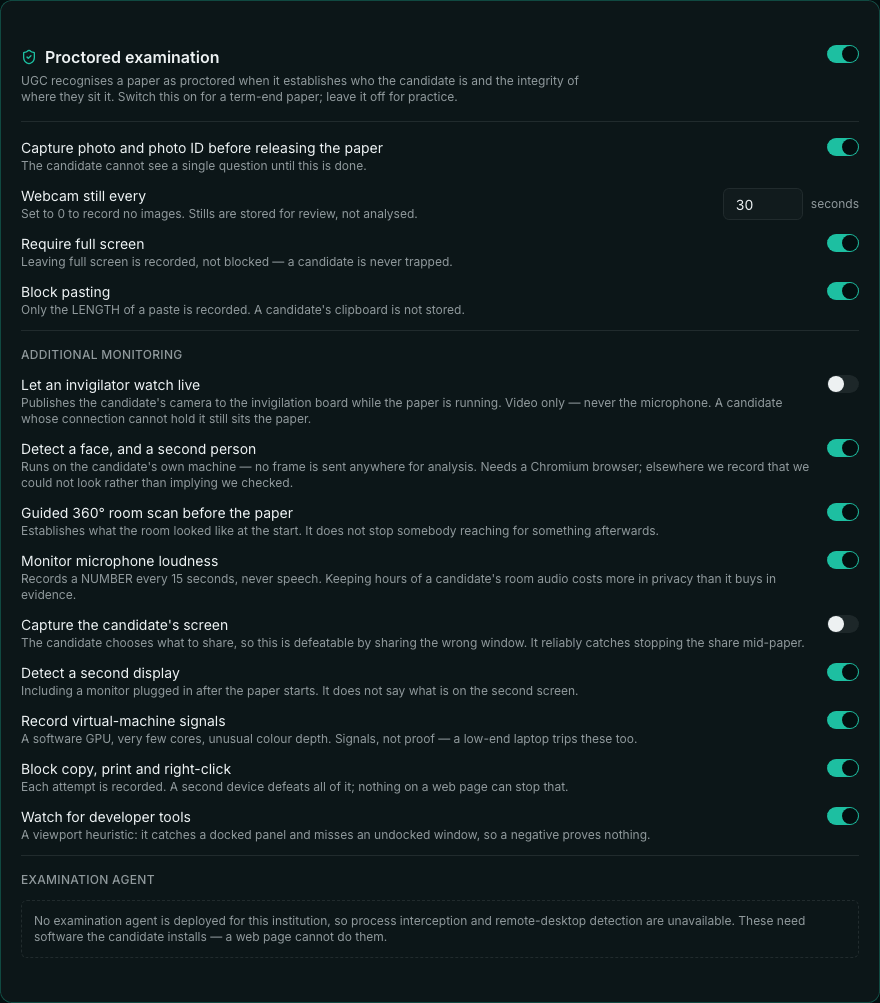
Proctoring is set per paper, not per workspace, because the right answer differs between a practice quiz and a term-end examination. Open the paper in the paper builder and switch on “Proctored examination”; everything else appears underneath it. Switching it back off clears every setting under it, so a paper reused next year does not silently resume demanding a microphone nobody remembers enabling.
What each measure actually does
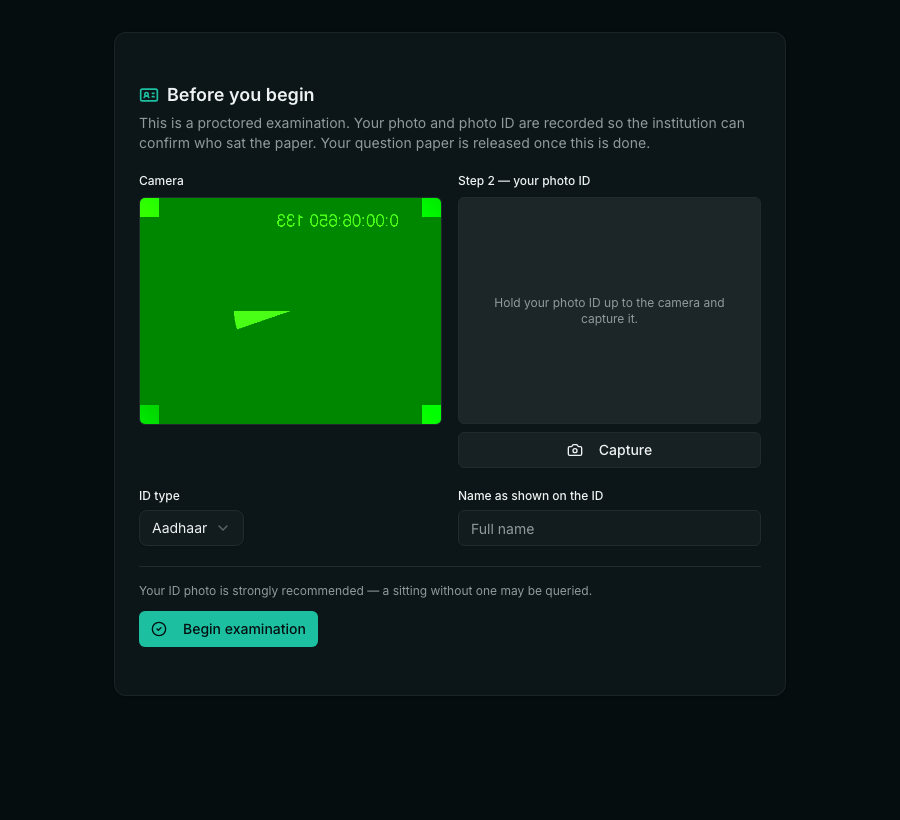
- Identity and photo ID — captured before a single question is released. Automated matching against Azure Face or your own scoring endpoint is available and produces a score that FLAGS a sitting for a person to look at. It cannot fail anybody. That limit is a decision: automated face matching has error rates that are worse on darker skin and on women, and a false rejection at an examination is not a small harm. Left unconfigured, matching is entirely human.
- Face presence and a second person — detected in the candidate’s own browser by a small model we serve ourselves. Two faces and zero faces are recorded separately because they ask different questions: whether somebody ELSE is there, and whether the candidate still is. Each flag keeps the frame it came from, so a reviewer opens a picture rather than reading a number. It costs about 3.6 MB the first time a paper uses it, then it is cached — and it is only fetched when a paper actually asks for it.
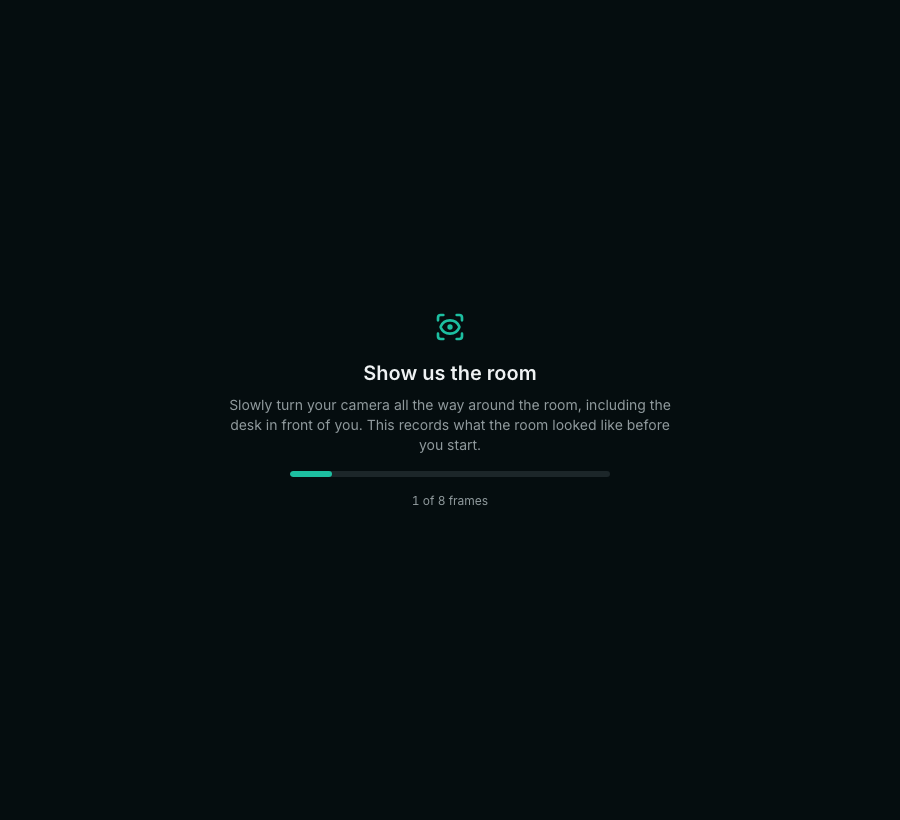
- Room scan — a guided sweep before the paper is released, kept as stills a reviewer can take in at a glance rather than a clip they must scrub through. It establishes what the room looked like at the start, which is the question an appeal actually asks. It does not stop somebody reaching for something afterwards.
- Webcam stills — a small image every N seconds, stored for review. Not analyzed.
- Microphone — loudness only, sampled every fifteen seconds. Speech is never recorded. Keeping hours of a candidate’s household audio costs far more in privacy than it buys in evidence, and in several jurisdictions it is the part that needs separate consent.
- A second camera — the candidate pairs their own phone with an eight-character code and props it to the side. It sends a wider view every thirty seconds: the lap, the desk beside the machine, and anyone sitting outside the webcam’s cone. This is the measure a laptop camera structurally cannot provide, and the one every established vendor leads with. The phone needs no login, and the code it uses is single-claim, expires in ten minutes, and mints a token that can do nothing except send those frames — it cannot read the paper, the answers or the result.
- Screen sharing — periodic stills of what the candidate shares. They choose what to share, so this is defeatable by sharing the wrong window; what it reliably catches is somebody stopping the share halfway through.
- Second display — the browser reports whether more than one screen is attached, including one plugged in after the paper starts. It does not say what is on the second screen.
- Virtual-machine signals — a software or virtualised GPU, very few processor cores, unusual color depth. Signals, not proof: a low-end laptop trips these too, which is exactly why they are shown to a person and never acted on.
- Browser restrictions — full screen, paste, copy, cut, right-click, print and developer tools are blocked or recorded. This is not a lockdown and is not sold as one.
Why the face detection is not the browser’s
Browsers have a built-in face detector — the Shape Detection API — and calling it is the obvious implementation. It has sat behind an experimental flag in Chrome for years without launching, and no other engine ships it, so a system built on it runs a check that for practically every candidate never happens. Ours did exactly that until it was replaced, and the only reason it was caught is that somebody asked to see the second-person detection working.
So we ship the model instead: 224 KB on a WebAssembly runtime, served from our own origin, running in the candidate’s page. Roughly 3.6 MB the first time a paper needs it, cached afterwards, and fetched only when a paper turns detection on — a workspace that never uses it never pays for it. If it cannot be downloaded, the sitting records that we could not look, which is not the same claim as “no face was found”.
The examination agent
Three things on every procurement checklist cannot be done by a web page at all: seeing which applications are running, detecting a virtual machine, and detecting a remote-desktop session. Not by us and not by anybody — they need code running outside the browser with the operating system’s cooperation. So the agent is a small program the candidate runs for the duration of the paper. That is the honest answer to that half of the list: not “we cannot”, but “not without software the candidate installs”.
- It reports the process NAMES that matched a published deny-list, plus a count of everything else. It does not upload a process listing. A candidate’s own machine holds their banking app and their medical appointments, and collecting all of it to catch a screen recorder is not a trade worth making.
- It kills nothing. Terminating a candidate’s software mid-paper is how somebody’s unsaved work is destroyed and how an institution ends up in court.
- It binds to the candidate’s own machine and never talks to the network itself — the exam page carries its signed report — and only the pages your institution lists may ask it anything.
- It is re-checked every few minutes rather than once. One check at the start proves only that nothing was running at the start; the interesting moment is forty minutes in.
- Each report answers a one-time challenge issued by the server, so a candidate cannot capture one clean report and replay it for every paper they ever sit.

What the candidate is told
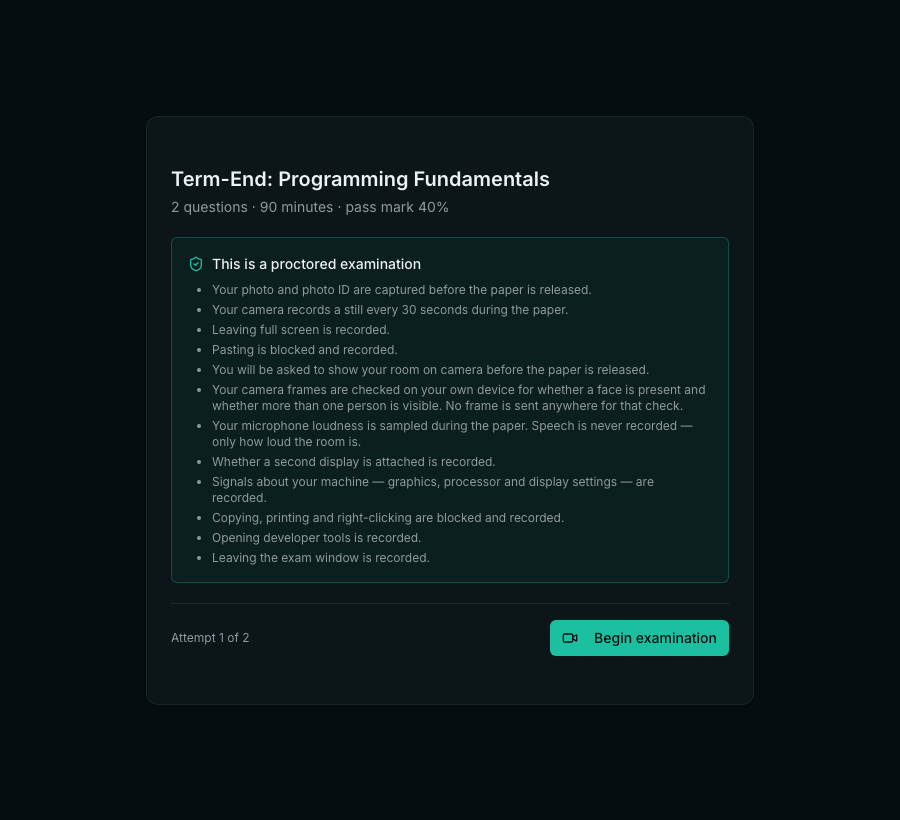
Everything switched on is named on the screen before the paper is released. Not a link to a policy, not a checkbox — a list, in plain words, of each thing that will be recorded. This is not a courtesy. A test that samples somebody’s microphone or asks them to film their room without telling them is not a proctoring feature; it is a consent failure, and in several jurisdictions a legal one.
The candidate’s side, step by step
- They open the paper and read exactly what will be recorded. Nothing has started yet.
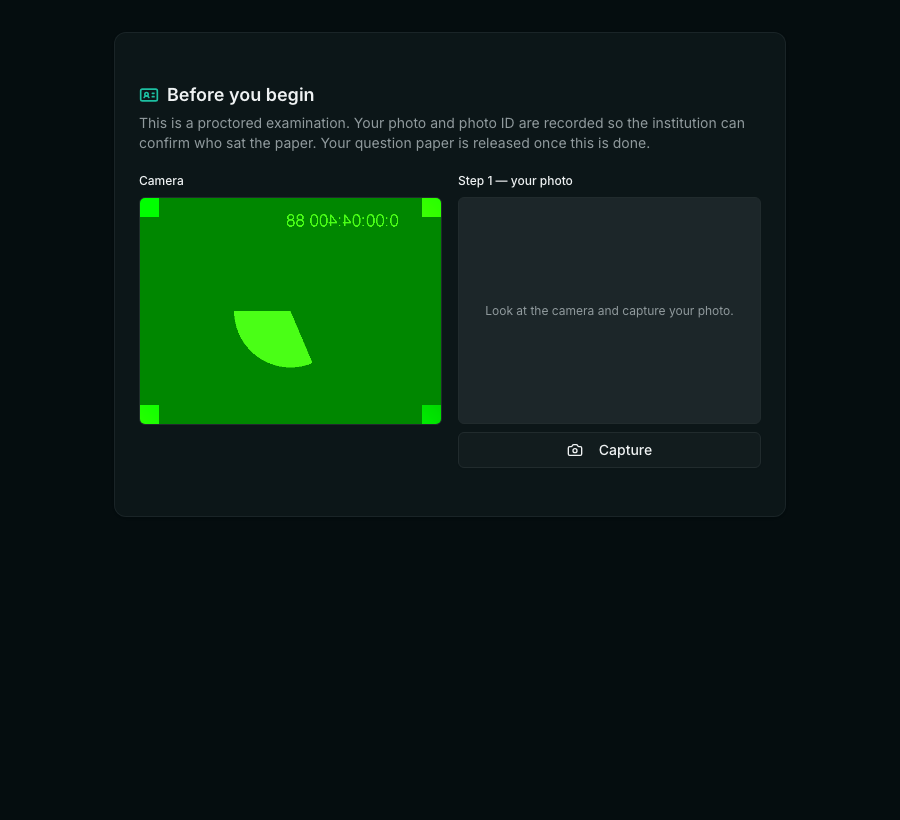
- They capture their photo. The camera preview is on the left; the captured image on the right.
- They hold up their photo ID and capture that, then choose the ID type and type the name as printed on it.
- If a room scan is required, they are asked to turn the camera slowly around the room. It takes a few seconds and shows its own progress — a candidate staring at a frozen screen assumes it has crashed.
- The paper is released. From here the recording described on the intro screen is running, and the candidate can see their camera is live.
What an invigilator does
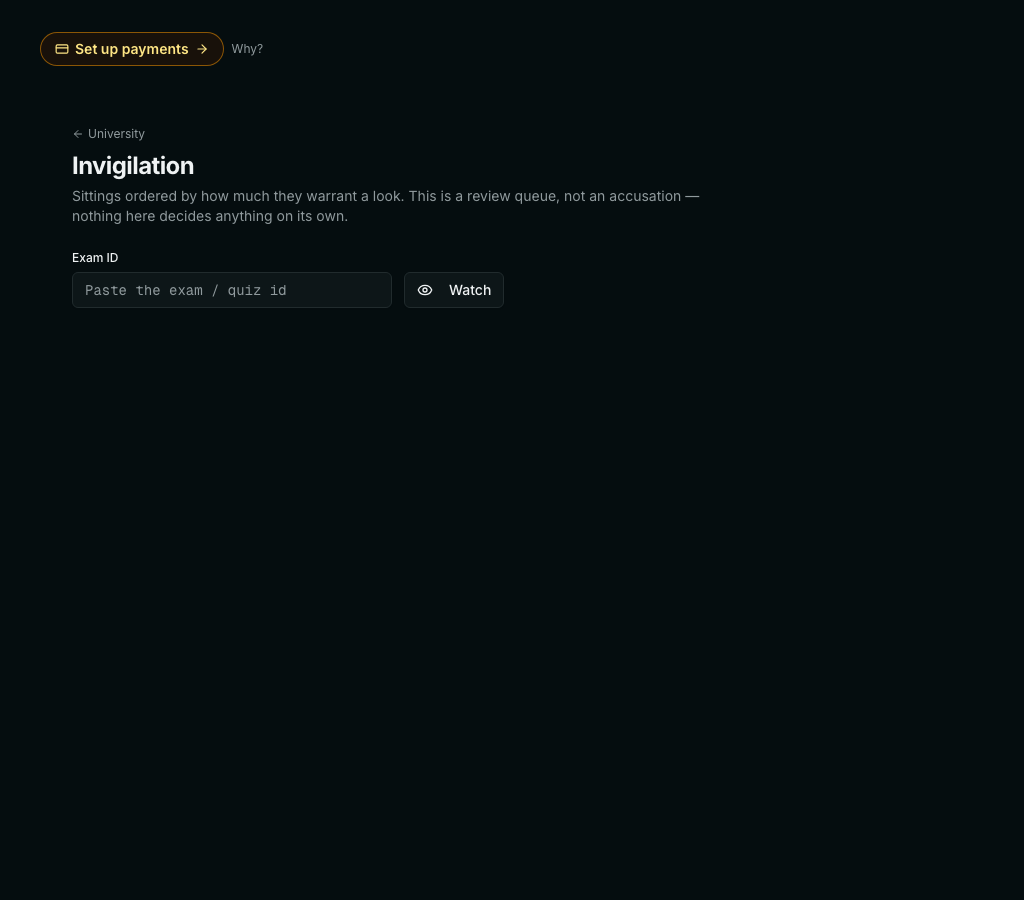
Two surfaces, for two different jobs. While a paper is running, live tiles show the candidates who are publishing a camera, so somebody can watch while intervening still matters. Afterwards — and alongside — the board lists sittings ordered by how much they warrant a look, with each candidate’s flags and stills.
The ordering is weighted deliberately low for the ordinary signals. A reviewer shown twenty scarlet rows for somebody with a normal two-monitor desk stops reading the trail at all, and then the one that mattered is missed too. Signals that come from outside the browser — the agent finding a remote-desktop session, say — are weighted higher, because unlike the in-page heuristics they are not trivially deniable.
Live watching needs a media server
The live tiles use your LiveKit deployment. Without one configured the option hides itself rather than offering a switch that would do nothing, and everything else — stills, the event trail, the agent — works exactly as described. A candidate whose connection cannot hold a video stream still sits the paper: supervision is an aid, not a gate, and failing somebody because a university wifi could not carry WebRTC would be indefensible.
What we do not do
- We do not fail anybody automatically, at any threshold, for any signal.
- We do not record room audio. Loudness is a number; speech is never captured.
- We do not upload what is running on a candidate’s machine — only the names that matched a published list.
- We do not terminate a candidate’s software.
- We do not claim a browser-based system can enforce a locked-down machine. A second device in the room defeats every measure here, and no software installed on the exam machine can stop that.
- Do we need the University plugin to use this?
- No. Proctoring stands alone at ₹19,000 for any workspace running online tests — an entrance test, a placement assessment, a certification. If you do hold University, you already have it: the gate treats University as including Proctoring, so there is nothing to install and nothing more to pay.
- Can a candidate refuse the camera?
- They can, and the refusal is recorded rather than hidden. Whether that is grounds for anything is your institution's decision, not the software's. The one option that can actually block a paper is requiring the examination agent — because a candidate with no agent has not been checked at all, whereas a candidate who declined the webcam has still sat the paper.
- Does it work on a phone?
- The paper does. Several of the monitoring options do not: face detection needs a Chromium browser, screen sharing is unreliable on mobile, and the examination agent is desktop software. If your regulations require those, require a computer, and say so in the instructions rather than discovering it on the day.
- What happens if a candidate's internet drops?
- The sitting survives. Answers are saved server-side and the clock belongs to the server, so a candidate who changes their system clock changes nothing. The gap in reporting is itself recorded as an event — which does NOT mean it was deliberate: a dropped connection looks identical to a disconnected one, and the guides say so.
- Can a student see what was recorded about them?
- Ask us if you need this exposed to candidates — today the evidence trail is a staff surface. Everything that will be recorded is disclosed before the paper begins, which is the part that matters for consent.
- Is any of this sent to a third party?
- Only if you configure it. Stills and events stay in your workspace. Automated face matching is off unless you point it at Azure Face or your own endpoint, and the examination agent never talks to the network at all — the exam page carries its signed report.
Related