Make the slides.
Teach the class.
Type one line and the lesson is written, illustrated, voiced and laid out. Then teach it live — the class follows your slide on their own screens, nobody answers until you open the question, and what they answered becomes a note you can send home.
Ten finished lessons you can play right now — no signup.
Every other tool needs you to have made the deck first.
Turning a presentation into a live session is useful — if the presentation exists. For a preschool teacher on a Sunday evening, making it is the work. So that is the part we do, and the live lesson comes with it rather than instead of it.
A week in a kindergarten classroom
- 01
It is nine on Sunday evening and you are cutting pictures out of a magazine for tomorrow's letter.
- 02
You made a lovely worksheet for A last year. You cannot find it, so you are making it again.
- 03
Twenty children are looking at one screen across the room, and the four at the back have gone.
- 04
You ask who knows the answer. Six hands go up. You have no idea about the other fourteen.
- 05
A parent asks what their child did today, and you write the same message you wrote yesterday.
- 06
The deck you spent an evening on is used once, and never leaves your laptop.
How it works
Six steps, start to finish. The first four take about a minute; the last two happen in the lesson.
1. Type what you are teaching
One line — “the letter A”, “water cycle”, “adjectives”. Or upload last year's worksheet, PDF or PowerPoint and we read it instead of you retyping it.
2. Say who it is for
Preschool, Pre-K–Kindergarten, Grades 1–5, Grades 6–8, 9–12 or college. It changes the words, the pictures, the reading level and what the class is asked to do.
3. Pick a look, or don't
Twelve looks — notebook paper, cut-out stickers, doodle lines, watercolor. Leave it on “You decide” and each deck comes back in a different one.
4. It builds the lesson
Slides, real pictures of the actual subject, tap-the-answer games, a line for every slide read aloud, and the whole thing measured to fit any screen.
5. Share it with the class
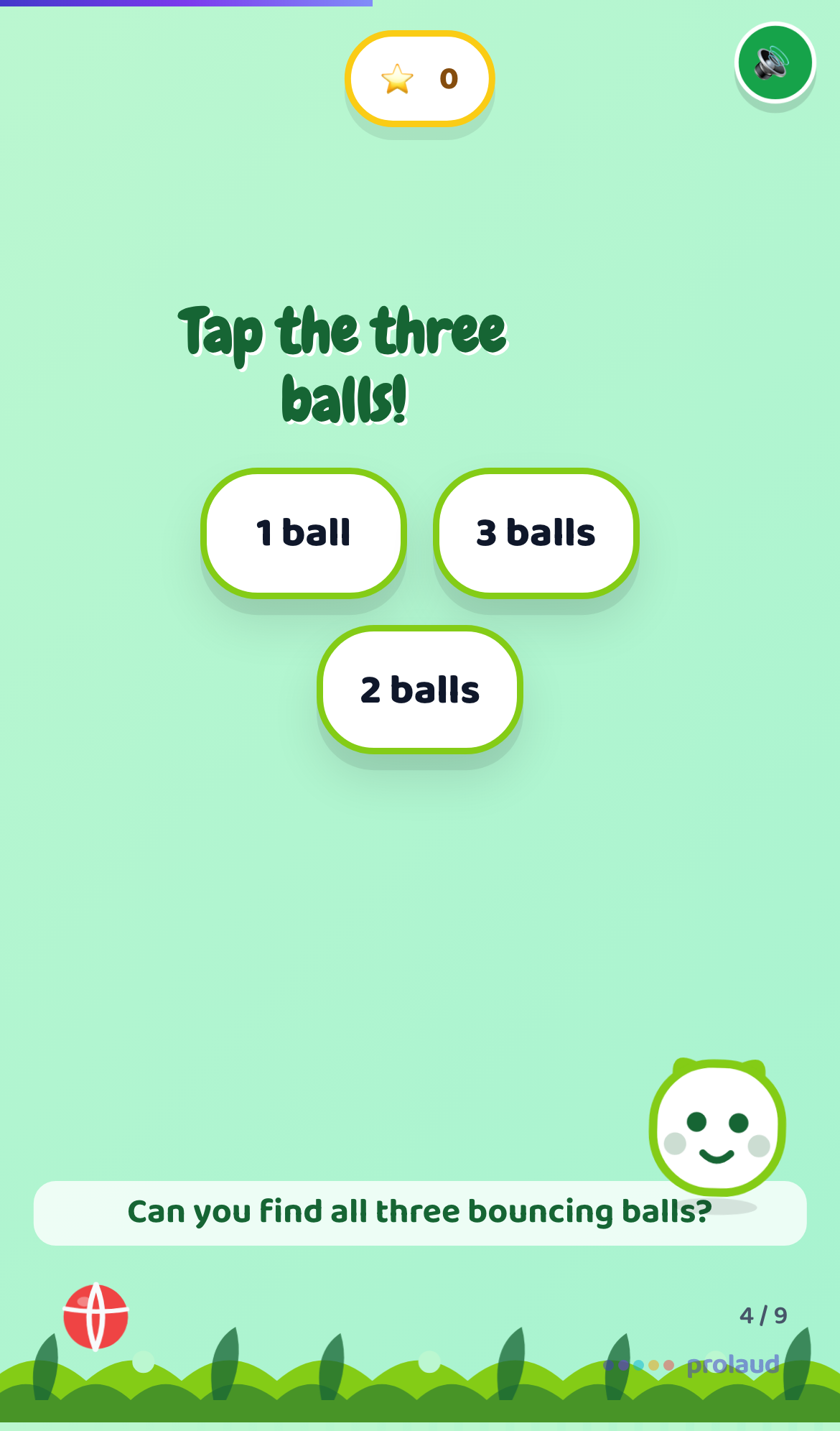
Press Show to students. Every child gets it on their own screen and follows the slide you are on. They join with a code — no account, no app.
6. Open the question
Press Let students answer. Until you do, the answers are dimmed and will not respond. Open it, watch who has it, close it, move on — and send the note home afterwards.
14-day free trial · No credit card
You keep the room
A deck live on twenty devices is only useful if the teacher still runs the lesson. Two controls, both yours, neither of them the class's.
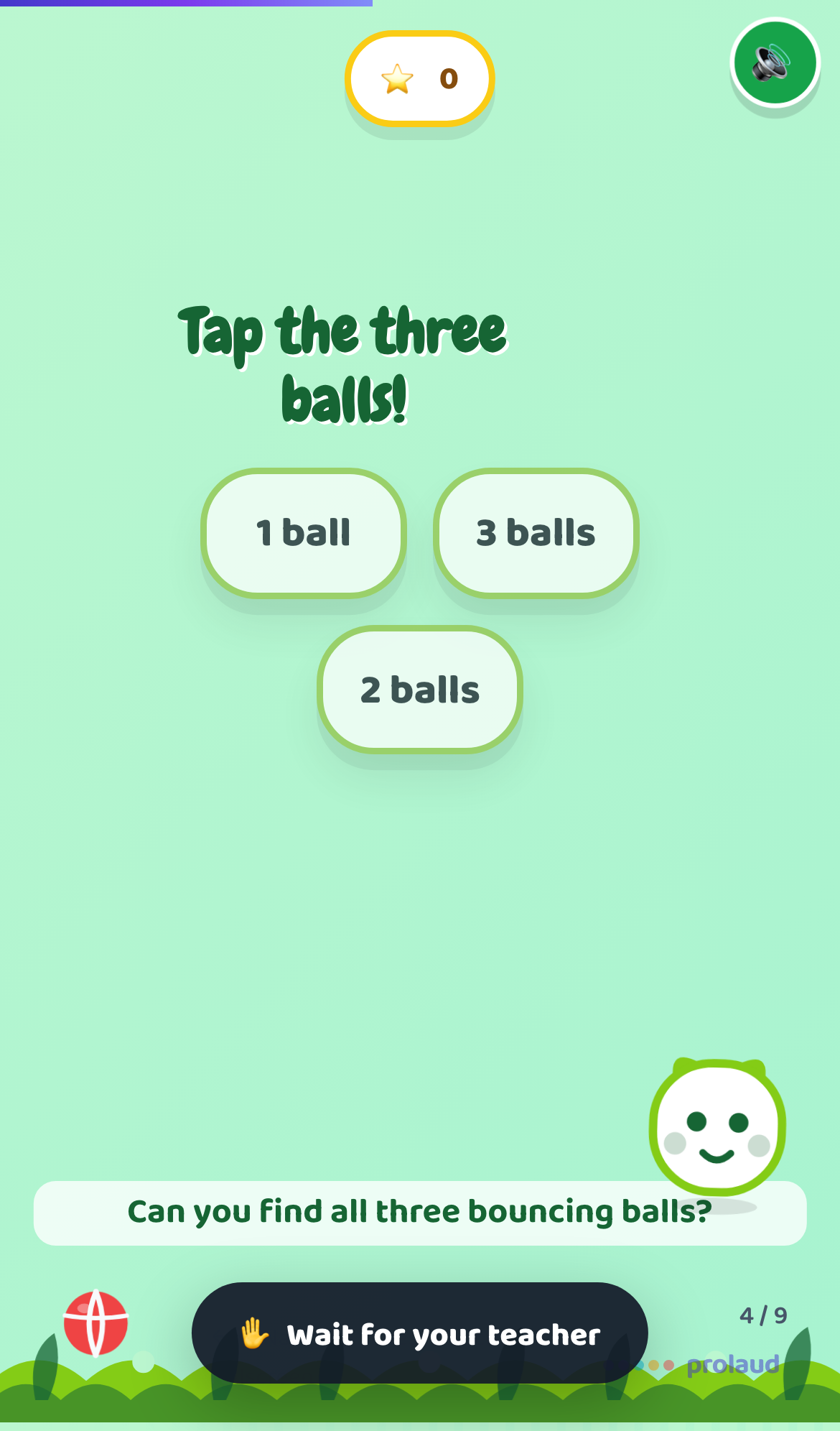
Closed by default
Share a deck and the class can read it, not race it. Without this, thirty children start tapping through a lesson you have not started.
The room follows your slide
Move forward and every screen moves with you. No child is three slides ahead answering something the class has not reached.

And you find out who got it
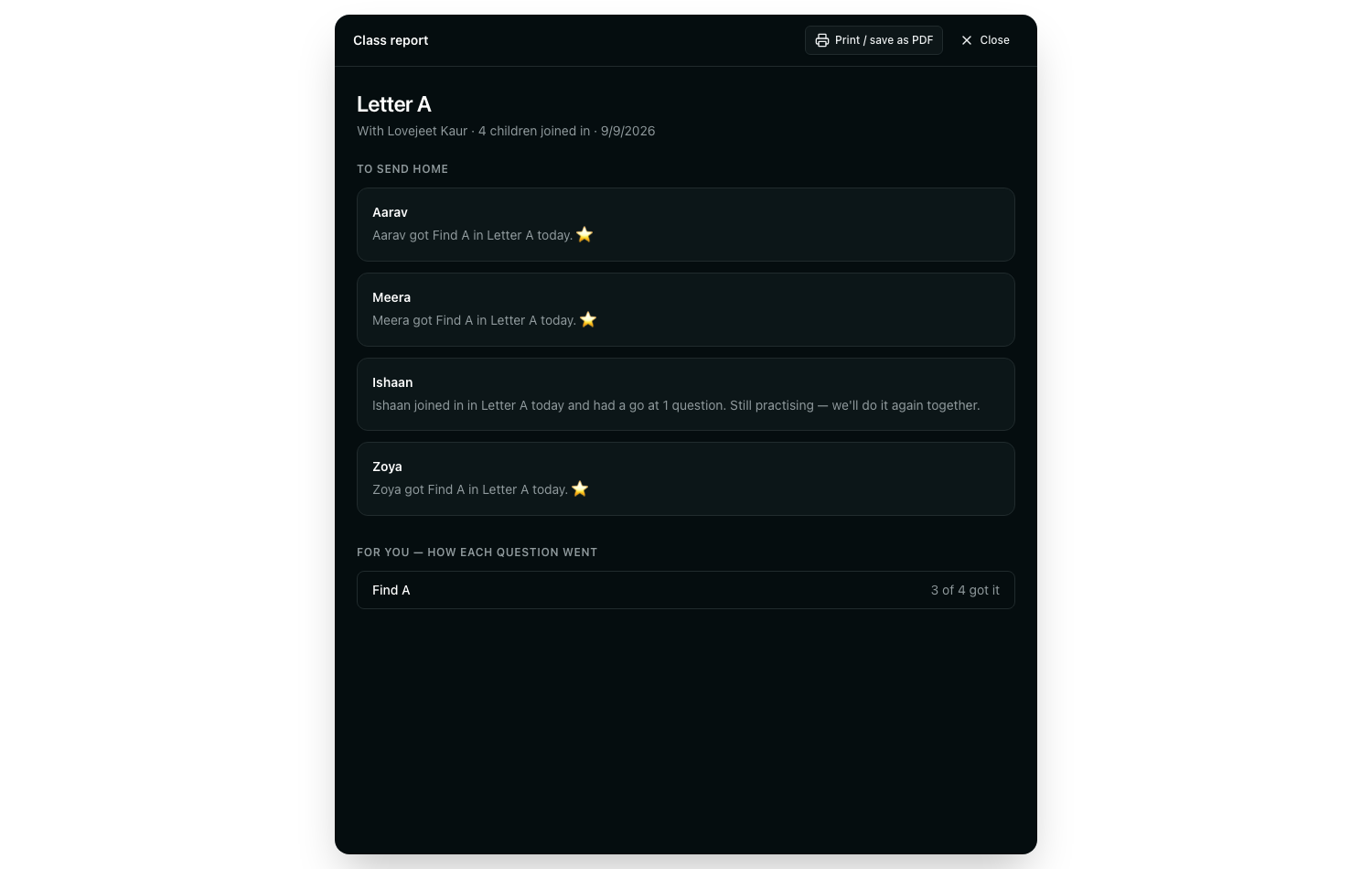
A tap used to score a star in a child's browser and vanish. It comes back now: who answered, what they picked, who has not moved — on the slide you are standing on. Beside it, the only advice it ever gives: most of the class missed this — worth saying again, or everyone has it — safe to move on.
It is counting, not a language model, so it is there the second you glance down. And it never advances a slide by itself — you are in the room and it is not.

Afterwards it becomes the thing that goes home: one line per child, in the words a parent wants. Print it, or save it as a PDF for the bag.
- No percentages and no ranking between children
- Nothing a child got wrong is named as a failure
- Underneath, for you: which question the room found hard
14-day free trial · No credit card
Grade 6 and up get it too
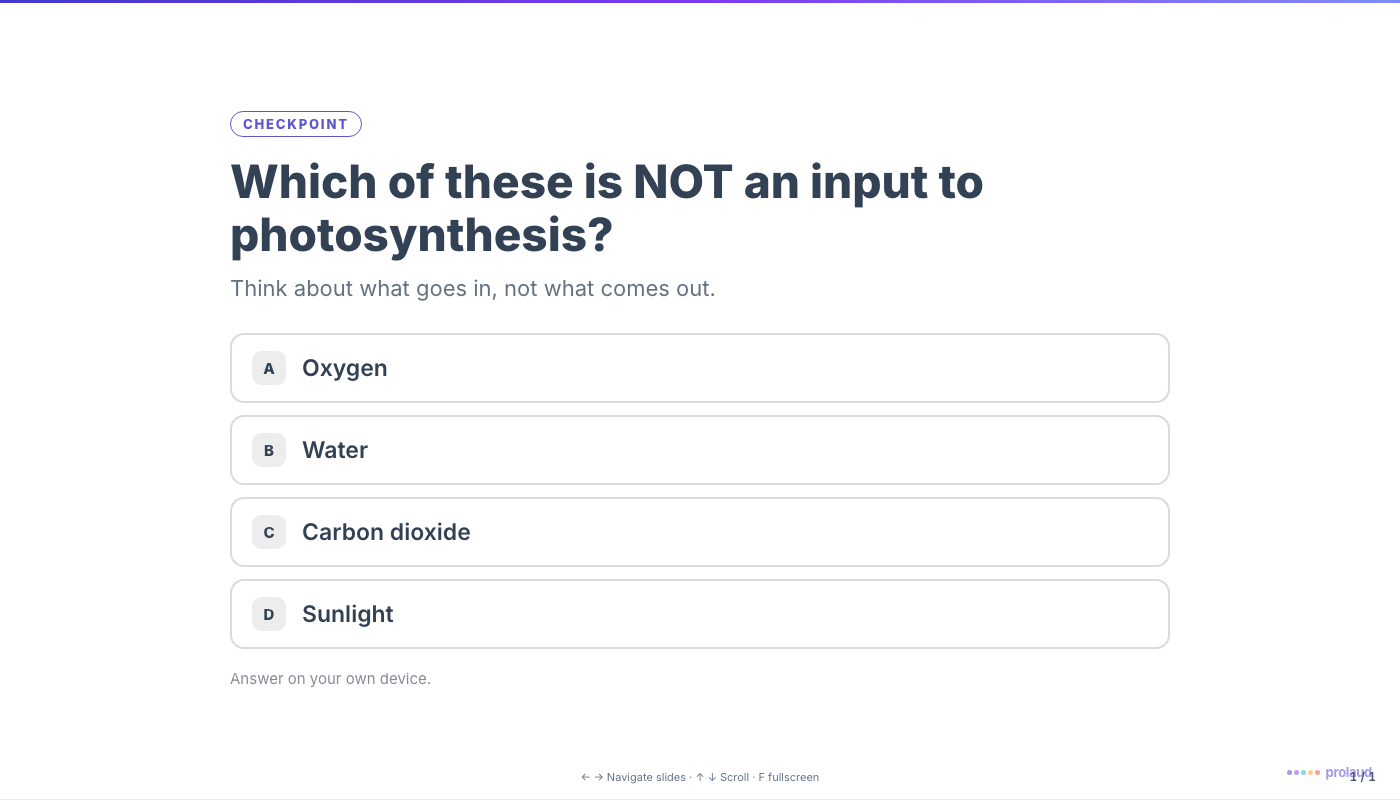
Older decks get checkpoints — the same mechanism without the stars, the confetti or the mascot. A question mid-lecture, answered on phones, gated by you, counted the same way. Two per deck minimum, placed after the material that answers them.
Twenty children, in under a minute
Write the code on the board. They open the join page, type it, type their name, and they are in. No account, no app, nothing to install — and capitals or stray spaces off a whiteboard do not matter.
See the join page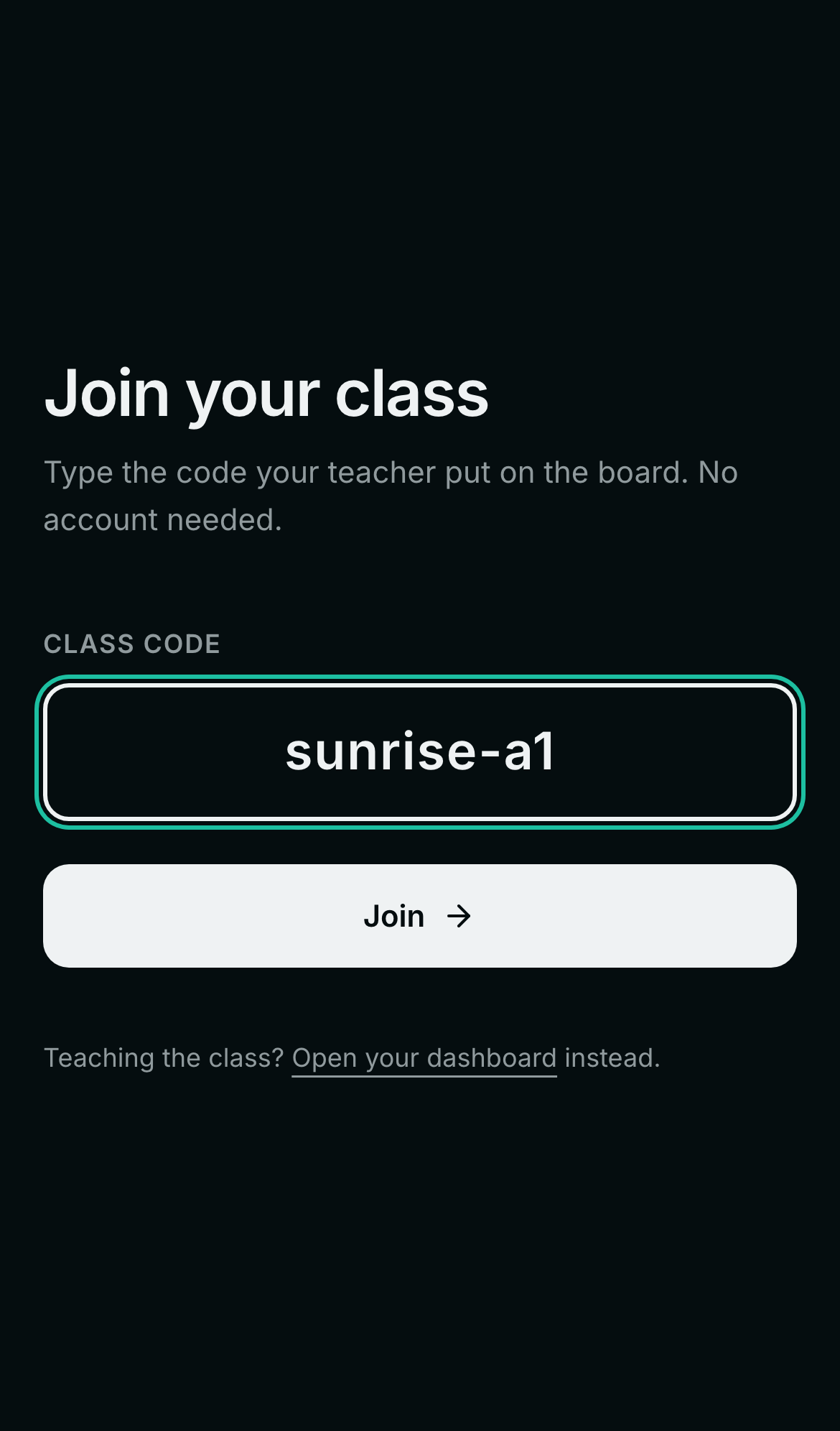
14-day free trial · No credit card
See all of it, for real
Not a demo video. Real decks you can play, and the full documentation for every control on this page.
Ten finished lessons
English, Math, Science and Environmental Studies, preschool to Grade 5. Play any of them in the browser — they read themselves aloud.
Play a lessonTwelve looks
The same lesson dressed twelve ways — notebook paper, cut-out stickers, doodle lines, watercolor party. Click any one to play it.
Browse the looksSlides in a live class
Every control on this page, documented with screenshots taken from a real class — two browsers, one teacher, one pupil.
Read the guideThe handbook (PDF)
Twenty pages for a teacher: why, how to, the twelve looks, teaching it live, what goes home, and what it costs. Small enough to send in a message.
Download the handbookThe story, for teachers
The seven things a preschool teacher asked for, and what closing each one looks like. Share this one.
Read the postWhat it costs
Grade 6 and up
Included
Decks with checkpoints for middle school, high school and college come with every plan.
Preschool to Grade 5
$6/month
The kids-deck add-on, billed monthly — play the sample deck before you pay.
Questions teachers ask
Do students need an account or an app?+
No. You write a code on the board, they open the join page, type the code and their first name, and they are in. Nothing to install and no account to create.
What device does a child need?+
Any browser — a phone, a tablet, a shared laptop, or the classroom projector alone if the children are too young to hold a device. The deck is one self-contained HTML file, so it works on old hardware and poor connections.
Can the class answer before I am ready?+
No. Questions are closed by default. Students see the options dimmed with 'Wait for your teacher' until you press Let students answer, and you can close them again afterwards.
What ages is it for?+
Preschool through college. Preschool and kindergarten decks read themselves aloud and are played by tapping pictures, because those children cannot read yet. Grade 6 and up get checkpoints — the same mechanism without the stars and the mascot.
Do I have to make the deck first?+
No, and that is the difference. Tools that turn a presentation into a live session need you to have made the presentation. Here you type one line — or upload a worksheet — and the lesson is written, illustrated, voiced and laid out for you.
What does it cost?+
Kids decks (Nursery to Class 5) are a ₹499/month add-on, charged from the day you add it — there is a sample deck you can play first, free. Decks for older students are included with every plan.
Get your Sunday evening back.
Type one line. Teach it tomorrow. Send the note home the same afternoon.