Can you sell online courses on Shopify? How it works, what it costs, and when to use a course platform instead
Shopify can sell a course, but the course itself comes from an app. Here is what the apps do, what the whole setup costs, and when a store that links out to a dedicated course academy is the better design.
The short answer
Yes, you can sell online courses on Shopify, but Shopify itself is the store, not the classroom: course lessons come from an app. As of November 2026, Shopify's own Digital Downloads app is free and delivers files, and the leading course app, Courses Plus, is made by a third party and is free for up to 5 lessons. Shopify plus a course app makes sense when you already run a Shopify store for physical products and want one simple course alongside them. If the course is the business, with live classes, cohorts, quizzes and certificates, a dedicated platform fits better. Prolaud is one: 0% commission, live classes in the browser, payment into your own Stripe account. A common hybrid keeps the Shopify store and links its course buttons to the academy's checkout. Shopify Basic lists $39 a month plus card fees.
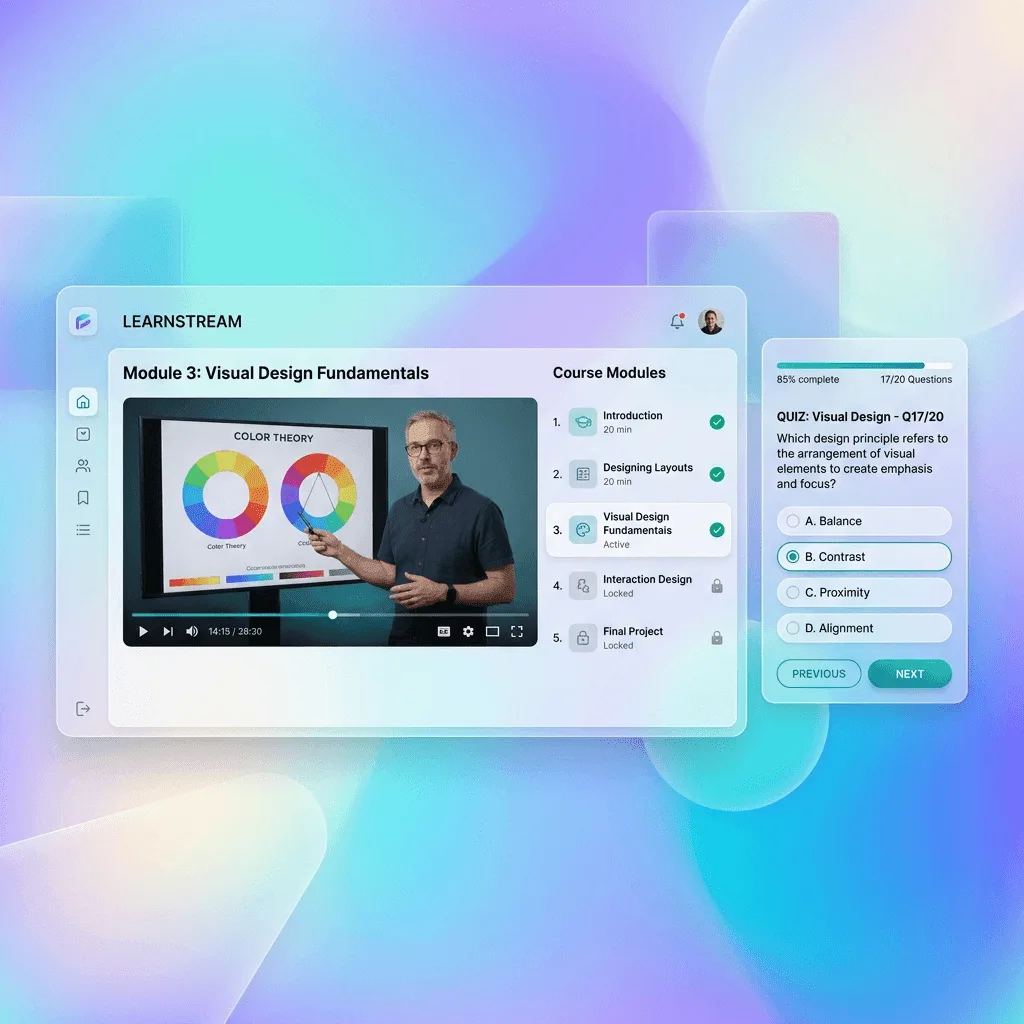
Shopify is very good at one job: running an online store. Products, a cart, checkout, shipping, inventory and a storefront theme that looks professional on a phone. So when a creator who already sells candles, art prints or pottery tools on Shopify decides to teach a course, the natural question is whether the course can go in the same store.
It can, with an app. Whether it should depends on how much of your business the course will become. This guide explains how courses actually work on Shopify, adds up the full cost, gives a decision table, and shows a hybrid setup in which the Shopify store stays the shop and a course platform runs the classroom. Every Shopify figure here was read from Shopify's own pricing or app-store pages as of November 2026.
A note on bias
I'm Renu Rawat, founder of Prolaud, which is a dedicated course platform. That makes me an interested party when the question is "Shopify or a course platform". I've tried to be fair to Shopify: for some sellers it is the right answer, and this guide says which ones.
Can you sell online courses on Shopify?
Yes. Shopify sells products, and a course can be a product. What Shopify does not do on its own is deliver a course: there is no lesson player, student progress, quiz or certificate in Shopify itself. Those come from apps in the Shopify App Store. As of November 2026, there are three things worth knowing about those apps.
- Shopify's own option is Digital Downloads. The app is made by Shopify and is free. Its listing describes selling "digital products like e-books, digital art" and lists "Courses" as a product type, but describes no course features beyond that. In practice it delivers files: a PDF workbook, a video file, a zip of lessons.
- Shopify doesn't make a dedicated course app. We found no Shopify-built course app in the App Store; the address you might guess for one returned a "not found" page.
- The leading course app is made by a third party. Courses Plus, by Architechpro OÜ, adds lessons inside your store. Its listing shows a free plan for up to 5 lessons per store, and paid tiers with a 7-day trial. The page showed its paid prices to us only as estimates in another currency, so we haven't quoted them; read the listing in your own region.
So there are really three ways to sell a course from a Shopify store, and they give the student very different experiences.
| Route | What the student gets | What you manage | Good fit for |
|---|---|---|---|
| Shopify + Digital Downloads | A download link to files after purchase | Files; nothing tracks progress | A workbook, templates, a recorded workshop in one file |
| Shopify + a course app | Lessons inside your store, as the app provides | The app's features and limits, plus video hosting | One or two simple self-paced courses next to physical products |
| Shopify store + a course platform | A full course area: lessons, quizzes, live classes, certificates | Two systems, linked by buttons | Courses that are, or will become, the main business |
What does Shopify do well for course creators?
It's worth being specific, because the strengths are real and they decide whether Shopify belongs in your setup at all.
- Physical and digital in one cart. If a buyer wants your pottery tool kit and your beginner course together, only a store that sells both can put them in one checkout.
- A mature checkout. Shopify's whole business is getting people through checkout, and it shows.
- Themes and a storefront. A Shopify store looks like a polished shop out of the box, which matters if most of your income is products.
- An app ecosystem. Reviews, upsells, email and many other add-ons exist as apps, so the store can grow in many directions.
- You may already be paying for it. If the store already exists for products, adding a course costs only what the course app costs. That marginal-cost point is the strongest argument for Shopify, and we come back to it below.
What Shopify isn't built for is teaching: a course that unlocks week by week, a quiz that checks understanding before the next module, a certificate an employer can verify, a live class with attendance, a cohort that starts on a date, a community where students help each other. A course app can add some of that. How much depends on the app, so ask before you build.
What does it cost to sell a course on Shopify?
The cost of a course on Shopify comes in layers, and it's easy to count only the first one. Here is each layer, as of November 2026, from Shopify's own pricing and app pages.
| Layer | What Shopify's pages list | Notes |
|---|---|---|
| Store plan | Basic: $39/mo paid monthly or $29/mo paid yearly. Grow: $105 or $89. Advanced: $399 or $359. Plus: from $2,300/mo | Needed whether you sell one course or a thousand products |
| Trial | "Try 3 days free, then $1/month for 3 months" | Enough to build and test before full price |
| Card processing | Online card rates of 2.9% + 30¢ on Basic | Per sale, on every order |
| Third-party transaction fees | 2% on Basic, 1% on Grow, 0.6% on Advanced, 0.2% on Plus | The line to read if you plan to use a payment provider other than Shopify's own |
| Course app | Digital Downloads: free. Courses Plus: free up to 5 lessons; paid tiers vary | Check the app's current price in your region |
| Video hosting and live classes | Not part of Shopify | Depends on the app; otherwise a separate video host and meeting tool |
A worked example
Take a made-up seller, Sofia Alvarez, who sells ceramics tools and wants to add a $150 beginner wheel-throwing course. Suppose she sells 20 courses a month, which is $3,000 in course revenue. This is an illustration of the arithmetic, not a forecast of what a course will earn.
- Card processing: 20 × (2.9% of $150 + $0.30) = 20 × $4.65 = $93 a month. That is the same at Shopify's listed Basic online rate and at Stripe's US standard rate, because both are 2.9% + 30¢.
- Shopify Basic, paid monthly: $39. With card processing, $132 a month before the course app.
- If she uses an outside payment provider on Basic: the 2% third-party transaction fee on $3,000 is another $60 a month.
- The course app: $0 if the course fits in Courses Plus's free 5 lessons or in a Digital Downloads file; otherwise the app's paid tier.
- Live classes: if the course includes them, a separate meeting tool unless the app provides one.
Now the key point. Sofia already pays for Shopify for her tools. So the course's real extra cost on Shopify is only the app, plus processing she'd pay anywhere. For comparison, the same 20 sales on Prolaud's Pro plan would cost $18 for the plan plus the same $93 of Stripe processing, $111 in all, and Prolaud takes 0% of the sales. But that is on top of the Shopify plan she keeps for her tools. If the course is a small side line, adding a second subscription is hard to justify. If the course is about to become half her income, the comparison changes: what matters is what the course needs, not which bill is smaller.
Count your hours, too
A setup that saves $20 a month but needs a video host, a meeting tool and a spreadsheet of who attended which class costs you time every week. Put a price on an hour of your time and add it to the comparison.
When does Shopify plus a course app make sense?
Use the table below honestly. The deciding question is usually whether the course is an add-on to a store or the center of a teaching business.
| Your situation | Better fit | Why |
|---|---|---|
| You run a Shopify store for physical products and want one short self-paced course | Shopify + course app | You already pay for the store; one cart for products and course |
| You sell templates, workbooks or a recorded workshop as files | Shopify + Digital Downloads | Free app, and a file is all the buyer needs |
| You want live classes, cohorts with start dates, or group coaching | Dedicated course platform | Live teaching, attendance and cohorts are what course platforms are built for |
| You need quizzes, drip release, certificates or student progress | Dedicated course platform, or check the app carefully | These are core on course platforms and app-dependent on Shopify |
| You have no store yet and the course is the product | Dedicated course platform | Paying for a store plan to sell only courses adds a layer you don't need |
| You want a community around the course | Course or community platform | Not something a store is designed to provide |
| You sell products and a substantial course program | Hybrid: Shopify store + course academy | Each system does what it's best at, linked by buttons |
When is a dedicated course platform the better choice?
A course platform is built around the student, not the order. After purchase, the student has an account, a course area, progress that remembers where they stopped, quizzes, and often live classes and a community. The teacher has a roster, attendance, completion data and a way to message everyone in a course. If those words describe what you want to run, a course platform will do them with less assembly than a store plus several apps.
Several are worth looking at, and each has a real reason to choose it. As of November 2026, from each vendor's own pricing page:
- Prolaud: courses, live classes in its own browser room, communities, a storefront for other digital products, and payment into your own Stripe or Razorpay account at 0% commission. Pro is $18/month billed monthly, or $15/month billed yearly ($180 a year). Your academy runs on a prolaud.com address; connecting your own domain is coming soon.
- Teachable: Starter $39 a month with a 7.5% transaction fee; Builder $89 a month with 0% on Teachable Payments. Custom domain on any paid plan. Live classes aren't mentioned on its pricing page.
- Thinkific: Start $109 a month, live classes through Zoom included on all plans, and your own domain on all plans. No free plan; a 30-day trial.
- Kajabi: Basic $179 a month with 0% revenue share ("Kajabi takes no cut"); live cohort courses are on Growth and Pro, not Basic. Own domain on all plans.
- Podia: courses and other digital products together, with live events for everyone and a custom domain on all plans. Mover is $42 a month billed yearly with a 5% transaction fee; Shaker and Earthquaker have no Podia fee.
- Gumroad: no monthly fee, 10% + $0.50 per direct sale (30% on its Discover marketplace), and it acts as merchant of record, handling sales tax. A simple way to sell a course file or two without a store.
Our comparison pages for Teachable, Thinkific, Kajabi, Podia and Gumroad go further on each.
How does the hybrid work: a Shopify store with a separate course academy?
If you sell products and a serious course, you don't have to choose. Keep Shopify as the shop. Run the course on a course platform. Link the two so a customer moves from one to the other at the point where they choose the course.
The one rule that makes a hybrid work: take each payment in the system that will deliver what was bought. Products are paid for in Shopify, which ships them. Courses are paid for at the course platform's checkout, which enrolls the student. If you take a course payment in Shopify, the course platform doesn't know about it unless the two are connected by an integration, and someone has to give that buyer access by hand.
Prolaud and Shopify, plainly
Prolaud has no Shopify integration and no public enrollment API today. If a buyer pays for a course in your Shopify checkout, Prolaud is not told, and you'd have to add them to the course yourself. Importing a CSV of buyers adds them to your student roster but does not enroll them in a course or email them. So for a Shopify + Prolaud hybrid, send course buyers to Prolaud's checkout.
Setting up a Shopify store that links to a Prolaud academy
- Create your academy on Prolaud and connect your payment account on the Payouts page: your own Stripe account by pasting its API keys (charges in US dollars), or Razorpay (rupees).
- Build and publish the course. Its public page and checkout go live on your academy's address, yourname.prolaud.com.
- Copy the checkout link. On the course's page in your dashboard, press Copy checkout link. It looks like youracademy.prolaud.com/checkout/your-course.
- Add a Courses page or menu item in Shopify. Describe the course in your store's own design and voice, with the price, and make its button point to the checkout link you copied. Use a page or a link in the navigation, rather than a Shopify product, so nobody can pay for the course in the Shopify cart by mistake.
- Collect interest in Shopify too. For a free taster class or a waitlist, Prolaud's embeddable sign-up form can go into a page that accepts custom HTML. In your Prolaud dashboard, open Public Site → Lead inbox → Embed a form, set the heading, button and a tag, and copy the code. Sign-ups land in your Lead inbox and Marketing contacts with that tag.
- Use the same name, logo and colors on both. The buyer should feel they are still in your shop when the checkout opens.
- Make a test purchase from the Shopify page, on a phone, through to the first lesson.
- Cross-sell in both directions. Mention the course in product descriptions and order emails in Shopify, and mention your tools inside the course where it is natural.
The honest trade-off of the hybrid is that a customer can't put a course and a physical product in one cart; they're two purchases with two receipts. For most buyers that's fine, because they decide on the course separately. If one-cart bundles of course and product are central to your offer, that's an argument for keeping the course inside Shopify with an app.
What does a course platform add that a Shopify app may not?
Here is what Prolaud includes, as a concrete list of the kinds of features to check when you compare any course app with any course platform. We list our own because we can verify them; ask other vendors the same questions.
| Feature | On Prolaud | Question to ask a Shopify course app |
|---|---|---|
| Live classes | Built-in browser room: whiteboard, slides, polls, raised hands, screen share, recording. Up to 49 people and 90 minutes a class on Pro; 99 and 180 on Studio | Are live sessions included, or do I send meeting links? |
| Attendance | Saved on each student's record | Where does attendance live? |
| Quizzes and drip release | Included on Pro and Studio | Can lessons unlock over time, and can I test understanding? |
| Certificates | Issued with a public verification page | Can an employer check a certificate is real? |
| Community | Community spaces with posts, challenges, XP and leaderboards | Is there anywhere for students to talk to each other? |
| Your money | Paid into your own Stripe or Razorpay account; 0% commission | Does the app take a share of course sales? |
| Leaving | Whole-workspace export in one action | Can I export students and progress if I switch apps? |
Two limits to know about Prolaud before you choose it for a US audience. The live classroom's media server is in Mumbai, India, so run a test class from where your students are during the trial before you promise a large live program. And live time has a monthly fair-use allowance on total participant minutes per plan; there's no cap on the number of classes, but it isn't unlimited. More on the room in live classes without Zoom.
Mistakes to avoid when selling courses from a Shopify store
- Selling a course as a file and calling it a course. If buyers expect progress, feedback or live help, a download link disappoints them, and refunds follow.
- Taking course payments in two places. Every payment taken outside the system that delivers the course is an enrollment someone has to do by hand.
- Forgetting the third-party fee line. On Shopify's Basic plan it's listed at 2%. Read it before you choose a payment provider.
- Counting only the subscription. Add processing, the app, video hosting and any meeting tool. Then add your hours.
- Building the course before selling it. Whatever the platform, sell a small live pilot first; how to sell online courses explains the order.
If your store isn't on Shopify and you're weighing where courses should live in general, selling online courses on your own website covers the wider choice, and course platform fees explained goes deeper on the fee layers.
Keep the store. Give the course a real classroom.
Start a 14-day Studio trial with no card, build the course, and link your Shopify store to its checkout. Prolaud takes 0% of your sales.
Start your trialSources
- Shopify pricing page · Shopify · read 17 November 2026
- Digital Downloads app listing · Shopify · read 17 November 2026
- Courses Plus app listing · Shopify App Store · read 17 November 2026
- Teachable pricing page · Teachable · read 17 November 2026
- Teachable site builder page · Teachable · read 17 November 2026
- Thinkific pricing page · Thinkific · read 17 November 2026
- Kajabi pricing page · Kajabi · read 17 November 2026
- Podia pricing page · Podia · read 17 November 2026
- Gumroad pricing page · Gumroad · read 17 November 2026
- Stripe US pricing · Stripe · read 17 November 2026

Renu Rawat
Founder of prolaud.com. Helping teachers and creators build profitable, independent learning businesses without losing a cut of every sale to platform fees.
About the founderFrequently asked questions
- Can I sell online courses on Shopify?
- Yes, with an app. Shopify sells the course as a product, and an app delivers it. As of November 2026, Shopify's own Digital Downloads app is free and delivers files, and the leading course app, Courses Plus, is made by a third party and has a free plan for up to 5 lessons per store. Live classes, quizzes and certificates depend on the app.
- Does Shopify have its own course app?
- Not as of November 2026. Shopify makes the free Digital Downloads app, whose listing names courses as a product type but describes no course features beyond file delivery. We found no Shopify-built course app in the App Store. Course apps such as Courses Plus are made by third-party developers, so check their features and prices directly.
- How much does it cost to sell a course on Shopify?
- Add the layers. As of November 2026, Shopify Basic lists $39 a month paid monthly or $29 paid yearly, online card rates of 2.9% + 30¢, and a 2% third-party transaction fee. Then add the course app's price, video hosting and any meeting tool for live classes. If you already pay for the store, the course's extra cost is mainly the app.
- Is Shopify or a course platform better for selling courses?
- Shopify plus an app suits a store that sells physical products and wants one simple course alongside them. A dedicated course platform suits teachers whose courses are the business, especially with live classes, cohorts, quizzes, certificates or a community. If you sell products and a substantial course, a hybrid that links the Shopify store to a course academy gives each job to the right system.
- Can I connect Shopify to Prolaud so buyers are enrolled automatically?
- No. Prolaud has no Shopify integration and no public enrollment API today, so a course paid for in Shopify's checkout isn't seen by Prolaud. Instead, link your Shopify page's button to the course's checkout link from Prolaud (Copy checkout link on the course's page). The buyer pays into your own Stripe account and is enrolled automatically.
- Can I sell a course and a physical product in one Shopify cart?
- Only if the course is a Shopify product, delivered by a course app or as a download. In a hybrid setup, where the course runs on a separate platform, the course and the product are two purchases with two checkouts. If one-cart bundles of course and product are central to your offer, keep the course inside Shopify.
- Can I put Prolaud's sign-up form on my Shopify store?
- Yes, on any page that accepts custom HTML. In Prolaud, open Public Site → Lead inbox → Embed a form, set the heading, button and a tag, and copy the code. Sign-ups are saved to your Lead inbox and Marketing contacts with that tag. It collects interest; it doesn't take payment. Buying happens at your academy's checkout.
Keep reading

How to sell online courses on your own website, and what "your own" really has to mean
Owning your course website means four things: the address, the payment account, the student list and an export. Here is how to get all four, what the three common setups cost, and when a marketplace is still the better start.
Read
Course platform fees explained: subscriptions, transaction fees and payment processing
A pricing page shows one number. Your bill has three layers. Here is how to add them up at your own sales volume, with worked dollar examples.
Read
Get paid directly for your online courses: why your own payment account matters
Some course platforms collect your students' money and pay you out later. Others send the buyer straight to your own payment account. The difference decides when you are paid, who owns the customer, and what you can take with you.
Read
What It Costs to Run Your Classroom and Your Checkout as Two Systems
The classroom is the easy part. The cost of teaching online is reconciliation — matching attendance to payments across systems that do not speak to each other.
Read
How to sell online courses: a practical guide for independent teachers
Selling a course is six small jobs done in the right order. Here is the order, with worked dollar examples and a plan for the first 90 days.
ReadHow to run live classes without Zoom, with students joining from your academy instead of a meeting link
What it takes to teach live without a separate Zoom or Meet account: a room built into your academy, students who join with one button instead of a forwarded link, and attendance that lands on the record of the student who paid. Real screenshots, a 12-minute video and the cases where Zoom still wins.
Read