How the Prolaud free trial works: 14 to 35 days, no card, and a real test class
The whole Prolaud trial in one place: 14 days on Studio with no card, the two milestones that stretch it to 35, what you can switch on and off, what happens if you don't pay, and a step-by-step test live class you can run in ten minutes.
The short answer
Every new Prolaud academy starts on a 14-day free trial of the Studio plan, and no card is asked for at signup. The trial grows with real progress: publishing your first course adds 7 days, and your first student adds 14 more, up to 35 days in all. Those two milestones are the only extensions built in. During the trial you get Studio's full limits, so you can schedule and teach a real live class in the built-in room with up to 99 people for up to 180 minutes, and test it yourself from a second browser or a phone. You can switch between Pro and Studio free while the trial runs. If it ends unpaid, nothing is charged, because there is no card on file: the academy is paused, read-only, with nothing deleted and students keeping their access, until you choose a plan.
Every new Prolaud academy starts on a 14-day trial of the Studio plan, with no card. Publishing your first course adds 7 days and your first student adds 14 more, up to 35 days in all. During the trial you can schedule and teach a real live class in the built-in room, on Studio's limits.
That's the short answer. The rest of this guide explains each part properly, because a trial is only useful if you know exactly what it lets you try and what happens when it stops: how the days are counted, what counts as a "first student", whether a card is ever needed before you decide, what you get on the trial plan, how to run a test class on your own before inviting anyone, and what a paused academy can and can't do. We publish Prolaud, so we've kept to the rules as the product applies them, including the ones that don't flatter us.
How long is the Prolaud free trial?
It starts at 14 days and grows to a maximum of 35. The extra days aren't a promotion or a code; they're tied to two things that show you've actually started teaching on the platform.
| What happens | Days it adds | Running total, if both happen |
|---|---|---|
| You sign up and create your academy | 14 days to start | 14 days |
| You publish your first course | +7 days | 21 days |
| Your first student joins your academy | +14 days | 35 days |
| Anything after that | Nothing more | 35 days is the ceiling |
All days are counted from the day the academy was created, not from the day you hit a milestone. So if you publish a course on day 3, your trial ends on day 21, not on day 3 plus 7. If you then get your first student on day 18, it ends on day 35. The order doesn't matter: a first student before a published course earns the same days.
What counts as a published course?
Any course in your academy whose status is published. A draft doesn't count, and neither does a course you've only built in the editor. You don't need a price on it or a sale: a free course you publish to try the student experience counts the same as a paid one.
What counts as your first student?
An active student on your academy whose email address isn't yours, the owner's. That's someone you add or invite, someone who enrolls in a free course, or someone who buys one. Two things that don't count: your own account, even if you enroll yourself to look around, and a guest who joins a live class from an open link by typing a name. A guest like that isn't a student record on your academy, so a test class with a pretend student won't earn the 14 days. A real student will.
Do you have to claim the extra days?
No. The trial checks your academy's own records and moves the end date on its own; there's nothing to submit. Your days left are shown in the dashboard sidebar under your plan, and the billing page in your dashboard explains the trial in full, including the date it ends. A trial is never shortened by these checks, only extended.
Can the trial be extended any other way?
Those two milestones are the only extensions built into the trial, and 35 days is the most it can reach. There's no extension code and no form for more time. If you need longer than 35 days to decide, the practical route is to pay for a plan, because every first payment comes with a 30-day full money-back window under our refund policy: if it isn't working for you within those 30 days, you ask and you get the money back.
If your academy was on the old free plan
Prolaud retired its free plan on 19 October 2026. Academies that were on it were emailed first and moved to a trial of their own: a fixed 30 days of Studio, which doesn't earn the course or student bonuses, because those academies already had both. New academies get the 14-to-35-day trial described here.
Do you need a card to start the trial?
No. You sign up, name your academy and start building; there's no card field at signup and nothing is authorized on a card. A card only comes into it when you decide to pay for a plan, and you do that yourself from the dashboard. The payment goes through Prolaud's own checkout.
A consequence worth knowing: because there's no card on file, nothing is ever charged automatically when the trial ends. A trial that runs out without a payment doesn't turn into a bill. It turns into a paused academy, which is explained further down.
Connecting a payment account to sell your own courses is a separate thing, and it's also optional during the trial. If you want to take a real payment from a student while you're still deciding, you can connect your own Stripe account by pasting its API key (Stripe charges in US dollars) or connect Razorpay in one click. Students then pay into your account, Prolaud takes 0% of the sale, and your payment provider charges its standard processing fee as it would anywhere else.
What do you get during the trial?
The trial is on Studio, the larger of the two self-serve plans, with Studio's limits applied for real. It isn't a demo mode with sample data: the academy you build is the one you keep, and its limits are the same ones a paying Studio academy has.
| Studio (the trial plan) | Pro | |
|---|---|---|
| Students | No cap | Up to 1,000 |
| Published courses | No cap | Up to 25 |
| Teachers on the account | 5 | 2 |
| People in one live room | Up to 99 | Up to 49 |
| Longest single live class | 180 minutes | 90 minutes |
| Number of live classes | No cap | No cap |
| Storage | 1,024 GB | 100 GB |
| Commission on your sales | 0% | 0% |
You can switch the trial between Pro and Studio as often as you like, free, while it's running. The trial keeps its end date; only the limits change, and they change at once. That's the honest way to find out whether Pro is enough for you: switch to it for a week, run your classes, and see if anything pushes against a limit. Your dashboard's billing page shows usage bars for the current period, so you're not guessing.
For reference, Pro is $18/month billed monthly, or $15/month billed yearly ($180 a year), and Studio is $42/month billed monthly, or $34/month billed yearly ($408 a year). The pricing page shows both in your own currency. Neither plan sells live-hour packs or charges per student.
Can you run a test live class on the free trial before paying anything?
Yes, and it's the best use of the first day. Live classes run in Prolaud's own room, in the browser, so there's no Zoom or Meet account to set up and nothing for a student to install. You can run the whole thing by yourself, playing both the teacher and the student, in about ten minutes.
- Create your academy at prolaud.com/signup. It gets its own address on prolaud.com straight away (connecting your own domain is coming soon), and that address is where students will join.
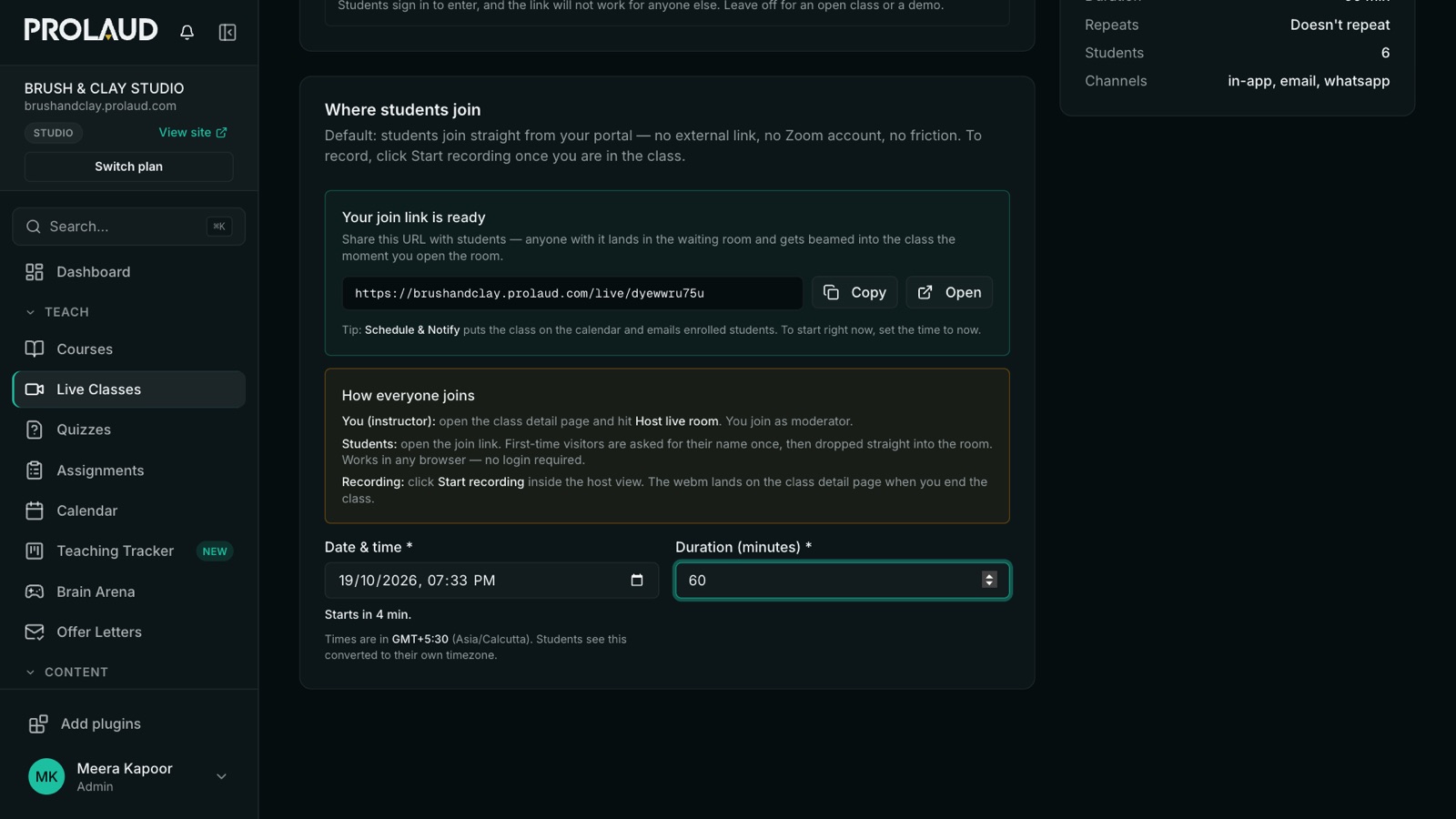
- Schedule a class. In the dashboard, go to Live Classes and schedule a new one. In the simple form on the Schedule a Live Class page, the only things you have to fill in are a title, the date and time, and the length (it defaults to 60 minutes). You don't need a course for a test class.
- Check where students join. The Where students join panel defaults to the built-in room, and the join link is ready as soon as you save. It's an address on your own academy, not a meeting URL.
- Leave the door open for the test. Keep Only these students can join switched off. On an open class, anyone with the link types a name and comes in, which is what you want when the student is you on another device.
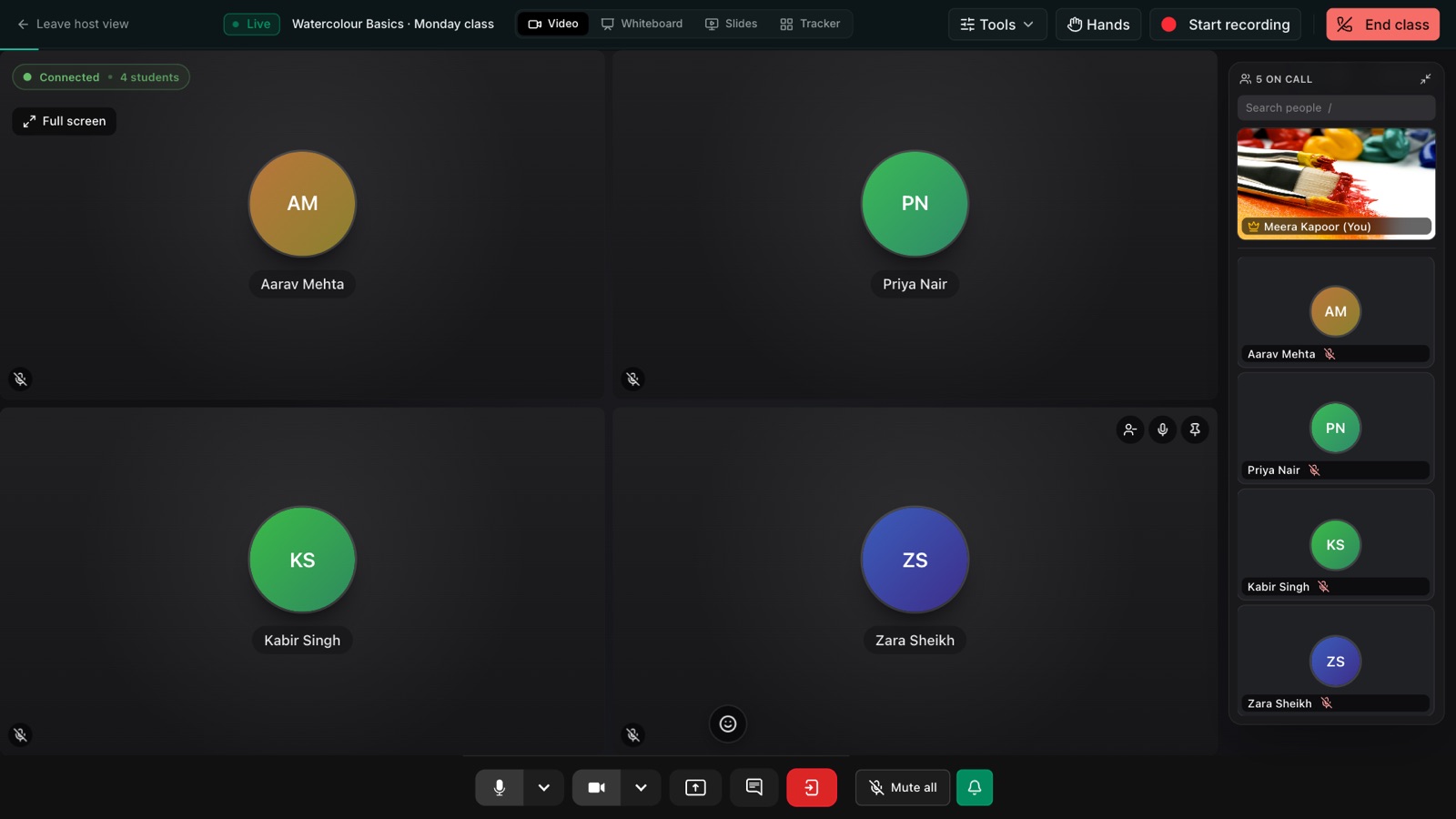
- Open the room. On the class page, press Start class now. You're in the host view.
- Join as a student. In the host view, press Student link and copy it. Open it in a private browser window, or send it to your own phone and open it there. Type a name, and you're in the class from the student's side.
- Try what you'll actually use. Draw on the whiteboard, present slides, start a poll, raise a hand from the student side, share your screen, and press Start recording for a minute.
- End the class and open the class page again to see what's left behind afterwards.
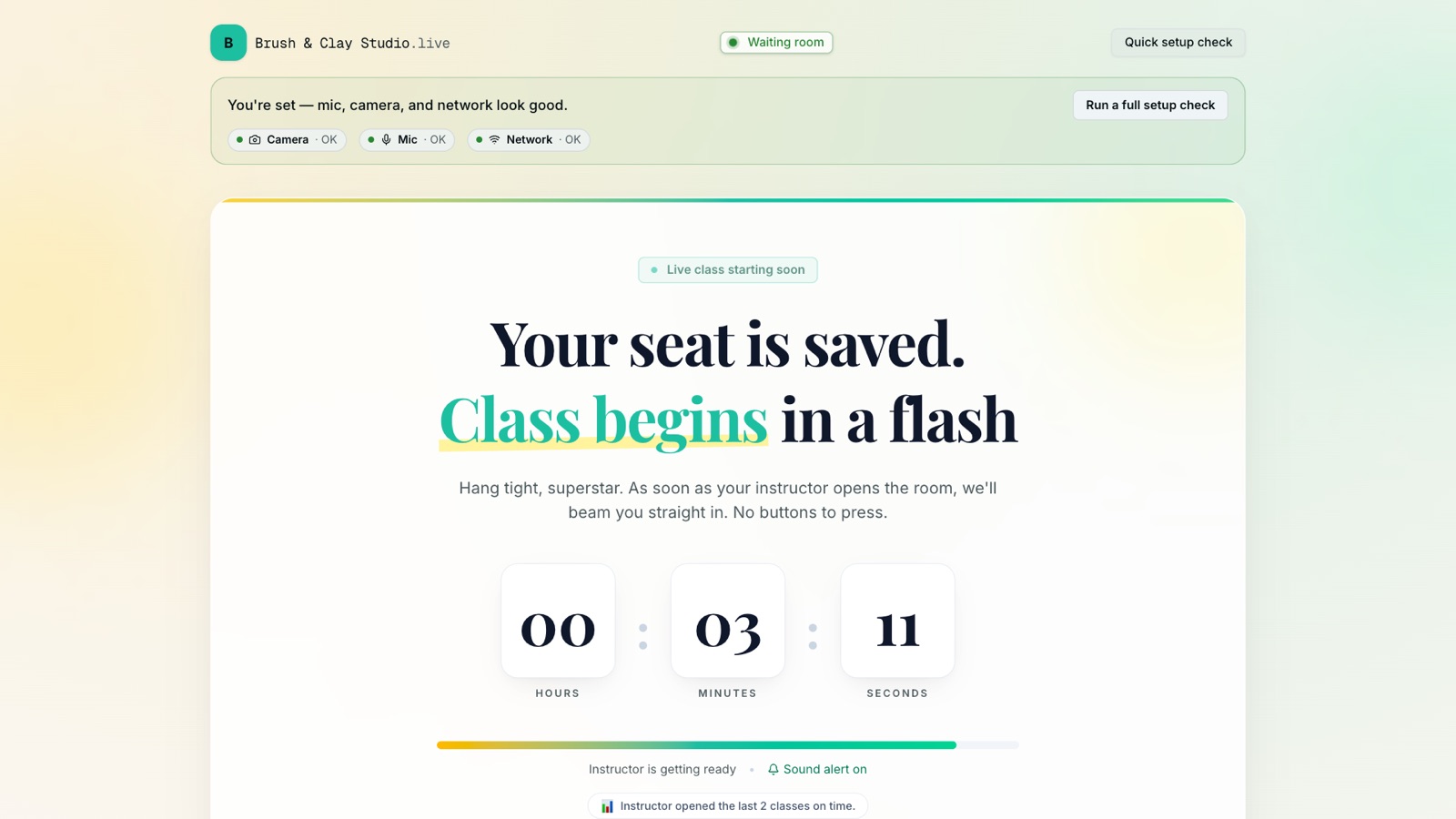
If your test student opens the link before you press Start class now, they land in a waiting room that checks their camera, microphone and network and counts down to the start. When you open the room, they're moved in on their own. That's worth seeing once from the student's side, because it's exactly what a nervous first-time student, or a parent setting up a laptop for a child, will see.
What's worth testing, and what to look for
- The student's connection, not yours. Join from a phone on mobile data, not only from a second tab on the same laptop. Most real problems are on the student's end.
- The whiteboard while hidden. You can prepare on the whiteboard while it's hidden from students and show it with one button. Try both states and check what the student side sees.
- Polls and raised hands. Answer a poll and raise a hand from the student device, and see how they arrive on the host side.
- Recording. Record a minute and check where it ends up once the class is over, so you know where your students will find recordings. Tell students at the start of a real class when you're recording, and ask a parent first if you teach children.
- The length. On Studio a single class runs up to 180 minutes; on Pro, up to 90. If your real classes run long, test one at your real length.
Testing the enrolled-students-only door
An open link is right for a free demo class, but a paid batch should use Only these students can join. With it on, students sign in to enter, and the link stops working for anyone who isn't on the class, so a forwarded link doesn't give someone a free seat. To test that properly you need a real student: invite a colleague or a friend to a course, schedule a class for that course with the switch on, and have them join. They'll sign in instead of typing a name, and the class page's attendance roster will show them against the course's enrolled students afterwards. As a side effect, that real student is also the one who earns your trial its 14 extra days.
Live time has limits, and here they are
There's no cap on the number of classes on either plan. A room holds up to 99 people on Studio and 49 on Pro, and there's a monthly fair-use allowance on total participant time (people multiplied by minutes). A test class uses a sliver of it, and passing it never cuts off a class that's running.
What happens when the trial ends?
You get an email before it ends: one a week out, one three days out and one the day before. If the trial ends and you haven't paid, your academy is paused. Paused is a specific, limited state, and it's worth knowing exactly what it means, because it's designed so that forgetting to pay never costs you your work or your students.
| While your academy is paused | |
|---|---|
| Your students | Keep using what they're already enrolled in: lessons, progress, quizzes and community posts all still work |
| Certificates you issued | Still verify |
| You and your team | Can sign in, see everything, export all your data and choose a plan |
| New sales and enrollments | Stop until you choose a plan |
| Publishing, inviting, messaging, live classes | Stop until you choose a plan |
| Your data | Kept. Nothing is deleted |
To come back, you choose a plan and pay, and everything switches back on at once with everything you built where you left it. You'll also get a reminder a week after the pause and another at three weeks. Our terms commit us to emailing the owner at least 30 days before a paused workspace could ever be deleted, and if you want a copy of everything anyway, the workspace export is open to a paused academy.
Should you pay before the trial ends?
Only if you've decided. Paying early doesn't save money and doesn't add the unused trial days to your plan: when you pay for the plan the trial is on, the plan starts straight away and the trial ends with that payment. The reason to do it is continuity. If you're about to launch a course or open a batch near the end of your trial, paying first means there's no chance of a pause landing in the middle of it.
If you haven't decided, there's no penalty for waiting. Switching between Pro and Studio stays free until the trial ends, and an unpaid trial pauses rather than charging you. Whenever you do pay, the 30-day money-back window starts from that payment.
A way to use the trial so you can decide with real evidence
Fourteen days goes quickly if the first week is spent configuring. Here's an order that gets you to real answers, and that happens to earn the extra days along the way.
- Day 1: run the test class above. It answers the biggest question (does the room work for you and your students?) before you invest time in anything else.
- Days 1 to 3: publish a small course. It doesn't need to be your flagship. Three short lessons and a quiz are enough to see the student side and to earn 7 more days. If you're moving from another platform, the switching guide covers bringing members and content across.
- Week 1: get one real student in. Invite someone you already teach, or run a free open demo class and enroll the people who come. That's the 14 extra days, and more importantly it's your first real feedback.
- Week 2: teach on the plan you'd actually pay for. If you think Pro is enough, switch to it and teach a normal week. Check the usage bars on the billing page before you decide.
- Before the end: decide, or let it pause. Pay for the plan that fit, or let the academy pause and come back to it later with nothing lost.
For the teaching itself (equipment, structure, keeping a live class engaging), our guide to teaching live classes online goes further, and live classes without Zoom walks through the room, the waiting room and the attendance roster screen by screen.
What the trial isn't
- It isn't a free plan. Prolaud doesn't have one. After the trial you choose Pro or Studio, or the academy pauses.
- It isn't a sandbox. The academy, the courses and the students are real and they carry over when you pay. If you connect your payment account and sell during the trial, the sales are real too, and the money is yours.
- It isn't a card authorization. Nothing is held on a card, and nothing is charged unless you choose to pay.
- It isn't open-ended. 35 days is the ceiling, reached only through the two milestones.
Start the trial and run your test class today
14 days on Studio, up to 35 as you start teaching. No card.
Start your trial
Renu Rawat
Founder of prolaud.com. Helping teachers and creators build profitable, independent learning businesses without losing a cut of every sale to platform fees.
About the founderFrequently asked questions
- How do I get the Prolaud free trial extended from 14 to 35 days?
- By using it. Publishing your first course adds 7 days and your first student adds 14, counted from the day you signed up, up to 35 days in all. The first student must be an active student on your academy whose email isn't yours; a guest who joins a live class by typing a name doesn't count. The end date moves on its own, with nothing to claim.
- Do I need a credit card for the Prolaud free trial?
- No. There's no card at signup and nothing is authorized on a card. You only enter card details if you decide to pay for a plan, and because there's no card on file, nothing is charged automatically when the trial ends.
- Can I run a test live class on the free trial before paying anything?
- Yes. Schedule a class with a title, time and length, press Start class now, then open the Student link in a private window or on your phone and join as a student by typing a name. The trial is on Studio, so a room holds up to 99 people and a class runs up to 180 minutes.
- What happens if I don't pay when the trial ends?
- Your academy is paused. It becomes read-only: new sales, enrollments, publishing and live classes stop, but nothing is deleted, your students keep access to what they're enrolled in, and you can still sign in, export your data and choose a plan, which switches everything back on at once.
- Can I try Pro instead of Studio during the trial?
- Yes. While the trial is running you can switch between Pro and Studio as often as you like, free. The trial keeps its end date and the limits follow the plan you pick at once, so you can check whether Pro's limits are enough before paying for either.
- Is there a free plan after the trial?
- No. Prolaud retired its free plan on 19 October 2026. After the trial you pay for Pro or Studio, or the academy pauses with nothing deleted. Every first payment has a 30-day full money-back window.
Keep reading
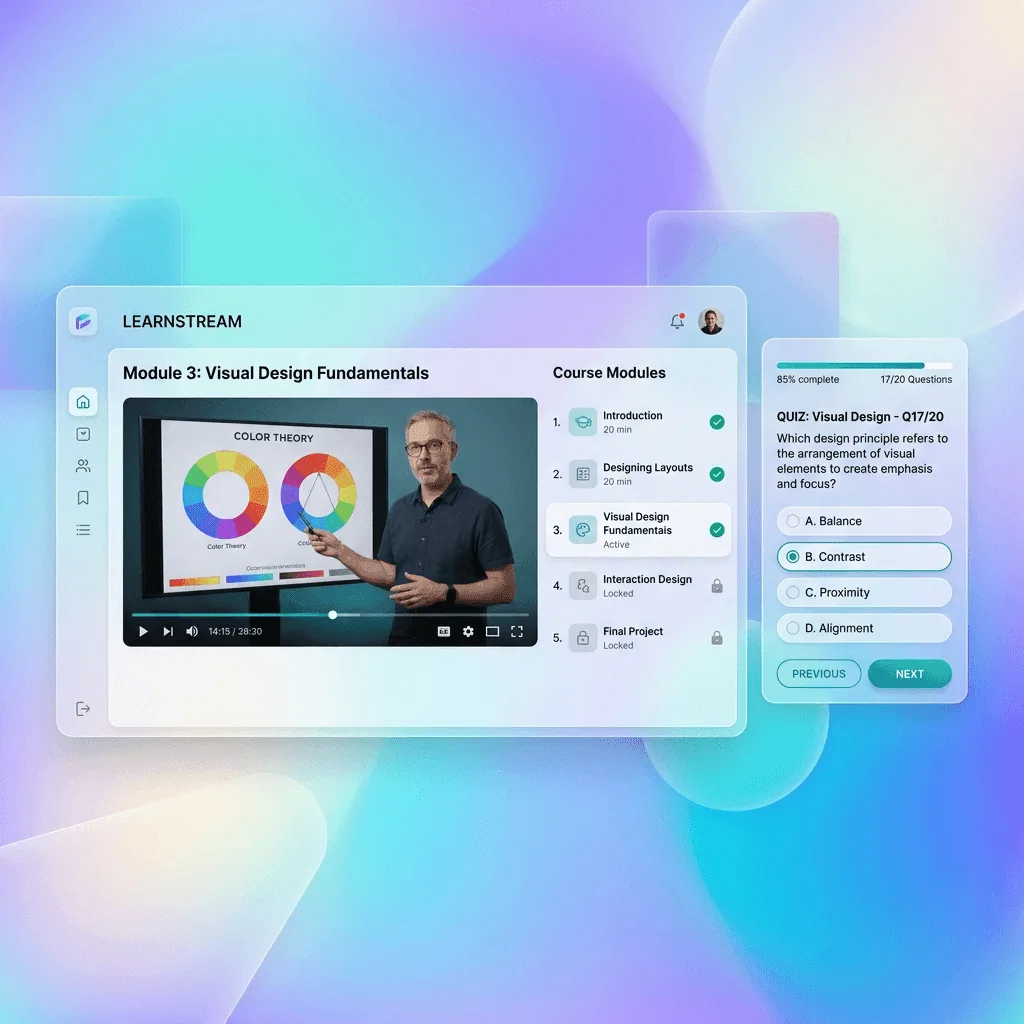
How to run live classes without Zoom, with students joining from your academy instead of a meeting link
What it takes to teach live without a separate Zoom or Meet account: a room built into your academy, students who join with one button instead of a forwarded link, and attendance that lands on the record of the student who paid. Real screenshots, a 12-minute video and the cases where Zoom still wins.
Read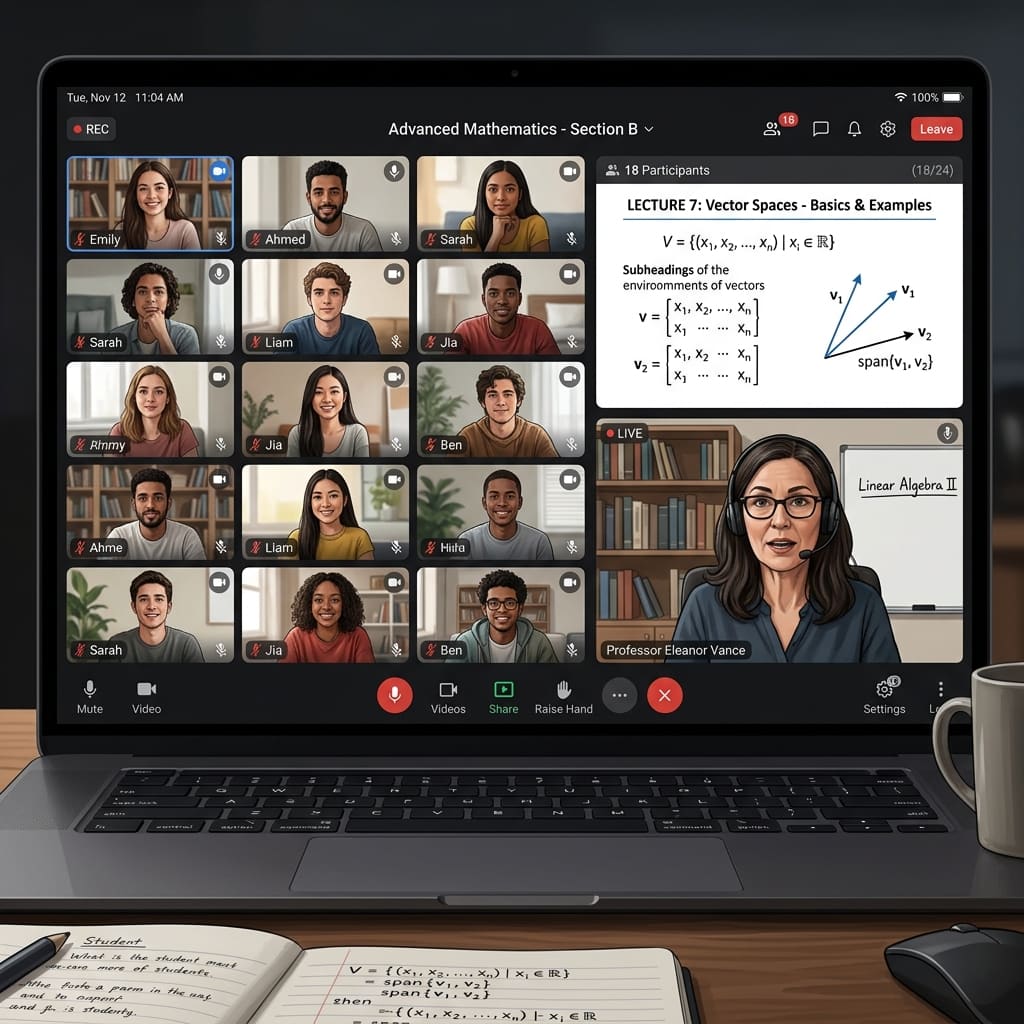
How to teach live classes online: setup, structure and keeping students engaged
Clear sound, a session plan that keeps students doing something, a way for them to respond, and a record of who came. The practical setup for teaching live online, with a pre-class checklist.
Read
Course platform fees explained: subscriptions, transaction fees and payment processing
A pricing page shows one number. Your bill has three layers. Here is how to add them up at your own sales volume, with worked dollar examples.
Read
What changes when the money never touches your balance sheet
Most platforms that sell on your behalf sit in the middle of the payment. We decided not to. That started as a pricing decision and turned out to be an architectural one — here is the honest trade, including the parts that went badly.
Read