For creators
Workflows: several steps, waits, checks and stop-when, with a timeline for each person
A workflow is an automation with several steps: when something happens to a person, Prolaud waits, checks, sends WhatsApp or email, and changes tags in order — and stops the moment something you choose happens. Every person's run has a log you can read.
Last updated Nov 24, 2026
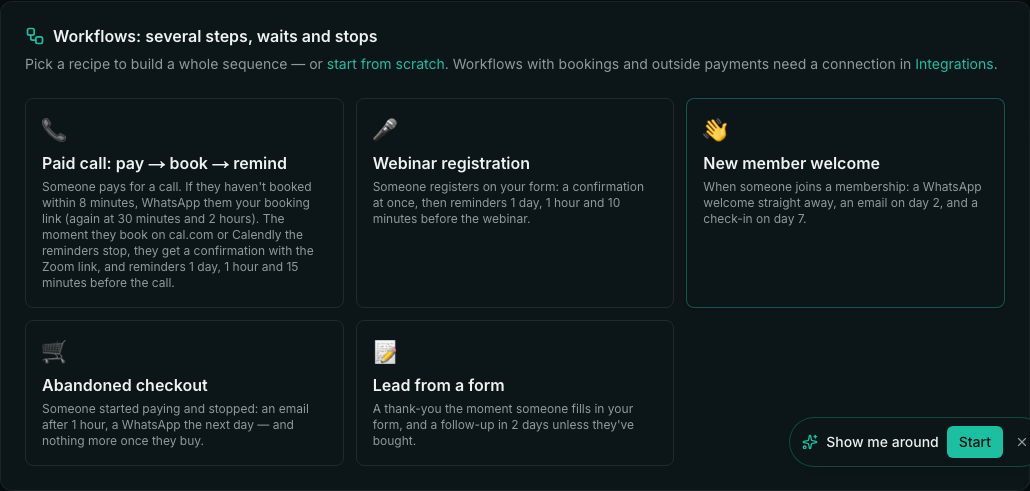
Triggers: what starts a workflow
- Someone buys (any product, or one), or is added to a membership.
- A tag is added, or removed.
- A form is filled in.
- A call is booked, moved or cancelled (cal.com, Calendly).
- A payment arrives on your own Razorpay.
- An incoming webhook arrives (Zapier, Make, Pabbly…).
Steps
- Wait — minutes, hours or days.
- Wait until a time — until N minutes, hours or days before or after a time saved on the person, such as callTime. If that moment has already passed, the next step is skipped (no "1 hour before" message for a call 30 minutes away).
- Check — stop, or skip the next step, if they have (or don't have) a tag, or a field is set or empty.
- WhatsApp — an approved template, its blanks filled from the person ({{firstName}}, {{meetingUrl}}, {{callTime}}…).
- Email, Add tag, Remove tag, Set a field, Notify me (an email to you), Webhook (tell another tool).
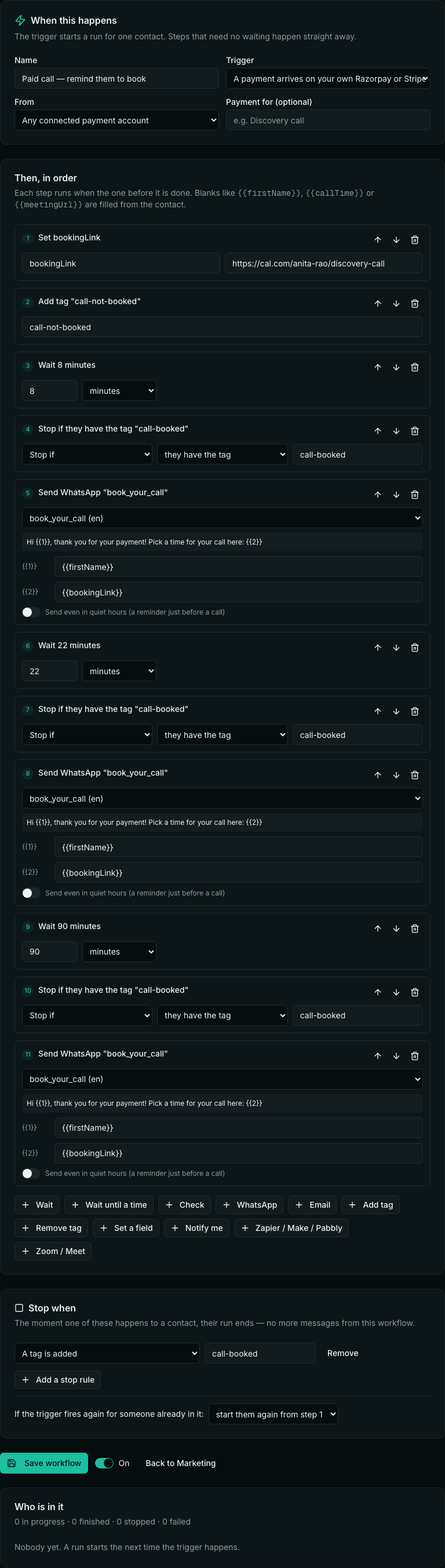
Stop when
The moment a stop event happens to a person — they get the tag call-booked, their booking is cancelled, they buy — their run ends and nothing more is sent from that workflow. Separately, choose what happens if the trigger fires again for someone already in it: start them again, or leave them where they are.
Quiet hours
If your academy has quiet hours set, WhatsApp and email steps that fall inside them wait until they end — except steps marked Send even in quiet hours, such as a reminder 15 minutes before a call.
Who is in it, and each person's timeline
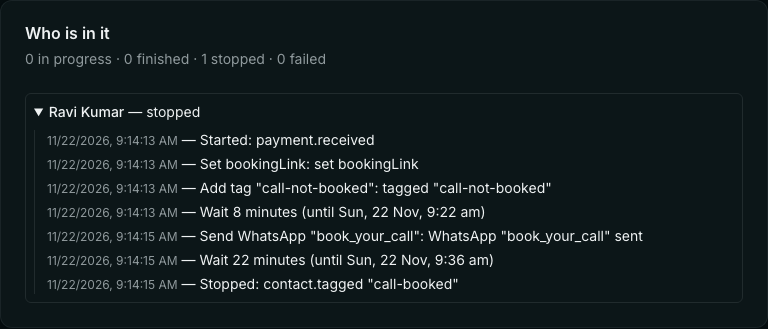
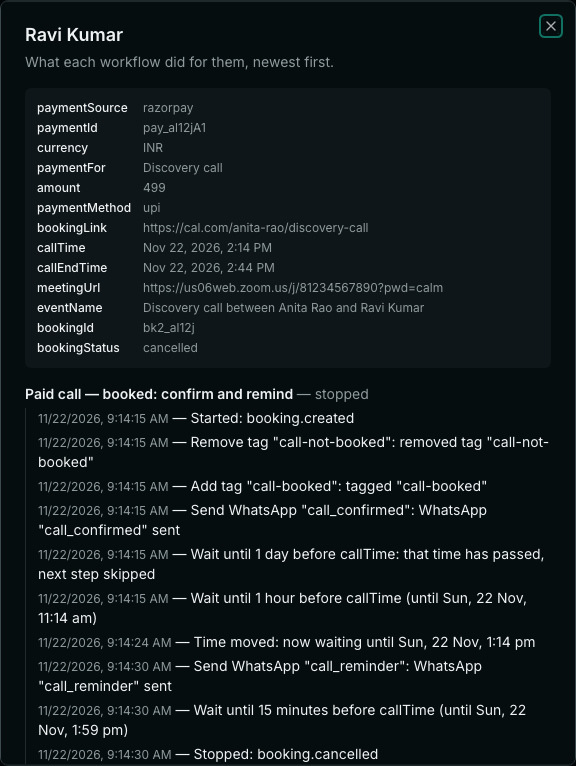
Under the builder, Who is in it lists everyone in the workflow — in progress, finished, stopped or failed — and what happened to each, step by step. In Contacts, Timeline shows every workflow one person went through, and the fields saved on them.
If a step fails
A message that doesn't go through is tried again after 1, 5 and 15 minutes. If it still fails, that person's run is marked failed and you get one email about it.
- What happened to my old automations?
- They still work exactly as before — each reads as a one- or two-step workflow (its wait, then its action). Open one with Edit steps to add more.
- Can two workflows trigger each other for ever?
- No. A tag changed by a workflow can start another workflow, but only a few levels deep.
- Why was a WhatsApp step skipped?
- The log says why: no phone number, they replied STOP, no template chosen, or WhatsApp isn't connected.
- Does a workflow send while it is Off?
- No. Recipes are created Off so you can choose your templates first.
Related