For creators
An automation for one product's buyers
A purchase automation can now be for one product: a welcome email, a follow-up a few days later, or a WhatsApp message — only for the people who bought that product.
Last updated Oct 23, 2026
- Open Grow → Marketing and scroll to Automations.
- Under When this happens, choose When someone makes a purchase.
- Under Of which product, choose the product — or Any purchase.
- Under Do this, choose what to send and when, and create it.
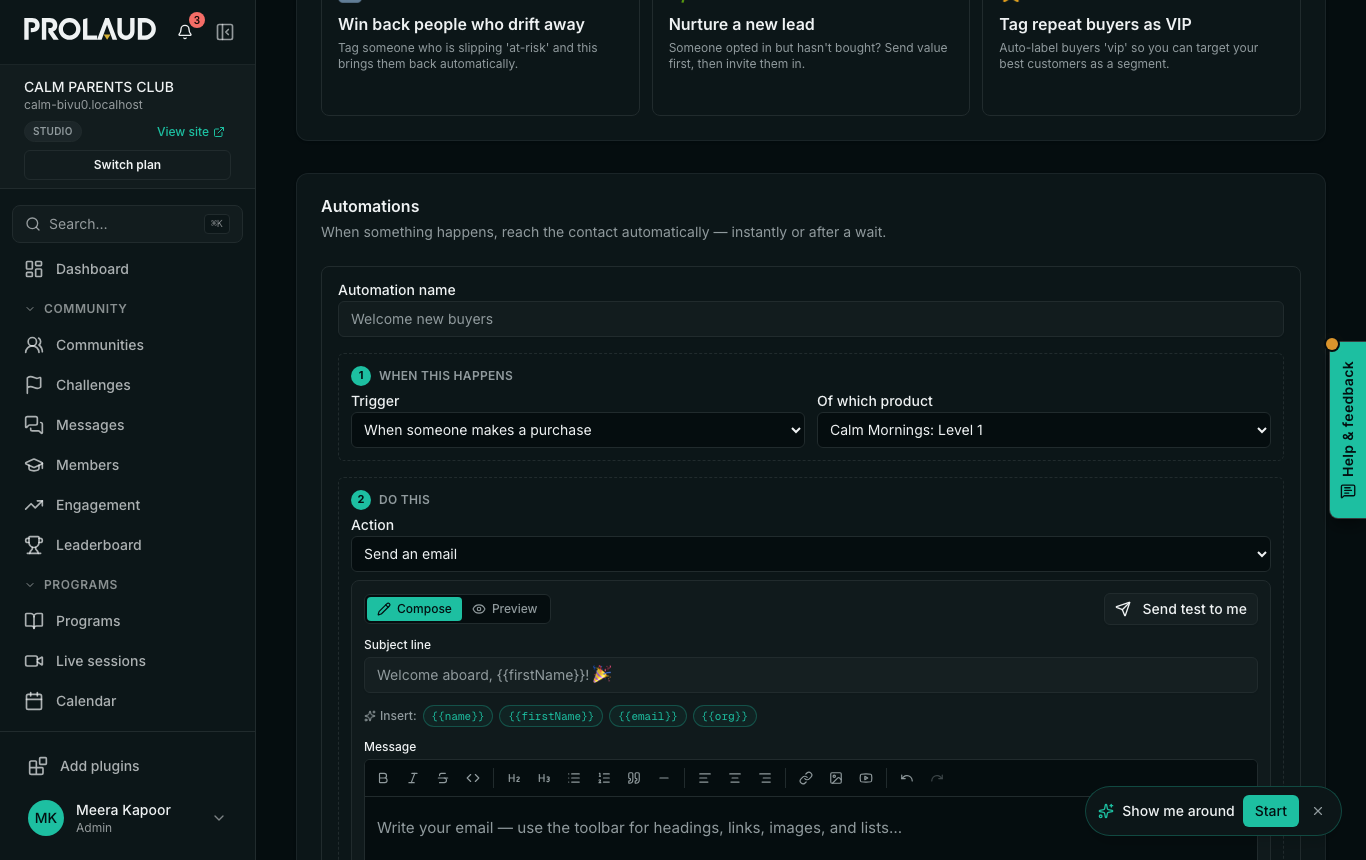
Your automations list then says When someone makes a purchase of Calm Mornings: Level 1.
An automation for one product runs for purchases made in your storefront. A course bought on its own page outside the storefront runs only the Any purchase automations.
Related