For creators
WhatsApp campaigns from your own WhatsApp Business number
Send a WhatsApp to your students and leads from your own WhatsApp Business number, in your academy's name. You pick a template Meta approved, fill in its blanks, and see who got it, who read it and who it didn't reach. On the Studio plan.
Last updated Oct 17, 2026
Why your own number
- WhatsApp only delivers a message you start when it's an approved template. A typed message reaches only people who wrote to your number in the last 24 hours; everyone else silently never gets it. Templates reach everyone who agreed to hear from you.
- Your academy's name is on every message, and replies come to you.
- Meta bills your business directly for the messages you send — see Meta's WhatsApp pricing page (developers.facebook.com/docs/whatsapp/pricing). Prolaud adds nothing per message.
Connect your number (once, about 20 minutes)
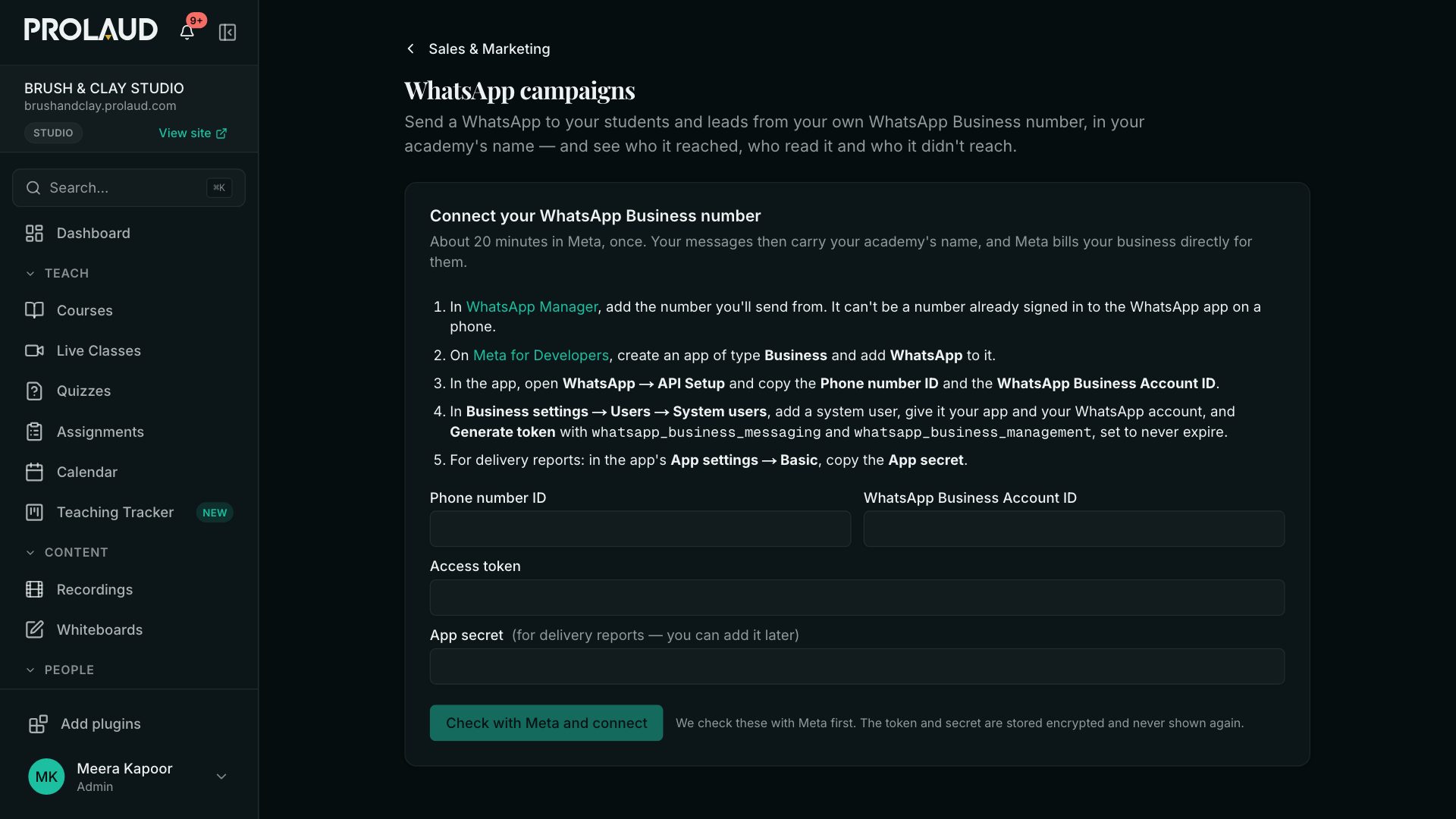
- In WhatsApp Manager, add the number you'll send from. It can't be a number that is signed in to the WhatsApp app on a phone.
- On Meta for Developers, create an app of type Business and add WhatsApp to it.
- In the app, open WhatsApp → API Setup and copy the Phone number ID and the WhatsApp Business Account ID.
- In Business settings → Users → System users, add a system user, give it your app and your WhatsApp account, and Generate token with whatsapp_business_messaging and whatsapp_business_management, set never to expire.
- For delivery reports, copy the App secret from App settings → Basic.
- Paste them into Prolaud and click Check with Meta and connect. Prolaud checks them with Meta before saving; the token and secret are stored encrypted and never shown again.
Turn on delivery reports
Once connected, the page shows a Callback URL and a Verify token. In your app: WhatsApp → Configuration → Webhook → Edit, paste both, then Manage and subscribe to messages. From then on you see who got each message and who read it, and anyone who replies STOP is never sent another campaign.
Templates
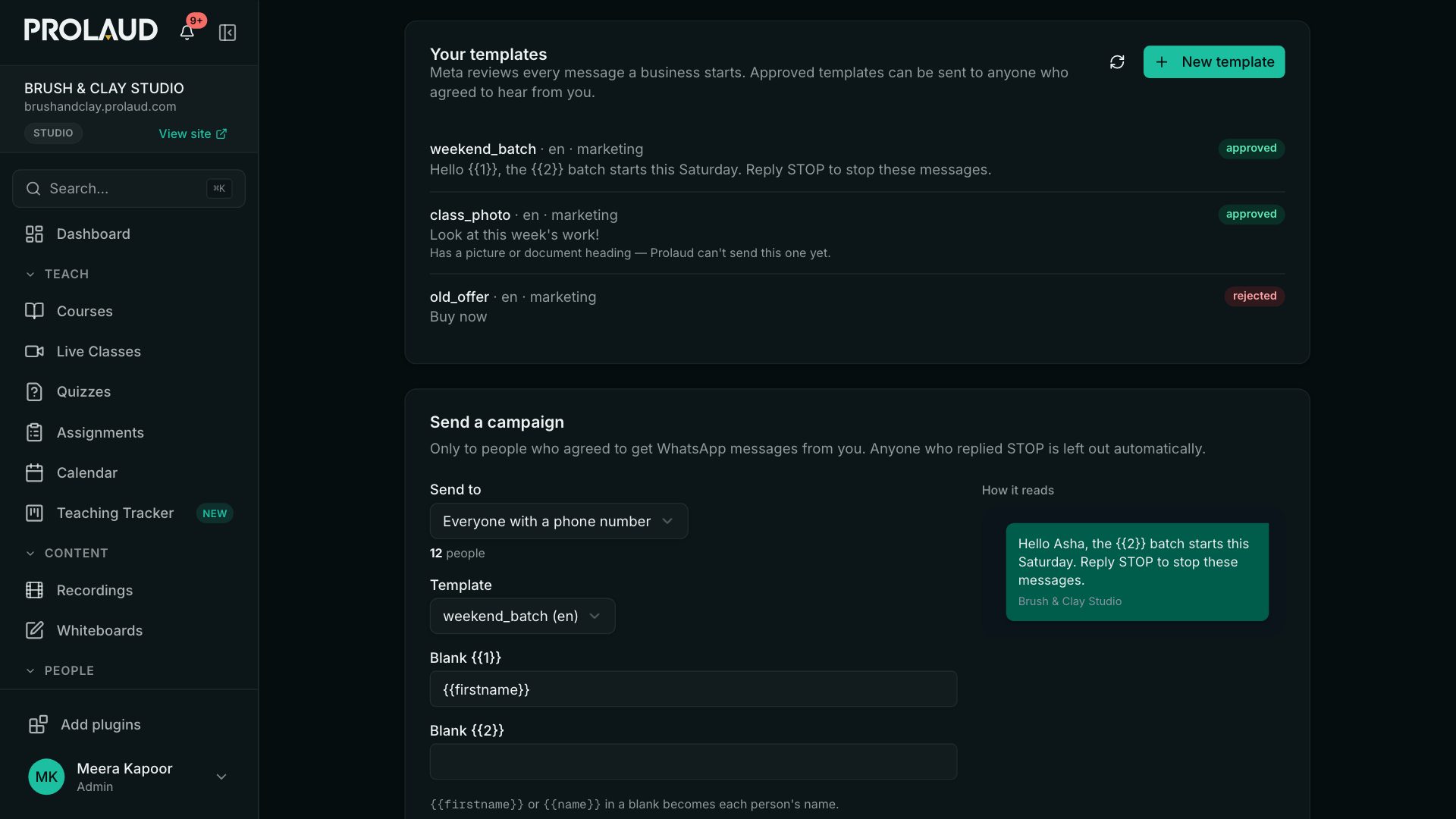
Click New template and write it the way you'd text a student. Use {{1}}, {{2}} for the parts that change, like their name, and give an example for each — Meta needs them to review it. Meta usually reviews it within minutes, sometimes a day.
- Marketing is for offers and new batches; Update is about something they already bought.
- A message can't start or end with a blank, and can't be mostly blanks — Prolaud tells you before Meta does.
- Templates with a picture or document heading can't be sent from Prolaud yet; use a text template.
Send a campaign
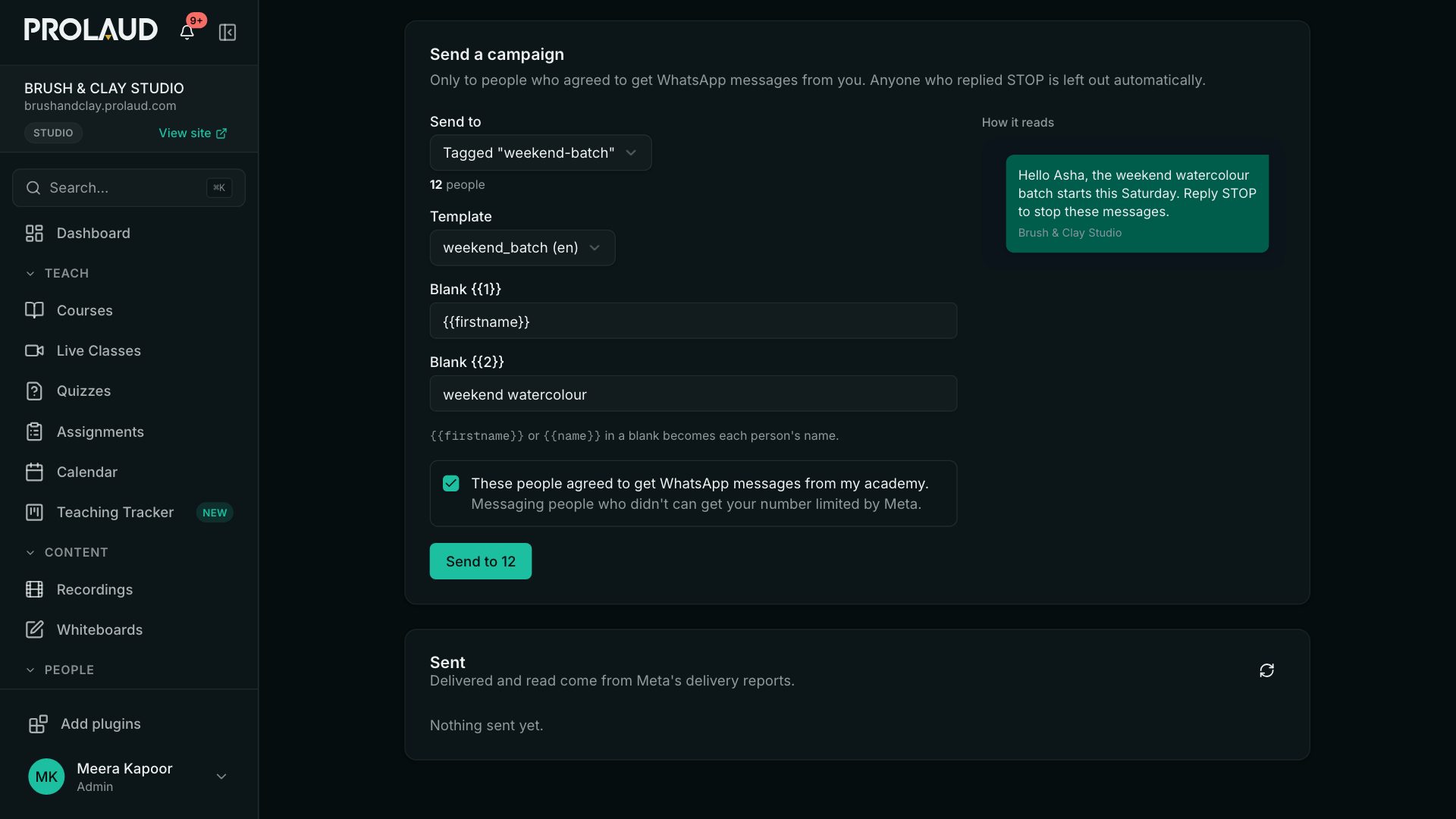
- Send to everyone with a phone number, or one tag. The count leaves out people who replied STOP and numbers WhatsApp can't use.
- Pick an approved template and fill its blanks. {{firstname}} or {{name}} in a blank becomes each person's name.
- Tick These people agreed to get WhatsApp messages from my academy. Messaging people who didn't can get your number limited by Meta.
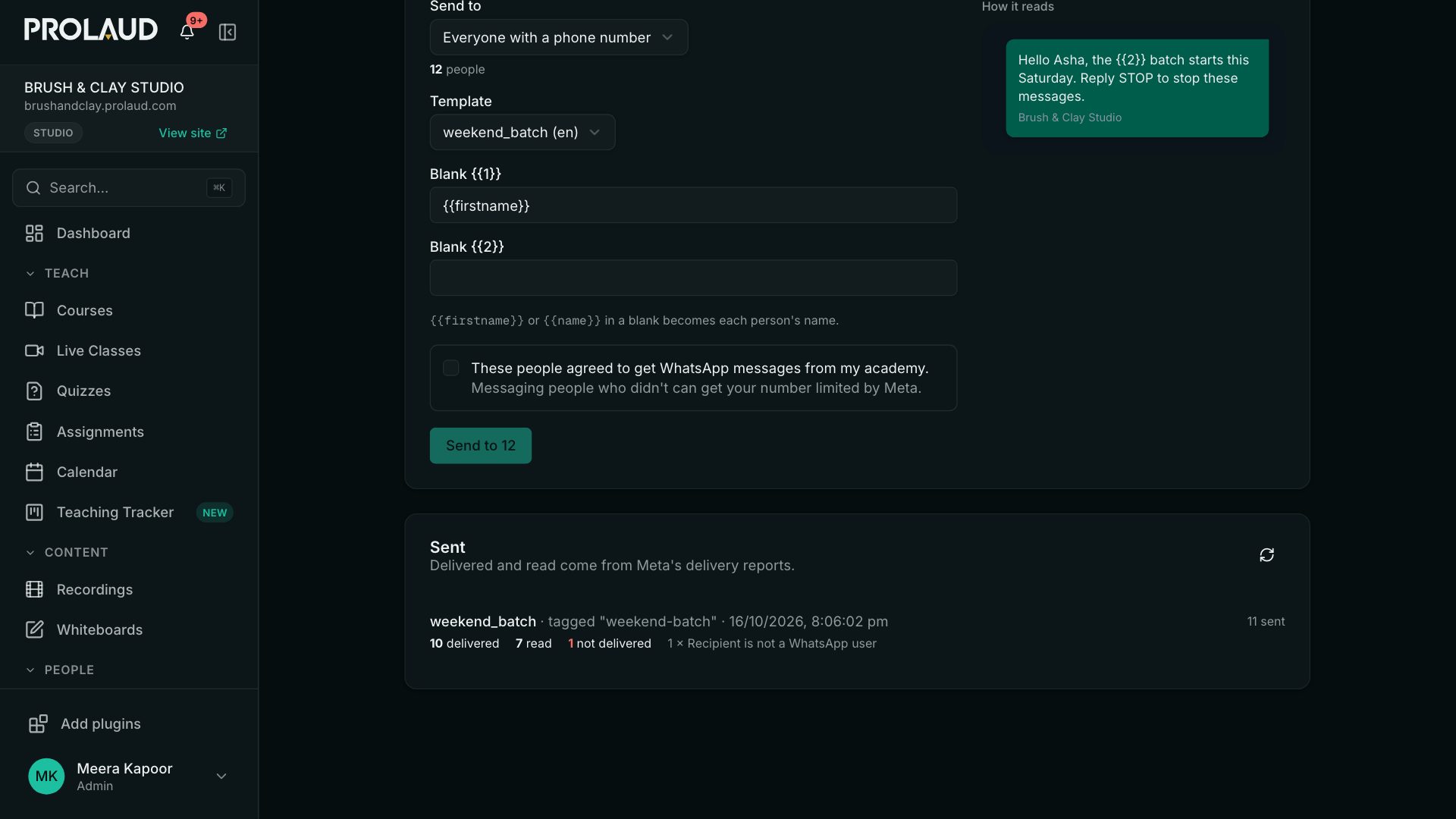
- Click Send. It goes out in the background; the list below fills in as Meta reports back.
Automations
In Marketing → Automations, a Send a WhatsApp message step offers your approved templates once your number is connected — for example, a welcome message when someone buys. People who replied STOP are skipped.
- Can I use my personal WhatsApp number?
- Not one that is signed in to the WhatsApp app on a phone — Meta allows a number on the WhatsApp Business Platform or in the app, not both. Most academies use a second number, or move their business number over.
- Who pays for the messages?
- Meta bills your business for each message, at its own rates for your country and the kind of template. Prolaud doesn't add a per-message charge.
- Why did a message say not delivered?
- The list shows Meta's reason. The usual ones are a number that isn't on WhatsApp, or a template Meta has since paused.
- What happened to the old WhatsApp broadcast?
- It sent typed messages from Prolaud's number, which WhatsApp delivers only to people who wrote in the last day. WhatsApp campaigns replace it, from your own number, with delivery reports.
Related