For creators
Marketing creatives: posts for Instagram, LinkedIn and print, made from your course
Pick a course or product and get four ready-made pictures in your colours: an Instagram post, a story, a LinkedIn or Facebook banner and a poster with a QR code. Change the words, download the PNG, copy the caption.
Last updated Oct 17, 2026
Open Grow → Sales & Marketing → Marketing creatives. Everything on the pictures comes from the course itself: its cover, title, price, and the early-bird price and end date when one is running. Your academy's name, logo and colours come from your site settings.
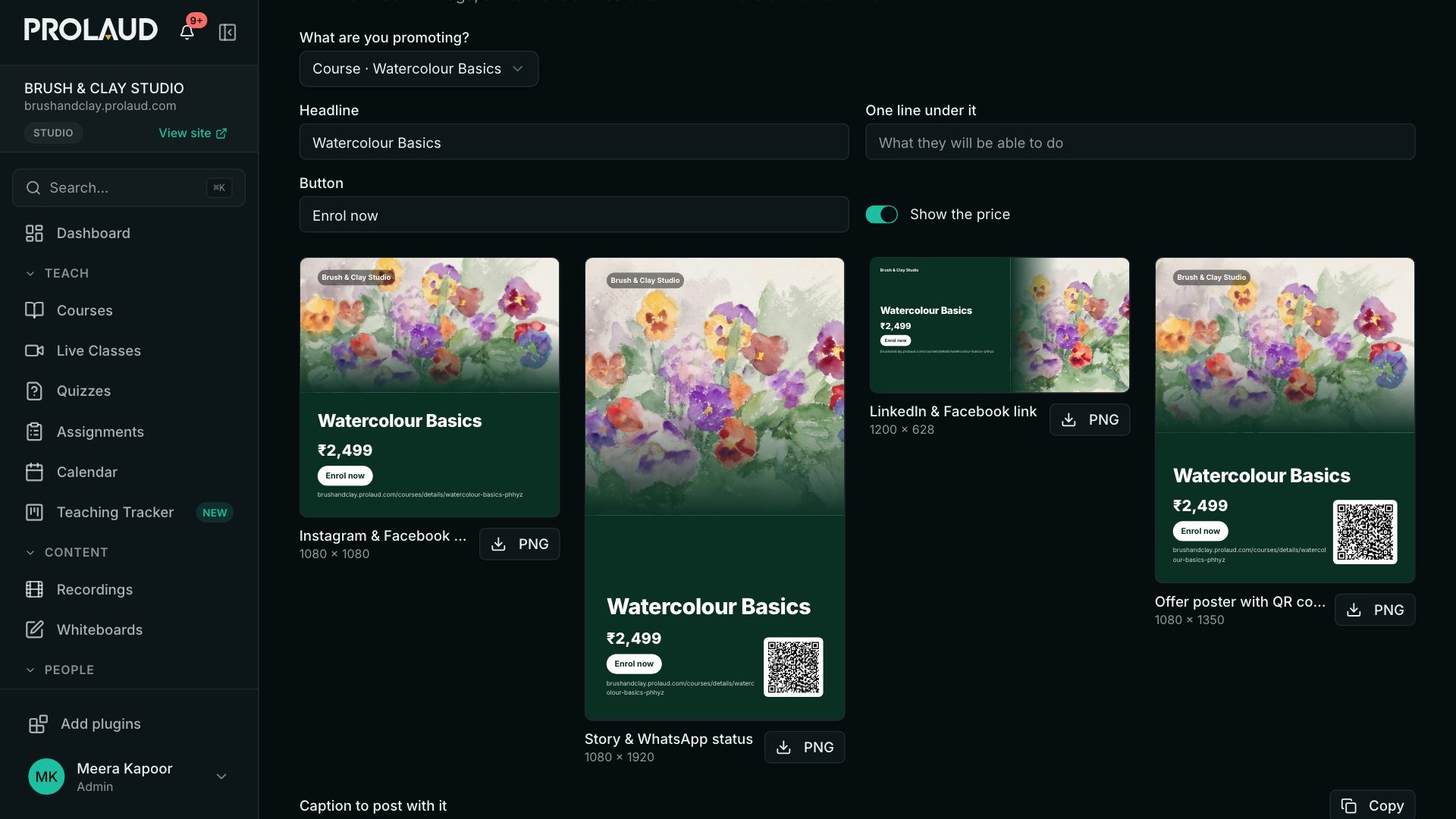
The four designs
- Instagram & Facebook post — 1080 × 1080.
- Story & WhatsApp status — 1080 × 1920, with a QR code.
- LinkedIn & Facebook link — 1200 × 628, the size those sites show for a shared link.
- Offer poster — 1080 × 1350, with a QR code, for print or a noticeboard.
Make one
- Pick the course or product in What are you promoting?
- Change the Headline and add One line under it — what students will be able to do.
- Change the Button text if you like, or turn Show the price off.
- Click PNG under a design to download it, and Copy the caption to post with it.
Each design links to the course with its own tags — Instagram, LinkedIn, or poster for the QR code — so Where students come from shows which one brought the sale. The printed address is the plain course address; the QR code and the caption carry the tags.
Your partners get the same designs on their own page, with their link and their QR code on every one.
Related