For creators
Run an affiliate programme: partners share your links and earn a share of the sales
Partners — past students, fellow teachers, creators — share your links with their own code. When someone buys through a partner's link, the partner earns the commission you set. Buyers pay you as usual; you pay your partners yourself, and Prolaud keeps the record of who is owed what.
Last updated Oct 17, 2026
Set it up
Open Grow → Sales & Marketing → Affiliate programme, and turn the programme on.
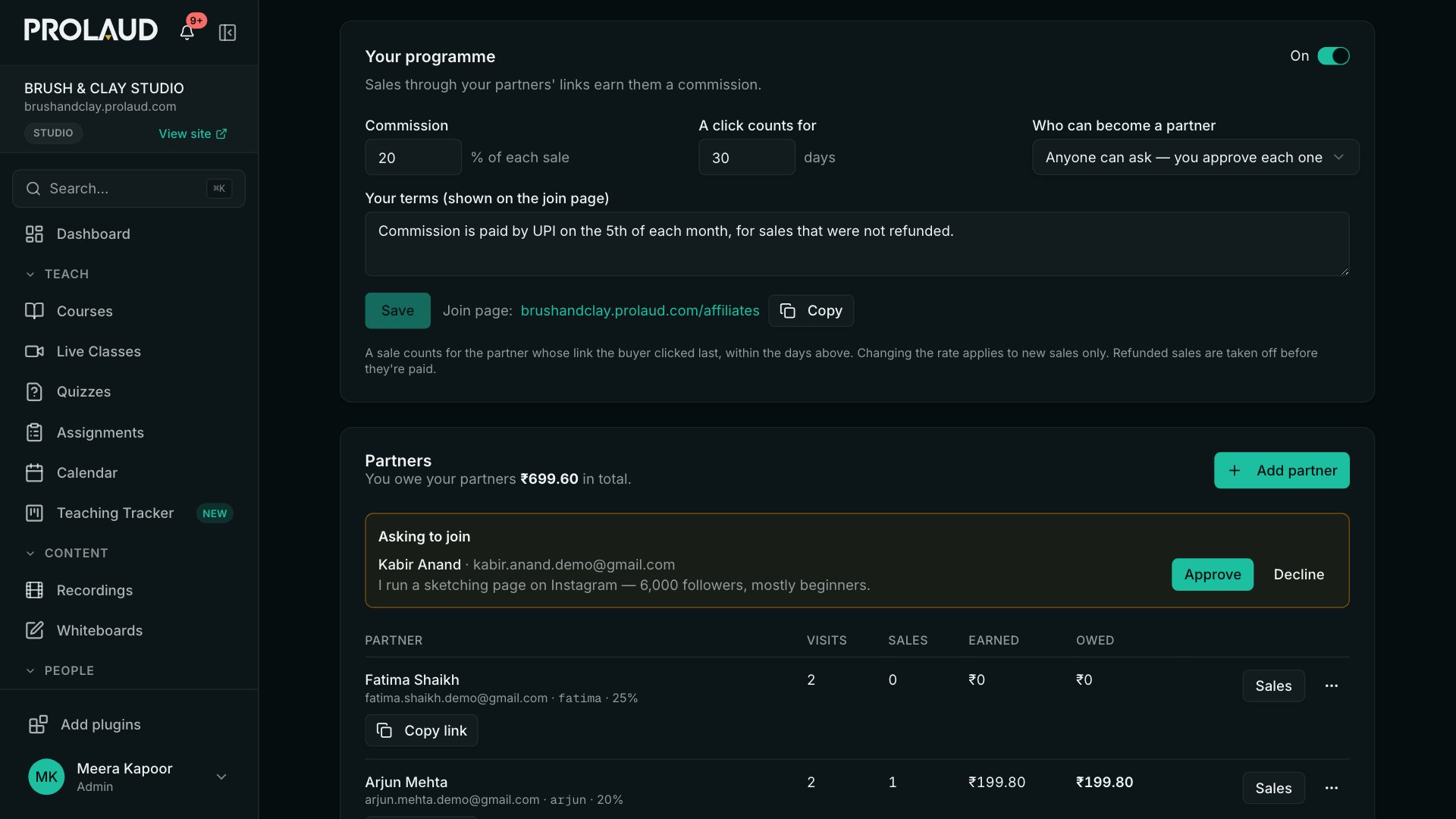
- Commission — the share of each sale a partner earns. You can give one partner a different rate.
- A click counts for — how many days after clicking a partner's link a purchase still earns them their commission (30 by default, up to 180).
- Who can become a partner — anyone can ask and you approve each one; anyone can join and gets their link at once; or only people you add.
- Your terms — shown on your join page: how and when you pay, for example.
Add partners
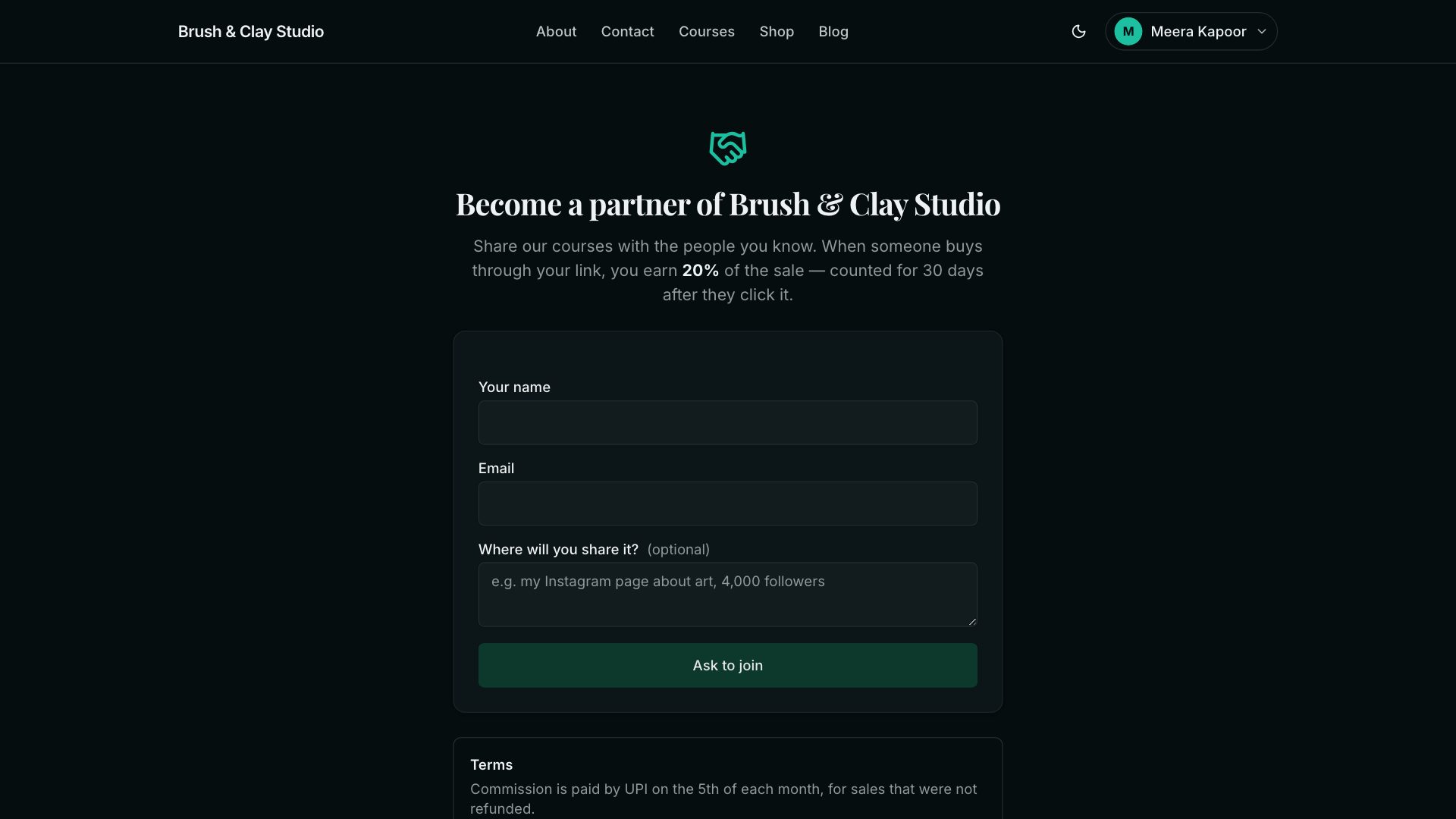
Click Add partner and enter their name and email. Their code — the part of the link that is theirs — is made from their name unless you choose one. We email them their link and the private link to their partner page. If your programme lets people ask to join, share your join page (the address is on the settings card); requests appear at the top of the list with Approve and Decline.
What a partner sees
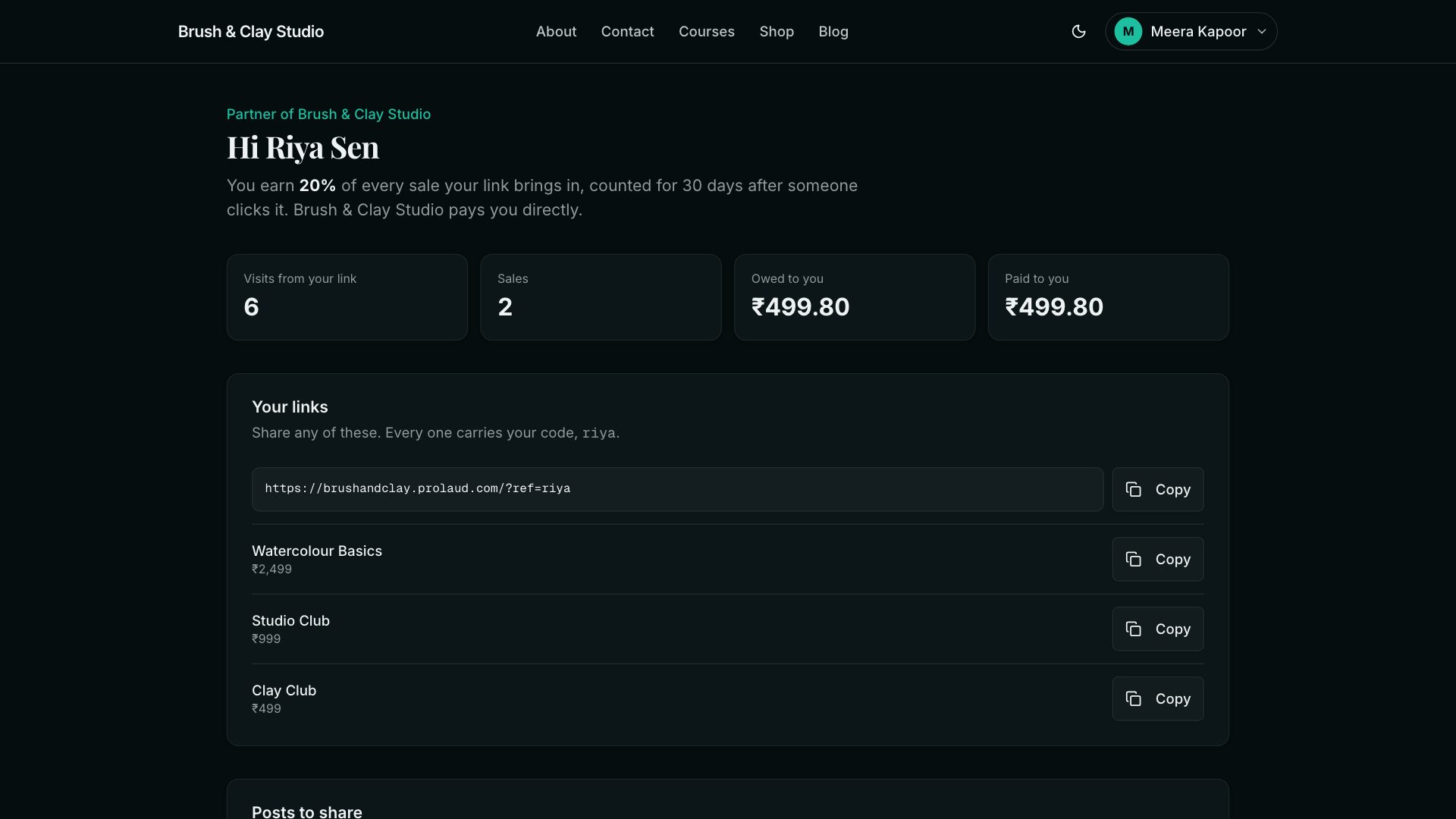
Each partner has a private page on your site: their link for your whole site and for each course and product, ready-made posts carrying their link and QR code, their visits, sales, what they're owed and what you've paid. Buyers are shown to them only as a hint, like ka***@gmail.com.
How a sale is credited
- A sale earns a commission when the buyer — the same account, or the email they left on an enquiry form — clicked the partner's link within the days you set, before buying.
- If they clicked two partners' links, the one they clicked last before buying gets it.
- The commission is worked out once, when the sale is first seen, at the rate in force then. Changing a rate later only affects new sales.
- No commission on a partner's own purchase, on a free order, while the partner is paused, or while the programme is off.
- A refunded sale is cancelled automatically if it hasn't been paid yet. You can also cancel or restore any unpaid one yourself.
Pay your partners
The partners card shows the total you owe. Open a partner's Sales to see each sale; when you've paid them (by UPI, bank transfer, or however you agreed), click Mark as paid and add a note such as the payment reference. It moves to Paid on your side and on theirs, and the partner sees your note with the payout.
What partners are told
Partners never have to ask what's happening with their money. We email them, in your academy's name with replies coming to you:
- When a sale through their link earns them a commission: what was bought, the buyer only as a hint, and their share. Several sales found at once come in one email.
- When you mark a payout as paid: the total, the sales it covers and your note.
- When a commission is cancelled: because the buyer was refunded, or because you cancelled it, with your reason if you gave one. A cancel you undo within ten minutes isn't emailed; restoring one they were told about is.
Their partner page shows the same: every sale with its status, each payout with your note, the reason for any cancellation, the rules and your terms. A partner can turn the emails off on that page; you'll see Emails off next to their name, and their page still shows everything.
- Does Prolaud pay my affiliates?
- No. Buyers pay into your own account, as with every sale, so you pay your partners yourself. Prolaud keeps the record: what each partner earned, what's owed and what's paid.
- What if the buyer uses another phone or laptop?
- The partner is credited when we can tie the purchase to their click — through the buyer's account, or the email they gave on an enquiry form. A purchase on a device that never opened the partner's link, under an email we haven't seen with that click, can't be tied to it.
- Can I change a partner's code?
- Not after they're added, because links already shared would stop working. Remove them and add them again with a new code if you must.
Related