For creators
Run a Facebook or Instagram ad, and see exactly what it sold
The ads helper gets you ready before you spend: your Meta Pixel, a tracked link for the course you're advertising, and three versions of the ad text. Then Where students come from shows every visit, enquiry and sale that ad brought in.
Last updated Oct 17, 2026
Before you spend: the ads helper
Open Grow → Sales & Marketing → Facebook & Instagram ads. It has three steps. You make and pay for the ad itself in Meta Ads Manager; Prolaud doesn't place ads for you.
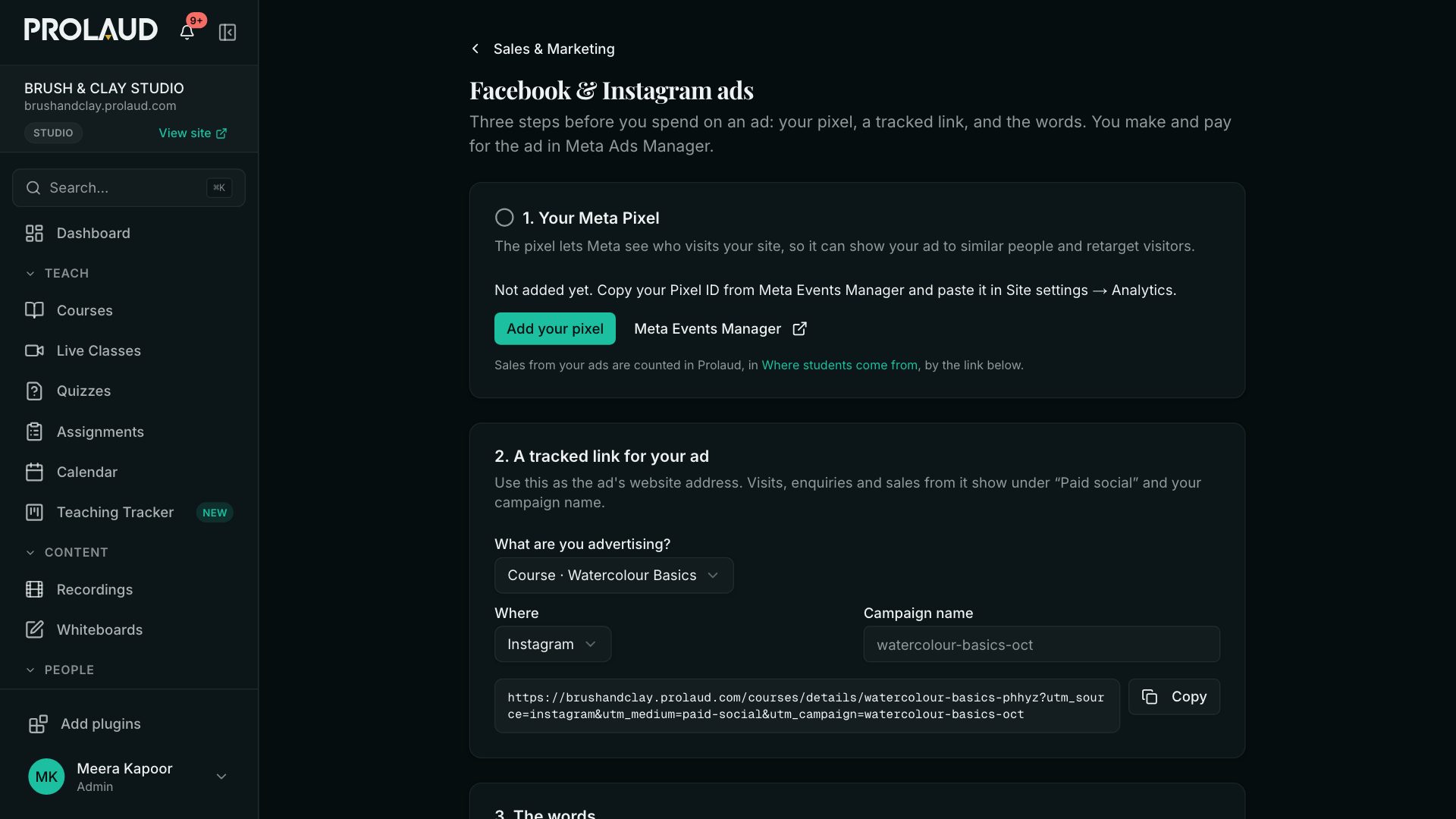
- Your Meta Pixel. If it isn't added yet, the helper says so and opens Site settings, where you paste the Pixel ID from Meta Events Manager.
- A tracked link. Pick the course or product you're advertising and where the ad will run (Instagram or Facebook). Copy the link and use it as the ad's website address.
- The words. Click Write three versions: three ad texts written from your course's own description. Read them, change anything, and paste them into Ads Manager.
After: Where students come from
Analytics → Where students come from (also a card on Sales & Marketing) shows visitors, leads, buyers and revenue, by where each visitor first found you — your ad, Google, an AI answer such as ChatGPT, your emails, or a partner's link — and by campaign.
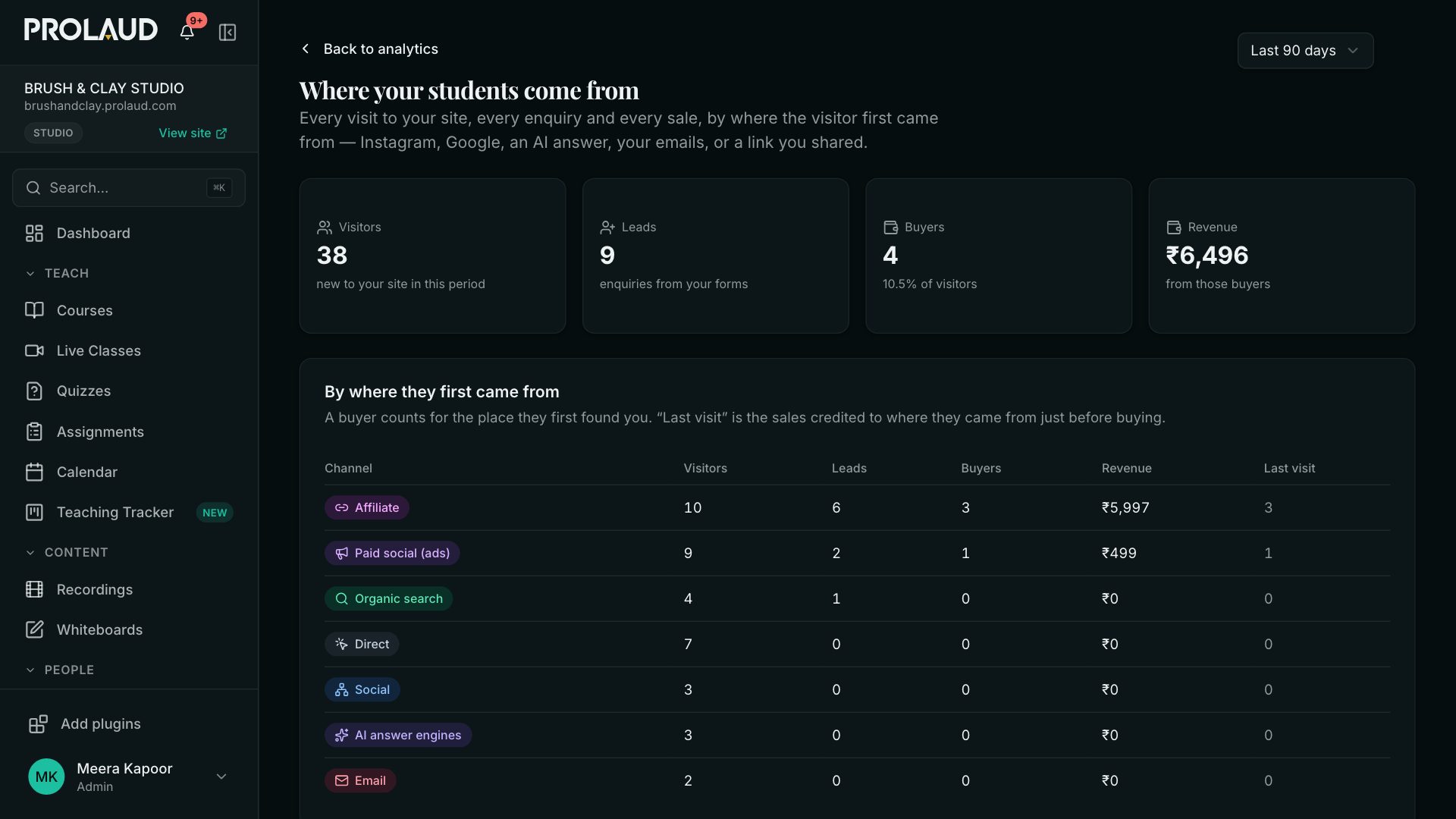
- A sale counts for where the buyer first found you. The buyer is matched by their account, or by the email they left on an enquiry form. The last-touch column shows where they came from just before buying.
- Sales that aren't tied to a visit are listed under the table: they were bought before visits were recorded, or on a device that never visited your site.
- Pick the period at the top.
The Lead inbox cards
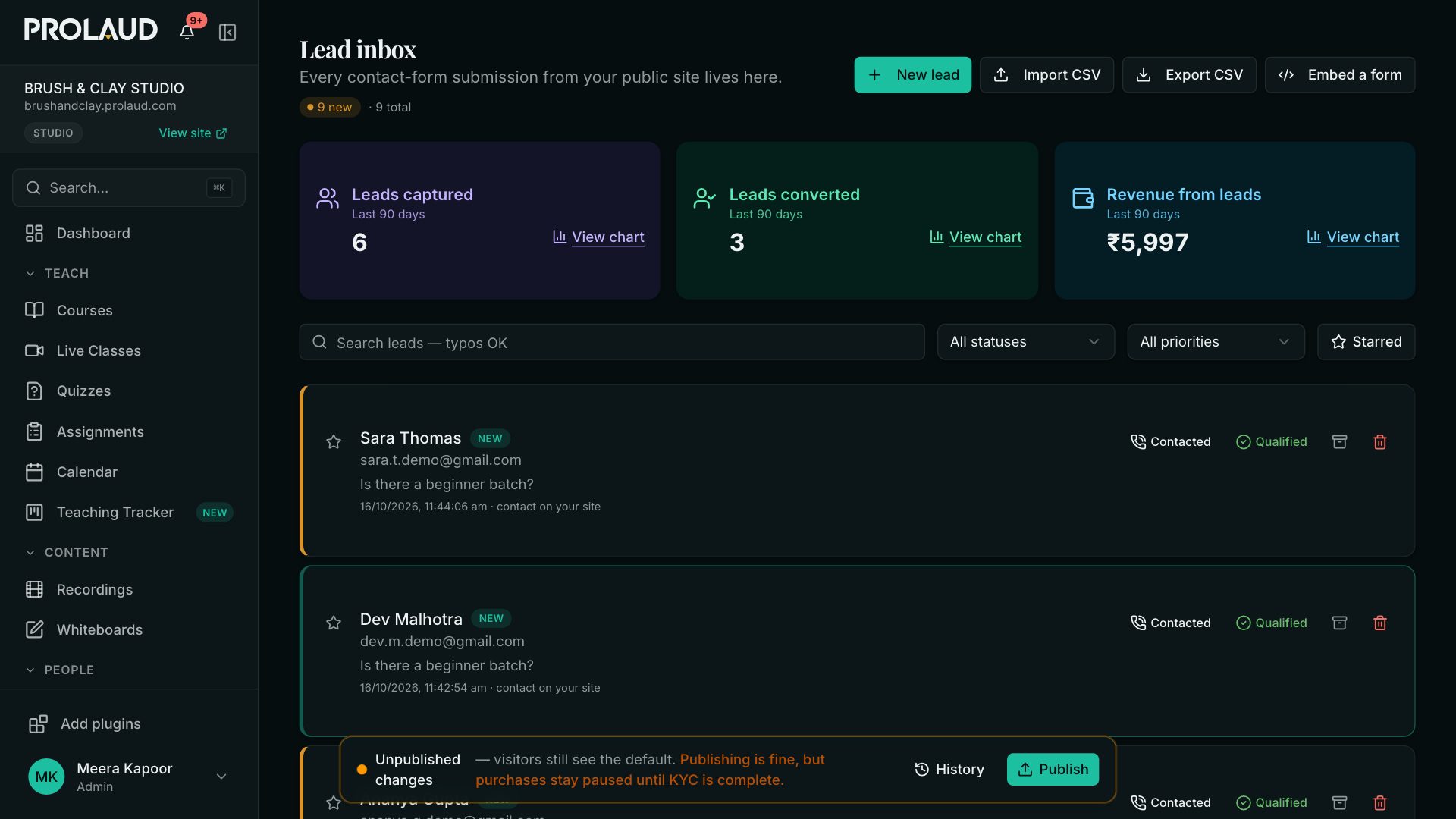
At the top of the Lead inbox, three cards show the last 90 days: leads captured, leads converted (the same email bought at or after the enquiry) and the revenue from those leads. View chart shows them day by day.
- Does the Meta Pixel count my course sales?
- The pixel counts page views on your site, which is what Meta uses to show your ad to similar people and to retarget visitors. Sales are counted in Prolaud, in Where students come from, through the tracked link.
- Why does a sale show as direct?
- The buyer arrived without a tag or a referring site — they typed your address, used a bookmark, or their app hid where they came from. Use a tracked link everywhere you post, so those visits are counted where they belong.
Related