How can I gamify my courses with streaks, points and leaderboards?
What the research says about points, streaks and leaderboards in courses, a worked points table, streak and leaderboard rules that don't punish the students you most need to keep, and how to measure whether any of it works.
The short answer
Gamify the learning, not the logins: give points for the actions that produce results (finishing lessons, attending live classes, passing quizzes, practice check-ins) and cap the points that talk and visits can earn. Build forgiveness into streaks, such as a freeze earned by consistency or a way to make up a missed day, because a streak that resets after one sick day punishes exactly the student you want to keep. Leaderboards lift the people near the top and can discourage the rest, so keep them small (one cohort), recent (a weekly window), team-based where you can, and easy to leave. Points only motivate if they lead somewhere students value: a level, an unlocked lesson, a certificate or a real perk. Research finds small average effects that depend on design. In Prolaud, points, levels, streaks with freezes, weekly quests, badges, a reward shop, cohort-sized boards and community challenges are built in on every plan, every point value can be changed, and courses sell at 0% commission.

Gamification is easy to switch on and easy to get wrong. Add points, a streak counter and a leaderboard to a course and you'll see a burst of activity in week one.
Whether that burst turns into finished lessons, or into a board full of people farming points for replies, depends on a handful of design decisions you make before launch. This guide goes through those decisions mechanic by mechanic, with what the research actually found, a worked points table you can copy, and a way to check whether it's working.
A note on where I stand: I'm Renu Rawat, and we build Prolaud, a platform for online academies that has these mechanics built in. Most of this article is platform-neutral, and it should work on any tool that lets you set point values and switch features off. The Prolaud setup is near the end, followed by its limits.
What does the research say about gamification in courses?
The short version: it helps a little on average, the effect depends on the design and the learners, and some versions backfire. Here's what the main studies found, in their own words where possible.
| Study | What it looked at | What it found |
|---|---|---|
| Sailer & Homner (2020), meta-analysis, Educational Psychology Review | Experiments comparing gamified and non-gamified instruction | "Significant small effects" on cognitive (g = .49), motivational (g = .36) and behavioral (g = .25) learning outcomes. The cognitive effect held up in the more rigorous studies; the motivational and behavioral effects were "less stable." For behavioral outcomes, competition combined with collaboration was particularly effective. |
| Hamari, Koivisto & Sarsa (2014), literature review, HICSS | Peer-reviewed empirical studies of gamification | Gamification "provides positive effects, however, the effects are greatly dependent on the context in which the gamification is being implemented, as well as on the users using it." |
| Sailer, Hense, Mayr & Mandl (2017), randomized experiment, Computers in Human Behavior | Which specific game elements meet which psychological needs | Badges, leaderboards and performance graphs raised competence need satisfaction and perceived task meaningfulness; avatars, meaningful stories and teammates raised social relatedness. Gamification "is not effective per se." |
| Hanus & Fox (2015), semester-long classroom study, Computers & Education | One course with a leaderboard and badges, one identical course without | Students in the gamified course showed less motivation, satisfaction and empowerment over time, and lower final exam scores, with the exam effect running through lower motivation. |
| Deci, Koestner & Ryan (1999), meta-analysis of 128 studies, Psychological Bulletin | Extrinsic rewards and intrinsic motivation | Expected tangible rewards undermined free-choice intrinsic motivation; positive feedback enhanced it. Tangible rewards "tended to be more detrimental for children than college students." |
| Pitthan & De Witte (2025), 6,592 adults on a financial-education platform | Gamification in adaptive online learning | A 5.7% increase in questions answered and a 1.6 percentage point rise in the completion rate. |
Three practical lessons come out of that table. First, expect modest gains. The large field study above moved completion by under two percentage points, which is worth having but won't rescue a course students don't need. Second, the elements aren't interchangeable.
Sailer and colleagues found that badges and leaderboards speak to a student's sense of competence, while teams and stories speak to belonging, so pick elements for the need you're trying to meet. Third, competition on its own is the riskiest choice. Sailer and Homner found the combination of competition with collaboration worked best, which is a reason not to lean on competition alone.
Most of this research is framed by self-determination theory, which holds that people stay motivated when three needs are met: competence (I'm getting better), autonomy (I chose this) and relatedness (I belong here). It's a useful test for any mechanic.
Ask which of the three it feeds and which it might starve. A public ranking can feed competence for the top five and starve it for everyone else. A mandatory daily streak can feel like a chore imposed from outside, which works against autonomy.
What does each mechanic do well, and where does it backfire?
| Mechanic | What it does well | Where it backfires | Design rule |
|---|---|---|---|
| Points | Make invisible effort visible; tell students which actions you value | Reward activity over learning, so the most talkative student wins | Weight learning actions highest; cap points for posts, replies and logins |
| Levels | Show long-run progress in a program that lasts months | Game names feel patronizing to professionals; early levels too slow | Name levels for your subject; make the first level-up reachable in week one |
| Streaks | Build a daily practice habit (language, music, writing, fitness) | Punish a sick day; feel like an obligation; bad fit for weekly courses | Add freezes or make-up days; count only real learning toward the streak |
| Leaderboards | Energize competitive, similar-level groups for a short sprint | Demotivate the bottom half; late joiners can never catch up | Small groups, weekly windows, teams, and a way to hide your name |
| Badges | Mark a first win or a real milestone | So many that none mean anything | Fewer than ten, each tied to something a student would mention to a friend |
| Challenges | Give a short, bounded goal with a finish line | No feedback; too long; tasks unrelated to the course | 5 to 21 days, one small task a day, a visible check-in, recognition at the end |
| Rewards | Turn points into something students value | Learning starts to feel like a transaction | Small, course-related perks: a 1:1 call, a bonus lesson, a coupon |
How do you design a points table for a course?
A points table is a statement of what you value. Students read it like a price list and act on it, so write it the way you'd want them to spend their time. The Learning Design Alliance's gamification principle page puts it bluntly: "Give points for accuracy and improvement, not for activity." Here are four rules, then a worked example.
- Rank actions by how much they move learning. Finishing a module, passing a quiz and handing in work should be worth more than posting. Attending a live class should be worth more than reacting to a post about it.
- Pay a bonus for quality, not just for doing. A small amount for taking a quiz, a larger extra for passing it. A small amount for submitting, an extra for a strong score. This rewards improvement rather than clicking.
- Cap the cheap actions. Without a daily limit on points for posts and replies, the board fills with "great post!" comments. A cap keeps conversation welcome without letting it decide the ranking.
- Keep the numbers stable. Students plan around the table. Change it rarely, announce changes, and never take back points already earned.
| Action | Points | Why this weight |
|---|---|---|
| Finish a lesson | 2 | Frequent and small; adds up across a course without dominating |
| Finish a module | 10 | A real milestone; worth a visible jump |
| Finish the course | 50 | The outcome you want most; make it the biggest single award |
| Take a quiz | 5 | Retrieval practice helps even when the score is low |
| Pass a quiz (extra) | 15 | Rewards mastery, not just attempting |
| Hand in an assignment | 15 | Effortful work; should outweigh a day of chatting |
| Attend a live class | 10 | Showing up live is the core commitment in a cohort course |
| Join a class on time | 3 | Small nudge toward punctuality without punishing lateness |
| Daily practice check-in | 5 | Builds the habit between classes |
| Write a post (max 3 a day) | 3 | Welcome, but capped so volume can't win |
| Reply to a classmate (max 3 a day) | 2 | Peer help matters; cap it for the same reason |
| Reply marked as the answer | 10 | Rewards useful help, judged by someone else |
| Log in / visit | 0 | Rewarding presence teaches students to show up and leave |
Check the table with a quick simulation. Picture a diligent student who, in one week, finishes five lessons, attends two classes on time, passes two quizzes, hands in one assignment, checks in on five days and posts twice. With the table above that's 10 + 26 + 40 + 15 + 25 + 6 = 122 points. Now picture a student who does no coursework at all but hits the post and reply caps every day: (9 + 6) × 7 = 105 points.
The diligent student wins, narrowly. If posts were worth 8 points with five a day allowed, and replies 3 points with ten a day, the same talker would score (40 + 30) × 7 = 490, four times the diligent student. That's why the caps matter as much as the values. Run these two imaginary students through your own table before launch; it catches most points-design mistakes.
Then decide what points are for. Points that lead nowhere become meaningless after a week or two. Connect them to at least one of these: a level that renames the student ("Practitioner" means more in a design course than "Level 3"), something that unlocks at a level (a bonus lesson, an advanced practice set, a private space), a certificate, or a small reward chosen from a list.
If you use rewards, keep them tied to learning. A 1:1 review call is a better reward than a gift card, because it pulls the student back toward the course.
How should streaks work so they don't punish students?
A streak counts consecutive days with some qualifying action. It's the most powerful habit mechanic and the easiest to make cruel. When a 40-day streak resets to zero because a child was sick or a parent was traveling, the student loses something they worked for, and many simply stop.
Duolingo has published one of the clearest public tests of streak forgiveness. In a 2017 post on its blog, the company reported that learners offered the Weekend Amulet, which let a streak survive the weekend, "were 4% more likely to come back a week later and 5% less likely to lose their streak."
Their conclusion: "by giving learners the option to take a break, they're actually more likely to do more in the long run." That's one company's A/B test on its own app, not peer-reviewed research, but it points the same way as self-determination theory: a habit students control lasts longer than one they fear losing.
- Count learning, not visits. A streak day should require a lesson, a class, a quiz or a practice check-in. If opening the app or posting a comment counts, the streak measures attendance at the door, not learning.
- Earn forgiveness through consistency. A freeze earned after a week in a row, held in reserve and used automatically on a missed day, rewards the habit and absorbs ordinary life.
- Cap the freezes. One or two held at a time is enough. Unlimited freezes make the streak meaningless.
- Separate the streak from the finish line. In a 21-day challenge, let students make up missed days or finish with 18 of 21. The streak can still count days in a row; completion shouldn't depend on it.
- Use the student's own time zone. A streak that ends at midnight UTC breaks for half the world in the middle of their evening.
- Remind once, in the evening. One reminder when a streak is about to end is helpful. Three a day is nagging.
- Match the rhythm to the course. For a course with one class a week, a weekly streak or no streak fits better than a daily one.
How do you design a leaderboard that doesn't demotivate most students?
Leaderboards are the most debated element. Sailer and colleagues found they can raise a student's sense of competence. Hanus and Fox found that a course using a leaderboard and badges ended the semester with less motivated students than the same course without them.
Both can be true: a ranking feels great when you're near the top and tells everyone else, every time they look, that they're losing. The design question is how to keep the first effect and limit the second.
- Make the group small. Rank students against their own cohort or community, not every student who has ever enrolled. A board of 20 people is a race someone can win; a board of 2,000 is a wall.
- Make the window recent. A weekly or monthly board gives a newcomer a real chance. An all-time board belongs to whoever joined first.
- Show the student their own position. Show the student where they stand and how many points it takes to pass the next person. A close, reachable goal motivates; rank 143 of 300 doesn't.
- Use teams. Sailer and Homner found competition combined with collaboration particularly effective for behavioral outcomes. Houses or teams with a shared total let a struggling student contribute without being exposed.
- Let students hide. A student should be able to keep earning points without their name appearing to classmates.
- Be willing to switch it off. For mixed-ability adult beginners, private progress (levels, a personal streak, badges for first wins) is often the better choice.
A simple test
Before you turn a board on, ask: what will the student in 15th place out of 20 feel when they open it on a bad week? If the honest answer is "behind," make the window shorter, the group smaller, or switch to teams.
Should you gamify differently for kids and adults?
Yes. Many children respond well to visible progress, collections and celebration, which suits levels, badges and short streaks. They're also more vulnerable to the downsides. Deci, Koestner and Ryan's meta-analysis found that tangible rewards tended to be more detrimental to intrinsic motivation for children than for college students, and a public ranking of named children invites comparisons that parents and schools rightly dislike.
| Children | Adults | |
|---|---|---|
| Leaderboard | No individual names; team or house totals only | Opt-out, cohort-sized, weekly; off for anxious beginners |
| Points and levels | Bright, frequent, named for the subject (Seedling to Hero) | Quieter; level names that sound like real skill stages |
| Streaks | Short challenges (5 to 7 days), generous make-up days | Daily habits for practice skills, with freezes |
| Rewards | Praise, badges, celebrations; go easy on tangible prizes | Course-related perks such as a review call or bonus lesson |
| Feedback | Praise effort and strategy, not being clever | Specific feedback on the work; points as a side signal |
Positive feedback is the safest reward for every age. In the same meta-analysis it enhanced both free-choice behavior and self-reported interest. A teacher's comment on a check-in often does more than the points attached to it. If you teach children directly, also check the privacy rules that apply where you and your students live before you collect personal information or show names to other children.
What are the most common gamification mistakes?
- Rewarding logins. Points for visiting teach students that visiting is the goal.
- Uncapped talk. The most active poster tops the board while the student doing the work sits in the middle.
- One all-time board for everyone. Early joiners lock the top places for good.
- Streaks with no forgiveness. One missed day wipes weeks of effort, and the student stops.
- Points that lead nowhere. Without levels, unlocks or rewards, the number stops meaning anything after a fortnight.
- Too many badges. Twenty badges in a six-week course are noise. Five that mark real milestones are a story.
- Gamifying a weak course. The Learning Design Alliance's wiki describes gamification as "a motivational layer on top of sound instruction, not a replacement for it." Fix confusing lessons first.
- Changing the rules mid-course. Students who planned around the table feel cheated. Change between cohorts.
- Never measuring. Activity looks like success. Check completion and attendance, not points earned.
How do you know if gamification is working?
Points earned is not a result. The whole system can be busy while learning stays flat. Measure the outcomes you actually care about, before and after, and compare like with like.
| Metric | How to calculate it | What a gain suggests |
|---|---|---|
| Course completion rate | Students who finished ÷ students who enrolled | The mechanics are carrying people through the middle of the course |
| Live class attendance | Students present ÷ students enrolled, per class | Points and reminders are bringing people back to the room |
| Week-2 and week-4 activity | Share of enrolled students who did any learning action that week | The effect lasts beyond the first-week novelty |
| Challenge check-in rate | Check-ins ÷ (participants × days so far) | Daily practice is happening between classes |
| Quiz pass rate and assignment scores | Average score and share passing, per cohort | Students are learning more, not just doing more |
| Spread of points | Points of the median student vs the top 10% | If only the top earns, the system isn't reaching most students |
Watch for the correlation trap. Students who keep long streaks are likely to finish courses anyway, because the same motivation drives both. A dashboard showing that streak-keepers finish more often is encouraging, but it doesn't prove the streak caused it.
The fairest test is a comparison between groups that differ only in the mechanic: two intakes of the same course, or half a cohort with the leaderboard on and half with it off. Given the effect sizes in the research, expect a few points of improvement, not a doubling.
How do you gamify a course, step by step?
- Name the behavior you want more of. Finishing modules? Attending live classes? Practicing daily? Pick one or two. Everything else follows from this.
- Write the points table. Weight those behaviors highest, add quality bonuses, cap posts and replies, and give nothing for logins. Run the two-student check from the points section.
- Decide what points lead to. Choose level names for your subject and one or two things that unlock at a level.
- Set the streak rules. What counts as a streak day, how freezes are earned, when the one reminder goes out. Skip streaks if your course runs weekly.
- Choose the leaderboard shape. Cohort-sized, weekly, with teams if possible and a way to hide. For children or anxious beginners, switch it off.
- Add a short challenge for the gap between classes. Seven to 21 days, one small task a day, a check-in, and recognition at the end.
- Tell students how it works. One short post or video: what earns points, what they lead to, how to hide from the board.
- Measure for one cohort, then adjust. Compare completion and attendance with the last intake. Change the table between cohorts, not during one.
Checklist before launch
- Learning actions earn more points than talking actions.
- Posts and replies have a daily cap; logins earn nothing.
- A diligent student outranks a talkative one in your simulation.
- The first level is reachable in the first week.
- Points lead to at least one thing students value.
- Streak days require a learning action, and missed days can be forgiven.
- The leaderboard is cohort-sized, has a weekly view, and lets students hide.
- Children see no other child's name on any board.
- You know which metric you'll compare after the cohort ends.
How to set this up in Prolaud
Prolaud's gamification runs on one system fed by real learning: lessons, live classes, quizzes, assignments, challenge check-ins and helping classmates all earn points. In the app it's called points (a few older screens and help pages still say XP). Here's how the guidance above maps to the settings.
- Open Leaderboard → Settings in the dashboard. Under What is switched on, each part has its own switch: Leaderboard, Streaks, Weekly quests, Reward shop, Monthly seasons, Houses, Celebrations and Level-up posts. Turn on only what you planned.
- Edit Points for each thing. Every action has its own number, grouped as Learning, Live classes, Community, Challenges and Getting started. The defaults include 2 points for finishing a lesson, 10 for a module, 50 for a course, 5 for taking a quiz plus 15 extra for passing, 15 for handing in an assignment and 10 for attending a live class. A change counts from the moment you save; points already earned keep their value.
- Set the Daily limits. By default, points stop after 5 posts, 10 replies and 3 poll votes a day, and Arena games stop at 20 points a day. Learning actions have no daily limit.
- Zero out anything that rewards presence over learning. The defaults include a few getting-started awards, such as 50 points for joining the academy and 1 point for each day as a member during the first 30 days. If you want a strictly learning-only table, set those to 0. The defaults are also more generous to conversation than the worked table above (8 points a post, up to 5 a day), so run the two-student check and lower them if coursework should lead.
- Name your Levels. The default ladder runs Newcomer, Learner, Scholar, Achiever, Expert, Master, Legend, with the first level-up at 100 points. Ready-made sets exist for art, music, languages, fitness, coding and children (Seedling to Hero), or type your own names and thresholds. Under Level unlocks, a community space, a module, a lesson, a download, a coupon or a live class can open at a level.
- Add badges, quests and rewards. Your own badges are earned by a rule (finish a course, attend a number of classes, reach a level, finish a challenge, a number of days in a row; checked every hour) or given by hand. Weekly quests sets three goals each Monday with a bonus for all three. The Reward shop lists perks students buy with coins, such as a 1:1 call, a shout-out or an automatically made coupon; you approve each claim under Rewards, and spending coins never lowers anyone's points.
- Preview as a student before you announce it, then post a short explainer in your community.
Streaks and freezes
A Prolaud streak counts days in a row on which the student learned something: attended a class, finished a lesson, took a quiz, handed in work or checked in to a challenge. Posting alone doesn't keep it. Days are counted in each student's own time zone. A student earns a freeze at every 7 days in a row and can hold up to 2; a missed day uses one automatically. If a streak of two days or more is about to end, the student gets one reminder at 8pm their time. Streak milestones at 7, 30, 100 and 365 days earn 10 points each.
Leaderboards that stay small and recent
Students see the board on their Leaderboard page, with All time, This month and This week views (the last 30 and last 7 days), and the points they need to pass the next person. Each community's wall also shows a leaderboard for that community alone, scored only on what members did there, with All time, Week and Month tabs and the student's own row shown even when they're outside the top of the list.
Any student can turn on Hide my name from the board: classmates see "Hidden member" and their points still count. You can switch the board off for students entirely, or turn on Kids mode, which shows no ranks and no other student's name on any board; children see their own progress, badges and their house. Houses group students into teams with a shared total, which is the competition-plus-collaboration format the research favors.
Challenges for the days between classes
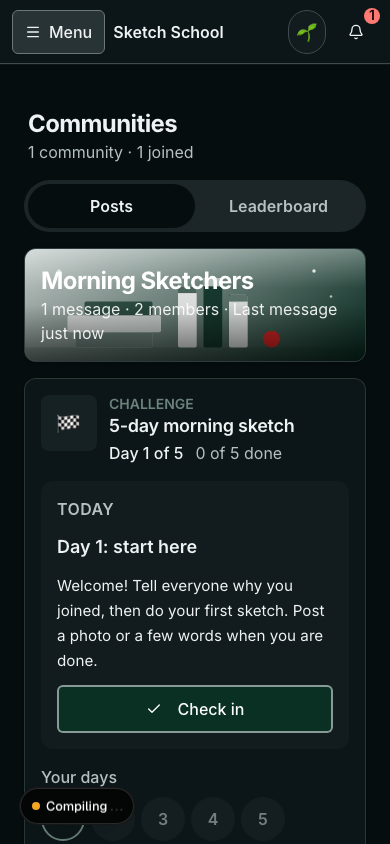
In a community, click Start a challenge. Under Start from a plan, type one word for the daily task and pick 5 days, 7 days, 21 days, 30 days or A habit (no end), or build one from a course: one day per lesson, where finishing the lesson counts as the check-in.
Under the rules, choose what A check-in needs (anything from words to a video, a photo or video only, a few words, or just a tick), whether Missed days can be done later, how many Days needed to finish, the Points per check-in and Points for finishing, and a Certificate for finishers (this needs the Certificates plugin).
The Progress grid shows every member against every day, and Nudge all reminds everyone who hasn't checked in today. A challenge can also be sold on its own page. Our guide to running a 21-day community challenge covers task design and the mid-challenge dip in detail.
Measuring it
Live class attendance is written to each student's record, so attendance and coursework sit together on the Engagement page, alongside who has been active in the last 7 days and a come-back nudge for those who haven't.
On the Leaderboard's Rewards tab, an impact card compares how often students with a 7-day streak finish courses against those without, once you have at least ten students on each side. Treat that card as a correlation, for the reason in the measurement section above, and confirm with a cohort-to-cohort comparison.
Try the points table on your own course
Every number, level name and switch is yours to change. Start with a 14-day trial, no card needed.
Start your academyWhat are the limits of Prolaud's gamification?
- One set of point values per academy. You can filter the board by course, but you can't give the same action different values in different courses.
- Freezes follow a fixed rule. One per 7 days in a row, up to 2. There's no setting to change it; the streak itself can be switched off.
- The streak is daily. For a course that meets once a week, switch streaks off or use a habit challenge set to Every week instead.
- Leaving the board is opt-out, not opt-in. Students are on the board unless they hide their name, or you switch the board off or use kids mode.
- The time windows are fixed. All time, the last 30 days and the last 7 days, rolling rather than resetting on a set day; only the optional Monthly seasons close on the 1st of each month.
- No built-in experiments. There's no A/B switch for mechanics; compare cohorts yourself.
- Point changes aren't retroactive. That's deliberate, but if you launch with a bad table, early students keep the points they earned under it.
For the wider picture on keeping students through a course, see how to get students to come back and finish. If you sell live cohorts from your own site, selling courses with live sessions and gamification walks through one student's six weeks in points, and building a scalable education business covers how leaderboards should change as you grow. Every setting is documented in points, levels, streaks and rewards.
Sources
- Sailer & Homner (2020), The Gamification of Learning: a Meta-analysis, Educational Psychology Review 32(1) · Springer · read 25 November 2026
- Hamari, Koivisto & Sarsa (2014), Does Gamification Work? A Literature Review of Empirical Studies on Gamification, HICSS · IEEE · read 25 November 2026
- Sailer, Hense, Mayr & Mandl (2017), How gamification motivates, Computers in Human Behavior 69 · Elsevier · read 25 November 2026
- Hanus & Fox (2015), Assessing the effects of gamification in the classroom, Computers & Education 80 · Elsevier · read 25 November 2026
- Deci, Koestner & Ryan (1999), A meta-analytic review of experiments examining the effects of extrinsic rewards on intrinsic motivation, Psychological Bulletin 125(6) · American Psychological Association · read 25 November 2026
- Pitthan & De Witte (2025), Game over or continue? How gamification can improve completion rate in adaptive learning · Maastricht University · read 25 November 2026
- How Streaks keep Duolingo learners committed to their language goals (2017) · Duolingo · read 25 November 2026
- Learning wiki: Gamification · Learning Design Alliance · read 25 November 2026

Renu Rawat
Founder of prolaud.com. Helping teachers and creators build profitable, independent learning businesses without losing a cut of every sale to platform fees.
About the founderFrequently asked questions
- Does gamification actually improve learning?
- On average, a little. Sailer and Homner's 2020 meta-analysis found significant small effects on cognitive (g = .49), motivational (g = .36) and behavioral (g = .25) learning outcomes, with the cognitive effect holding in the more rigorous studies. Hamari and colleagues' review concluded that effects depend greatly on the context and the users. Design decides whether you get the gain or a backfire.
- What should students earn points for in an online course?
- For the actions that produce learning: finishing lessons and modules, attending live classes, taking and passing quizzes, handing in assignments and daily practice check-ins. Give extra for quality, such as passing a quiz, and cap the points for posts and replies so talk can't outrank coursework. Don't award points for logging in.
- Do leaderboards motivate or demotivate students?
- Both, depending on where a student sits. Leaderboards can raise a sense of competence (Sailer et al., 2017), but a semester-long study by Hanus and Fox (2015) found students in a course with a leaderboard and badges ended less motivated than those in the same course without them. Keep boards cohort-sized and weekly, use teams, and let students hide their name.
- How do streak freezes work, and should I use them?
- A streak freeze covers a missed day so the streak survives. A good rule is to earn a freeze through consistency, for example one per week in a row, hold one or two at most, and use it automatically. Duolingo reported in 2017 that learners offered a weekend streak break were 4% more likely to return a week later and 5% less likely to lose their streak.
- Is gamification good for kids' online classes?
- Levels, badges, celebrations and short challenges work well for children. Avoid public rankings of named children, prefer team or house totals, and go easy on tangible prizes: Deci, Koestner and Ryan's 1999 meta-analysis found tangible rewards tended to be more harmful to intrinsic motivation for children than for college students, while positive feedback helped.
- How do I know if gamifying my course worked?
- Compare outcomes, not points. Track completion rate, live class attendance, week-2 and week-4 activity, challenge check-in rate and quiz scores for a gamified cohort against the previous one. Be wary of dashboards showing that streak-keepers finish more often; motivated students do both, so that's a correlation, not proof.
- Can I change the points values in Prolaud?
- Yes. Every action's points, the daily limits on posts, replies and poll votes, the level names and thresholds, badges, weekly quests and rewards are set under Leaderboard → Settings. A change counts from the moment you save; points students already earned keep their value. Each part, including the leaderboard and streaks, can be switched off.
Keep reading
How to run a 21-day community challenge that people finish (template inside)
A good challenge turns a quiet community into the place your students check every day. A weak one goes silent in the second week. The difference is design: one outcome, small daily tasks, proof people can see, a plan for the dip, and a finish line worth reaching. A full 21-day template is inside.
Read
How to Get Students to Come Back and Finish an Online Course
Most people who buy an online course never finish it. Here's why they drop off, how to measure your completion rate honestly, and the features and habits that bring students back every week.
ReadWhich course platforms combine website, classroom and gamified community?
Which platforms cover all three parts: a website with checkout, a live classroom and a community with points? Checked on each vendor's own page in November 2026, plus where points help and where they backfire.
Read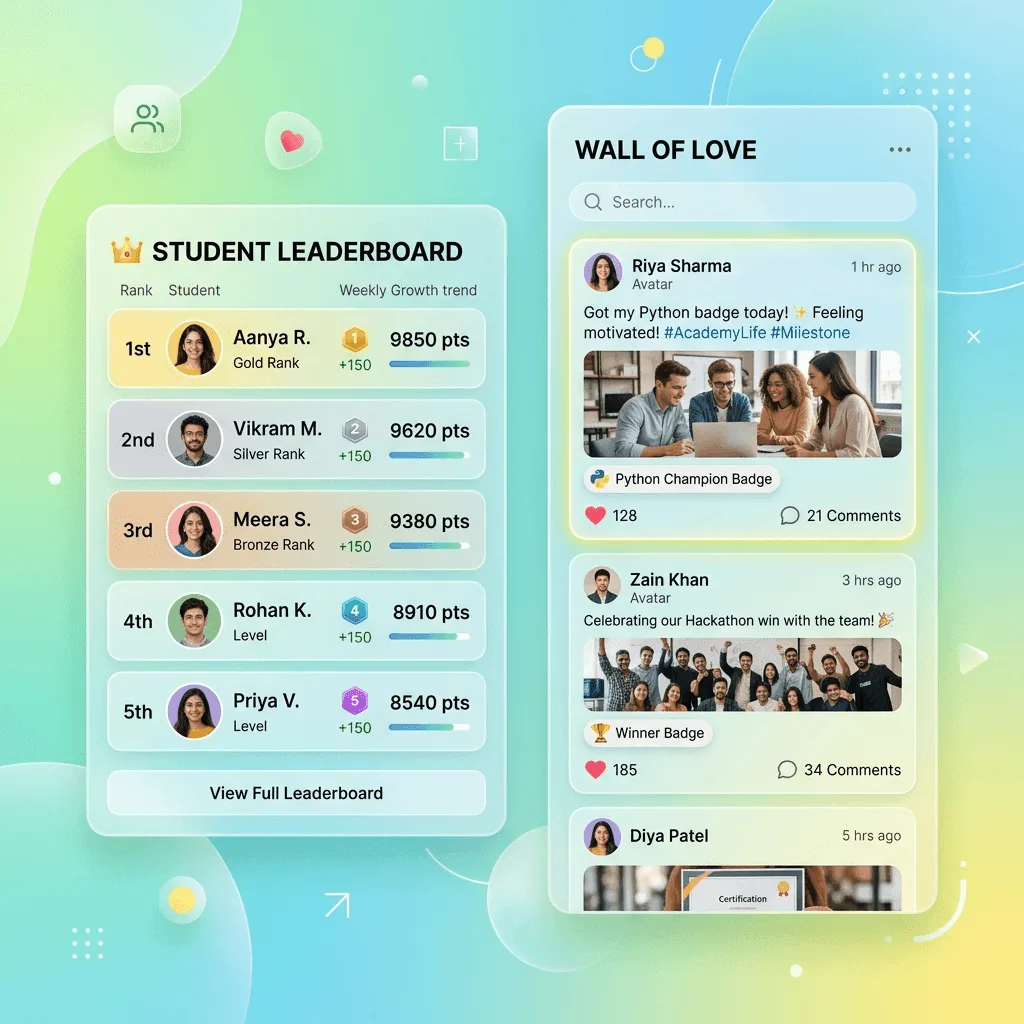
How to build a scalable online education business with live classes, challenges and leaderboards
Live teaching doesn't scale by making the room bigger. It scales by splitting it, handing sections to instructors, and letting challenges and points carry students between classes. Here's what breaks at 100 and 1,000 students, and what to check in a platform.
ReadQuiz & Assessment Best Practices for Online Courses
Quizzes aren't busywork — they're one of the strongest levers for learning and completion. Here's how to use assessments well in your online course, from writing questions to handling cheating.
Read