For creators
Bulk-import students via CSV
Add many students at once from a spreadsheet. The import adds them to your roster. It does not enroll them in a course or email them — those are the two steps that follow.
Last updated Sep 21, 2026
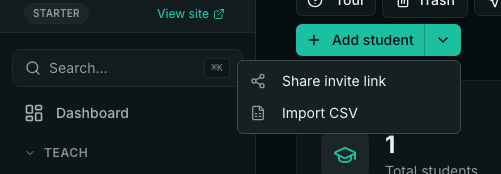
Go to Students, open the Add student menu, and choose Import CSV. Your file needs an email column; name and phone are optional. Keep the header row and save the file as UTF-8 so names display correctly. A file can have up to 10,000 rows.
What happens to each row
- Will import — a new student with a valid email address is added to your roster.
- Already in your workspace — an email you already have is skipped. The existing student is not changed.
- Bad email — a missing, malformed or disposable address is skipped.
- Repeated in file — the second copy of the same email in one file is skipped.
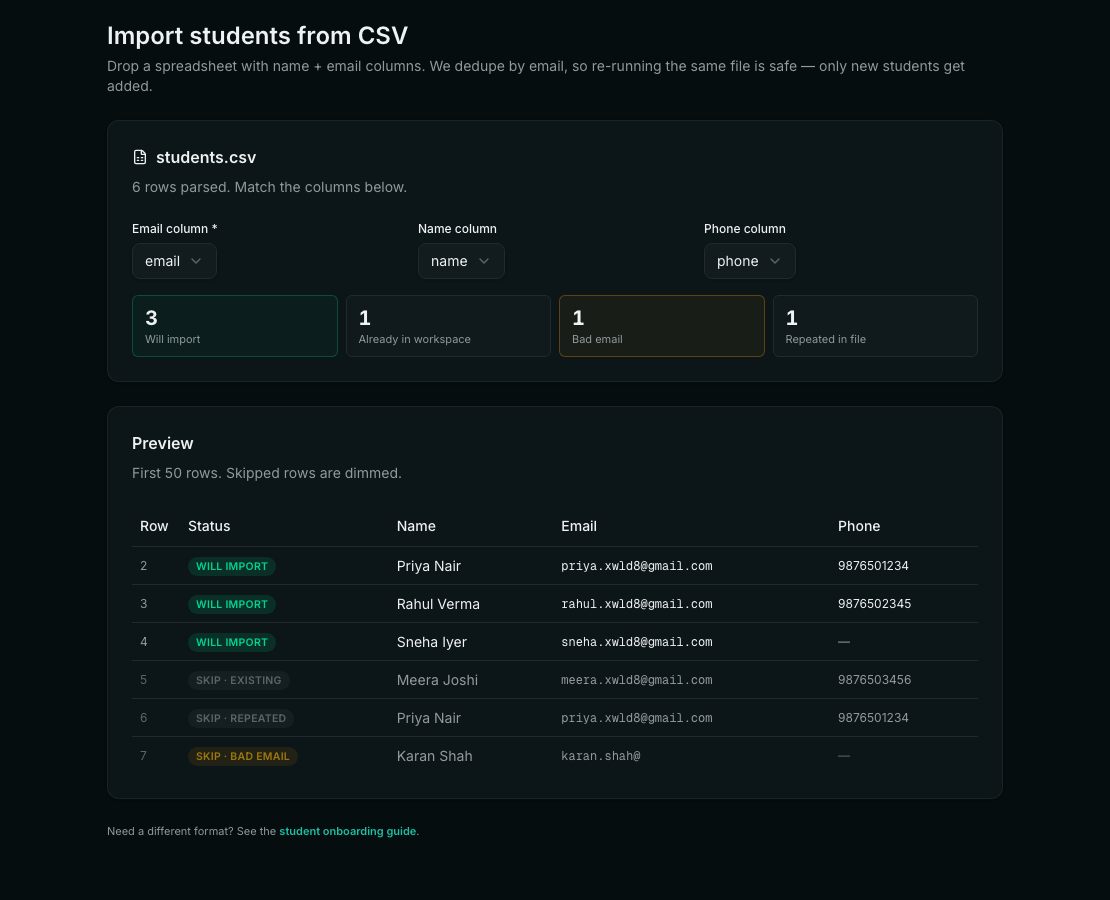
Importing only adds people to your roster. It does not create a login for them, enroll them in a course, or send them an email.
After you import
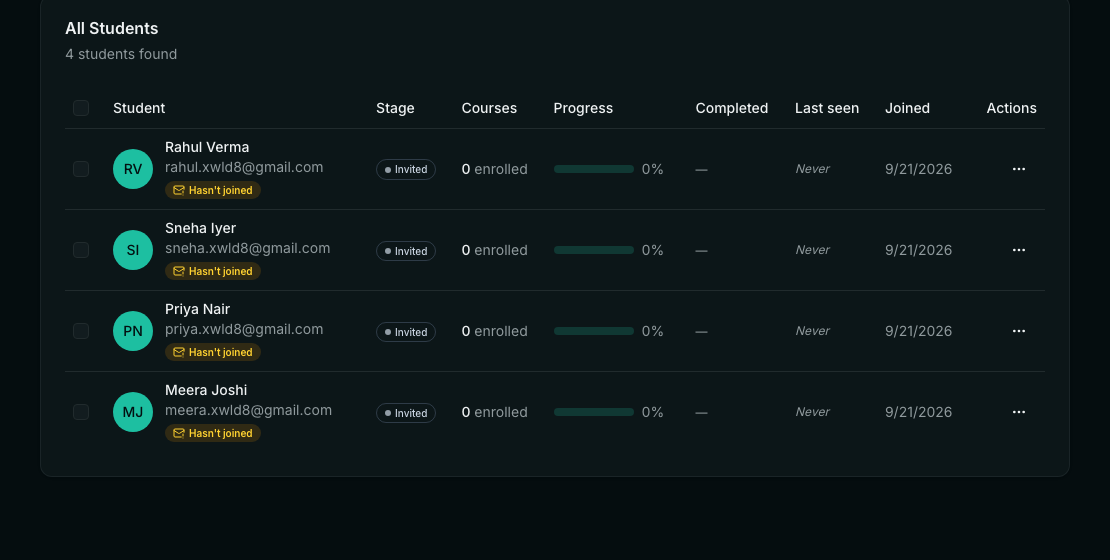
Enroll the new students in a course from the Students page, then send them to your academy — either with the Resend all invites button, which emails each of them a link, or by sharing your invite link yourself. Each student then signs up with the same email address you imported them with.
Common questions
- Can I import the same list twice? Yes. Students already in your workspace are skipped, so nobody is added twice and nobody's details are overwritten.
- Do imported students get an account? Not straight away. They are on your roster, and they create their own login when they sign up on your academy with the same email.
- How big can the file be? Up to 10,000 rows, within your plan's student limit.
Related