For creators
Connect Pabbly Connect: Prolaud events start workflows, workflows act in Prolaud
Pabbly Connect works with Prolaud through two of its own apps: Webhook by Pabbly hears Prolaud's events, and API by Pabbly acts in Prolaud with your API key.
Last updated Nov 24, 2026
In short: Pabbly → trigger Webhook by Pabbly → copy the URL → Prolaud Integrations → Pabbly → Add a listening address → tick events → Send a test → in Pabbly Re-capture webhook response. Studio plan and up.
When something happens in Prolaud → a Pabbly workflow
- In Pabbly Connect, create a workflow. For the trigger choose Webhook by Pabbly and copy the webhook URL.
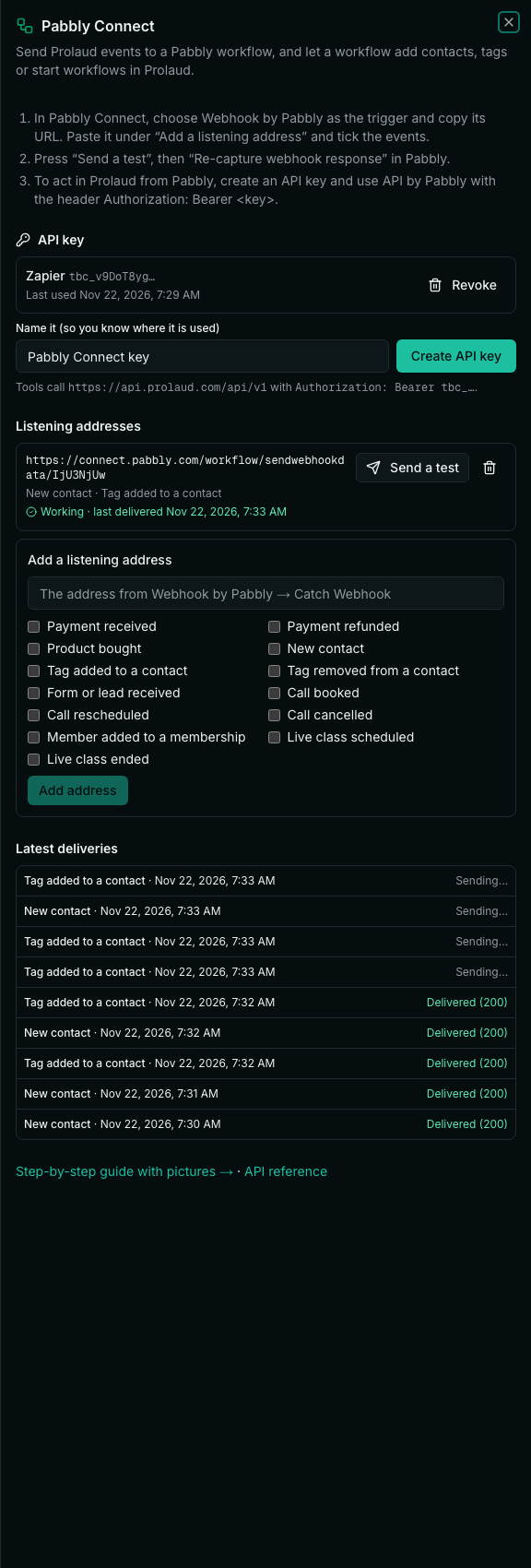
- In Prolaud open Integrations → Pabbly Connect, paste the URL under Add a listening address, tick the events, and press Add address.
- Press Send a test, then in Pabbly press Re-capture webhook response — the fields appear (data.email, data.phone, data.tag, data.details.meetingUrl…).
- Add the actions you want: a Google Sheet row, an email, your CRM.
A Pabbly workflow → do something in Prolaud
- In Prolaud, Integrations → Pabbly Connect → Create API key, and copy it.
- In Pabbly add API by Pabbly → Execute API Request: method POST, URL https://api.prolaud.com/api/v1/contacts/tags, payload type JSON.
- Add a header Authorization with the value Bearer followed by your key, and data fields email (mapped) and add (for example ["from-pabbly"]).
- Save and send a test: the contact is in Prolaud with the tag.
- Do I need a Pabbly 'Prolaud' app?
- No. Webhook by Pabbly and API by Pabbly do everything, with the address and API key from Integrations.
- Can a Pabbly workflow stop a Prolaud reminder?
- Yes: remove the tag your Prolaud workflow stops on, with the remove field, e.g. {"email": "…", "remove": ["call-not-booked"]}.
Related