For creators
Payment plans: let students pay a course in installments
Split a course price across 2–12 charges. The student pays the first one to get in and approves auto-pay once — every installment after that is collected for them, by card on Stripe or, for academies in India, on Razorpay. Lower the entry bar without dropping your headline price, or chasing anyone.
Last updated Jul 28, 2026
A payment plan lets a student pay for a course in several smaller charges instead of one. The headline price doesn’t change — you simply let them start with a fraction (say $300 of a $900 course) and pay the rest on a schedule. It turns "too expensive right now" into "yes, today", which is exactly the objection that kills higher-priced courses.
The rest is collected for you. The student approves the plan once at checkout and each later installment is debited automatically on its due date — by card through Stripe, or, for academies in India, by UPI Autopay or card e-mandate through Razorpay. Nobody has to remember a due date, open a link, or be chased. If you’d rather they paid each one by hand, reminder-based collection is still there as a choice.
Turn it on for a course
Payment plans live in the publish flow, not a separate settings page. Open the course and click Publish — the Monetize wizard opens on "How will students get in?".
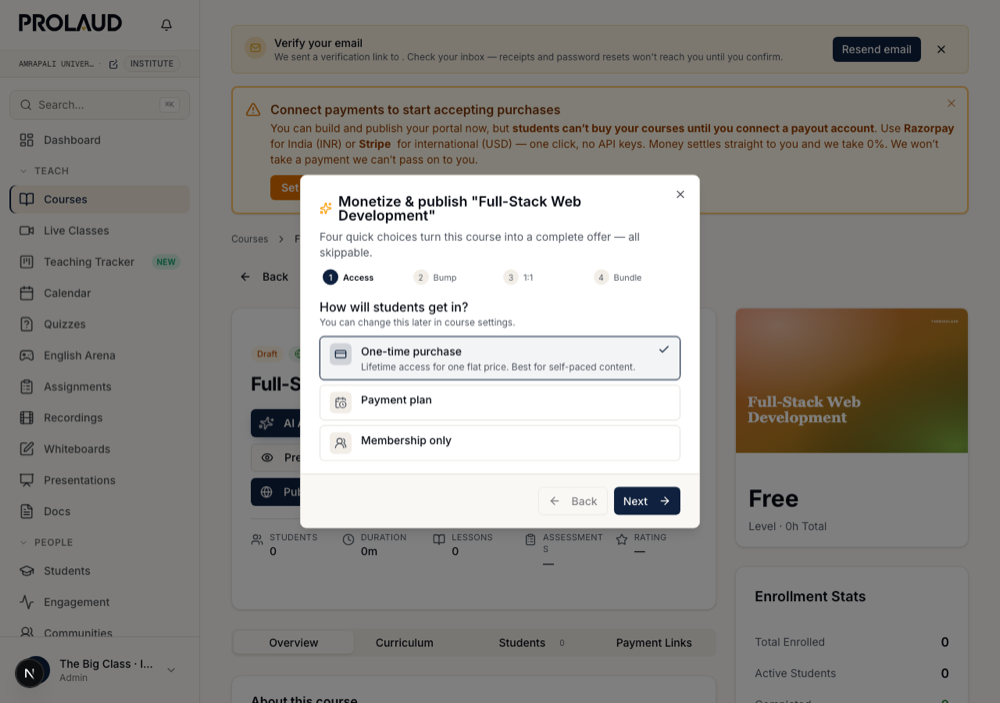
Choosing "Payment plan" reveals three settings: how many installments (2, 3, 4, 6 or 12), how often to charge (every 7, 15, 30 or 60 days), and — the important one — how the rest gets collected.
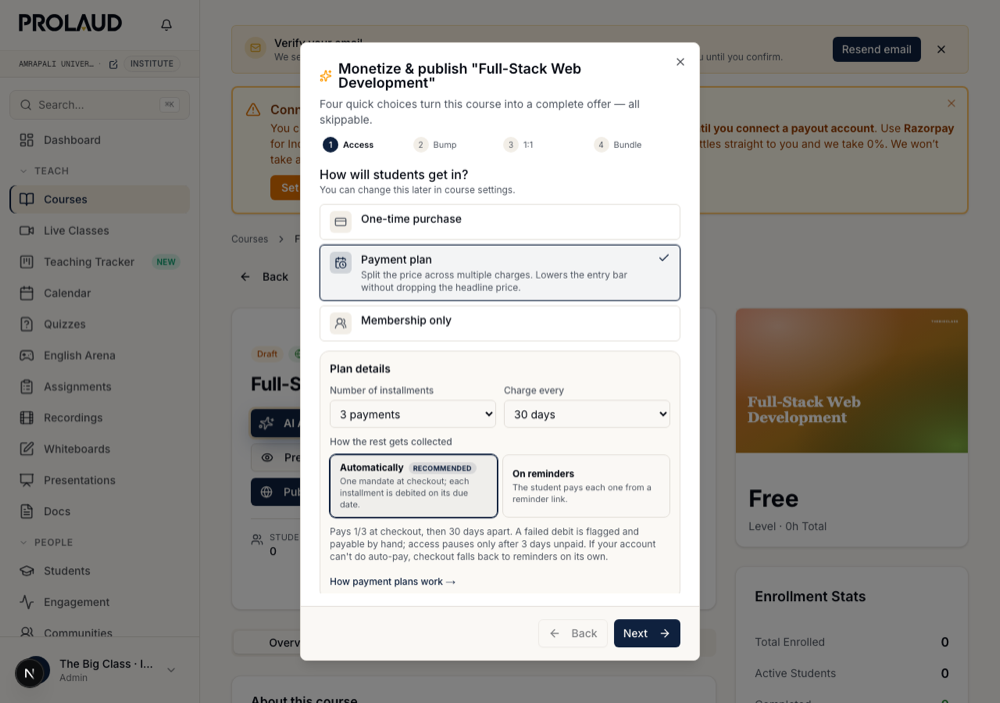
"Automatically" means the student approves one mandate at checkout and the gateway debits each installment on its due date. "On reminders" means they pay each one themselves from an emailed link. Courses you set up before auto-debit existed keep collecting on reminders until you switch them — nothing changes under your students without you choosing it.
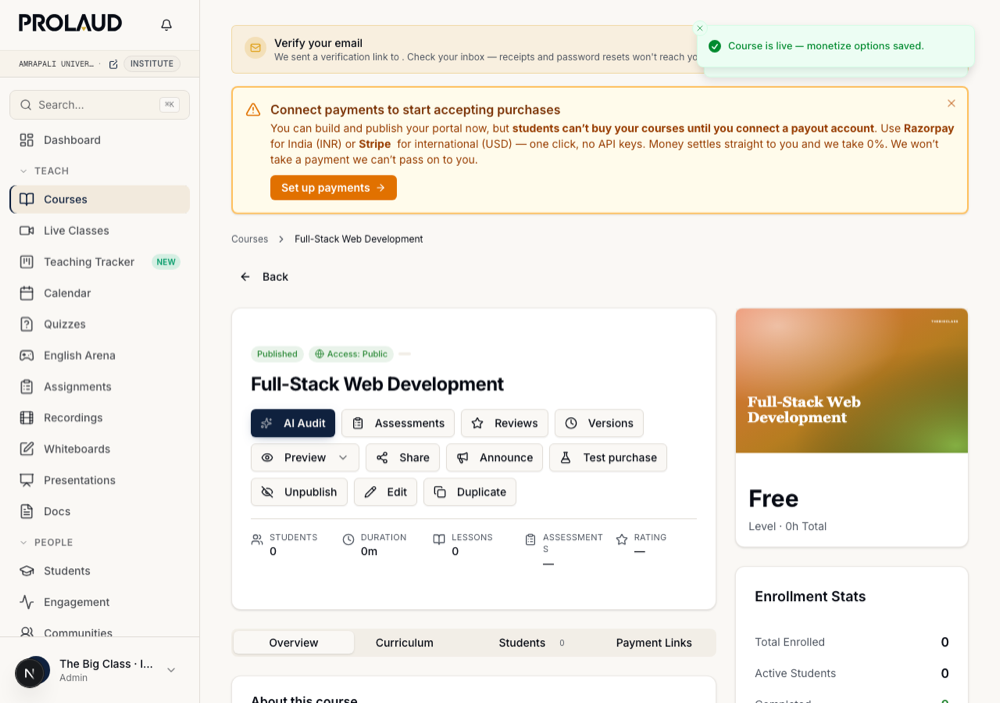
Finish the wizard and publish. The course is now live on an auto-debit plan.
What the student sees at checkout
The checkout button charges only the first installment, and the note underneath spells out the whole commitment before they pay. The amounts are computed on our server from your real course price, so they’re always exact and can’t be edited by the buyer.
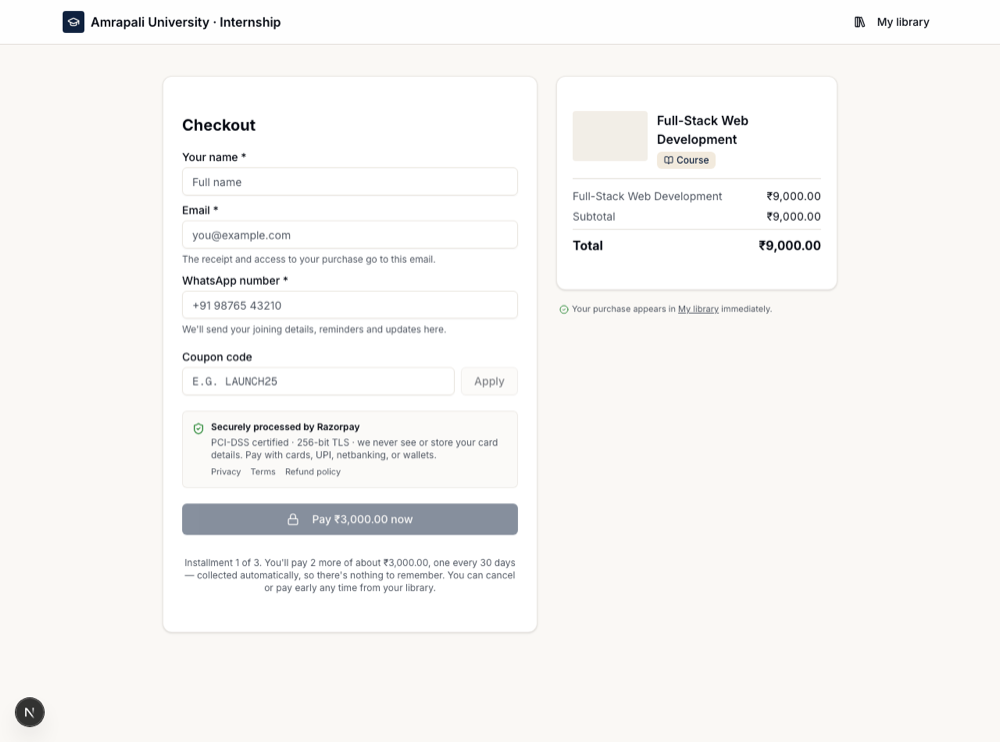
Pay $300.00 now

Installment 1 of 3. You'll pay 2 more of about $300.00, one every 30 days
— collected automatically, so there's nothing to remember. You can cancel
or pay early any time from your library.
Approving the plan — Stripe
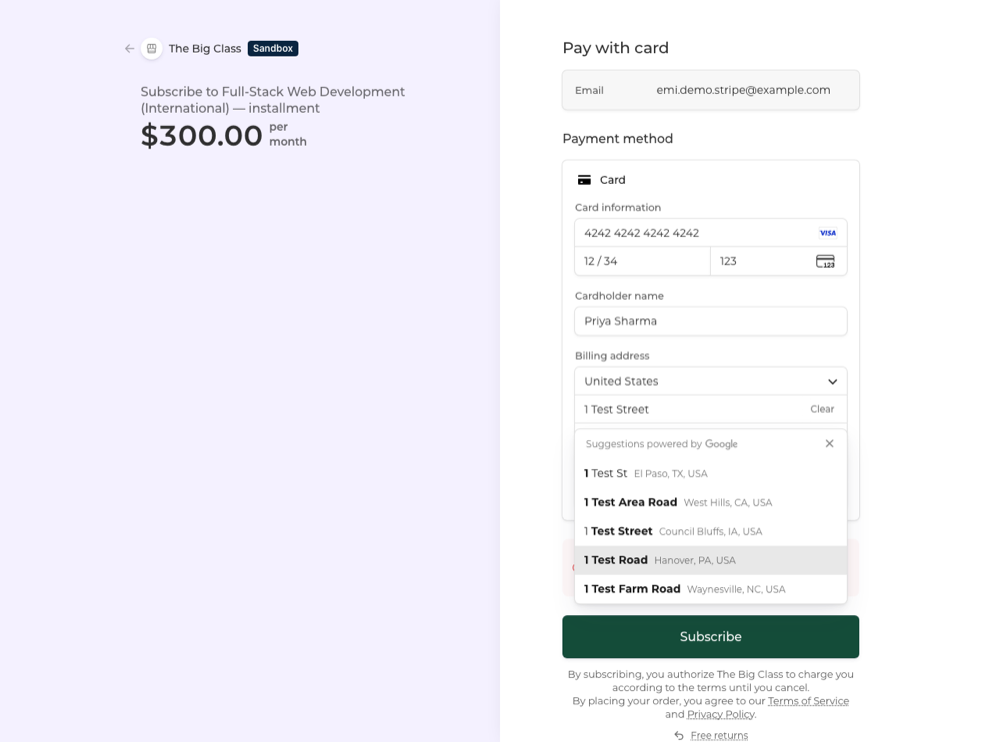
On a Stripe (USD) checkout the student goes to Stripe’s hosted page in subscription mode. The first installment is charged now and the rest are scheduled on the same card.
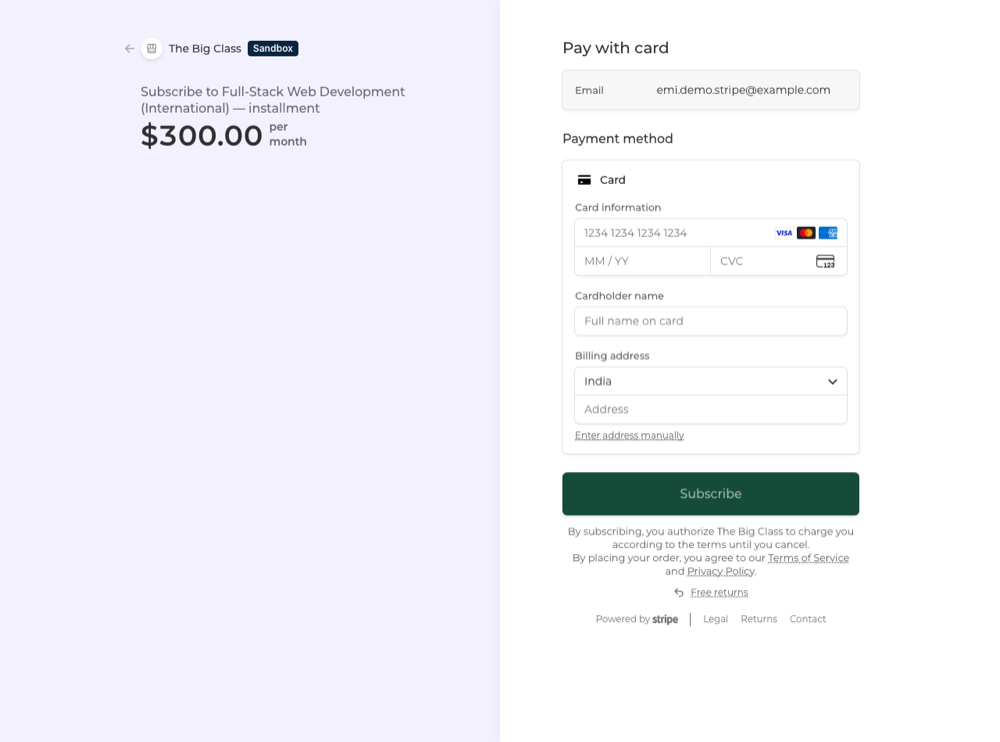
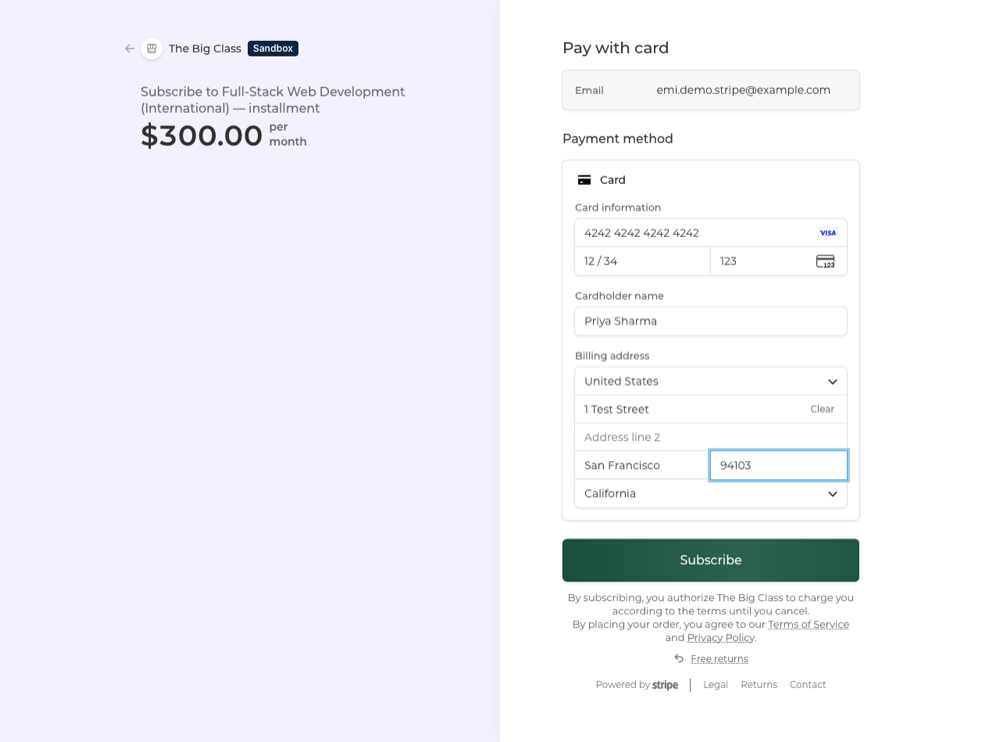
After they subscribe, Stripe returns them to your academy and the course unlocks immediately.
Approving the plan — Razorpay (India)
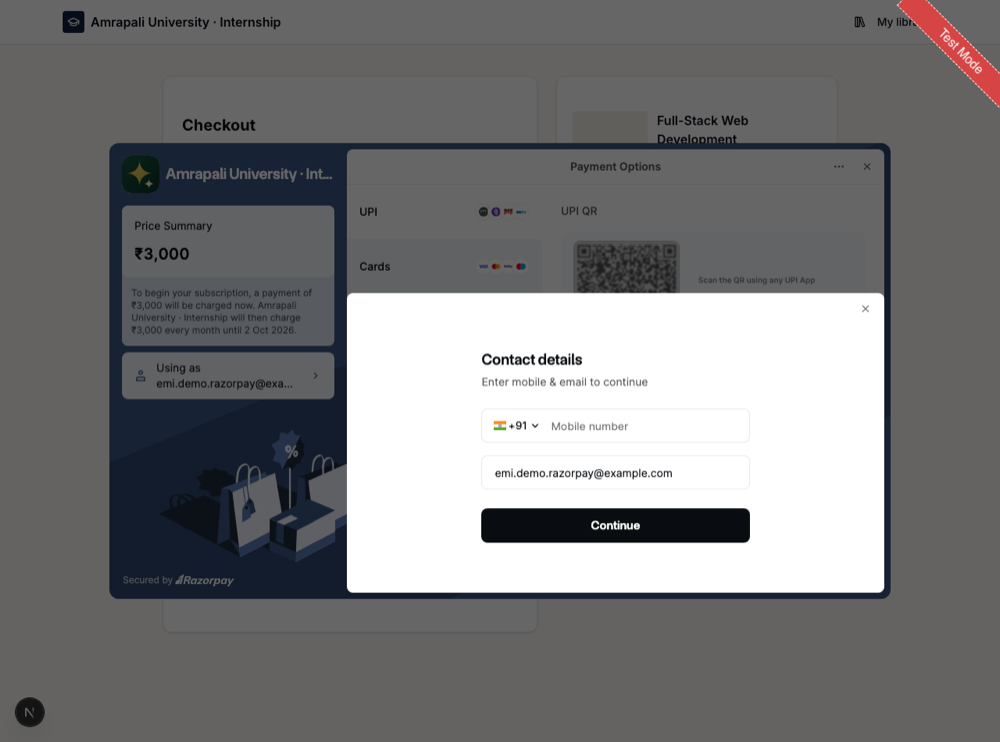
On a rupee checkout the student authorizes a Razorpay mandate: UPI Autopay, a card e-mandate, or net-banking. Razorpay states the terms in its own words before they approve — including the date the mandate ENDS, because the plan is capped at the number of installments you set.
The plan in the student’s library
From then on the student has a "Payment plan" card in their library. It reports rather than asks: how much is paid, what’s next, and when it will be taken.
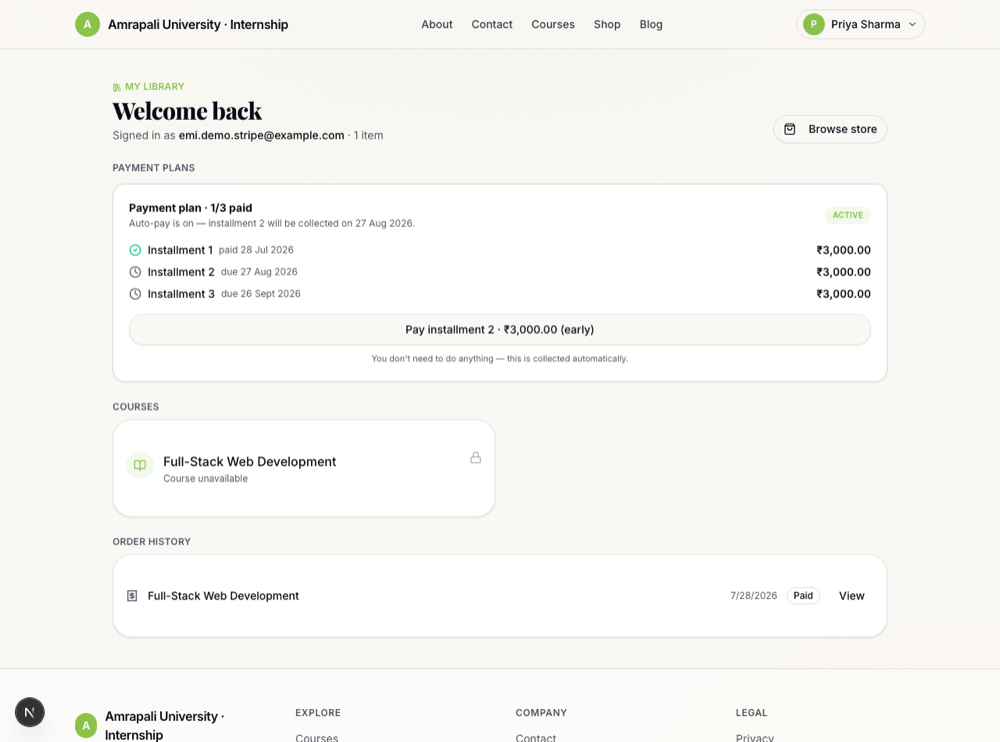
When the gateway takes the next installment, the card ticks over on its own. Neither of you does anything.
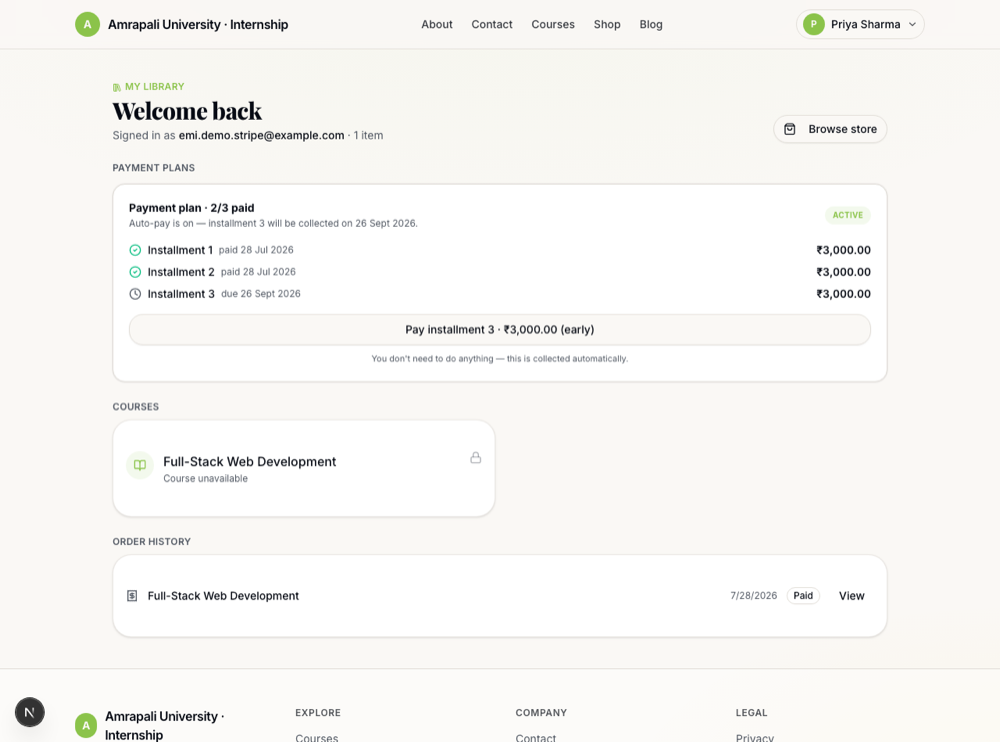
There is still a "Pay installment" button, deliberately quiet — a student is always allowed to pay early and clear the balance ahead of schedule.
When a debit fails
Automatic doesn’t mean silent when something genuinely breaks. An expired card, insufficient balance or a canceled mandate is the one case that needs a human, so the student is told that day, the plan is flagged in their library, and the button becomes a real call to action.
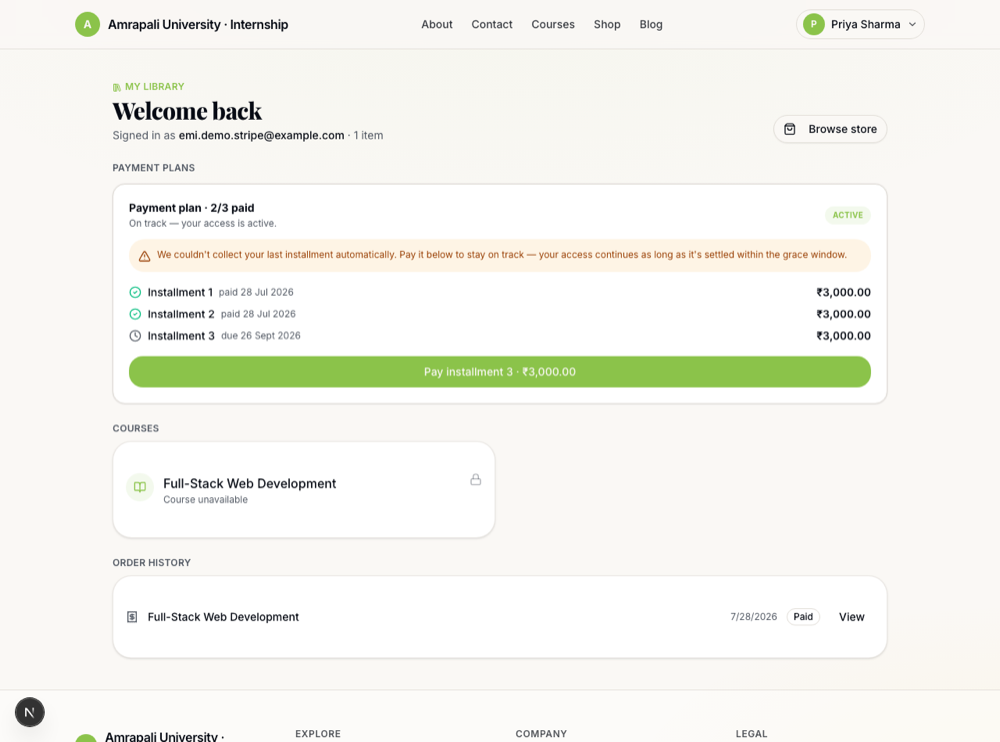
Their access continues while it’s settled inside the three-day grace window. Only if it stays unpaid past that does access pause — and paying restores it instantly. The button works on both gateways: an INR plan reopens the Razorpay checkout, a USD plan goes to Stripe, and either way only that one installment is charged.
Finishing the plan
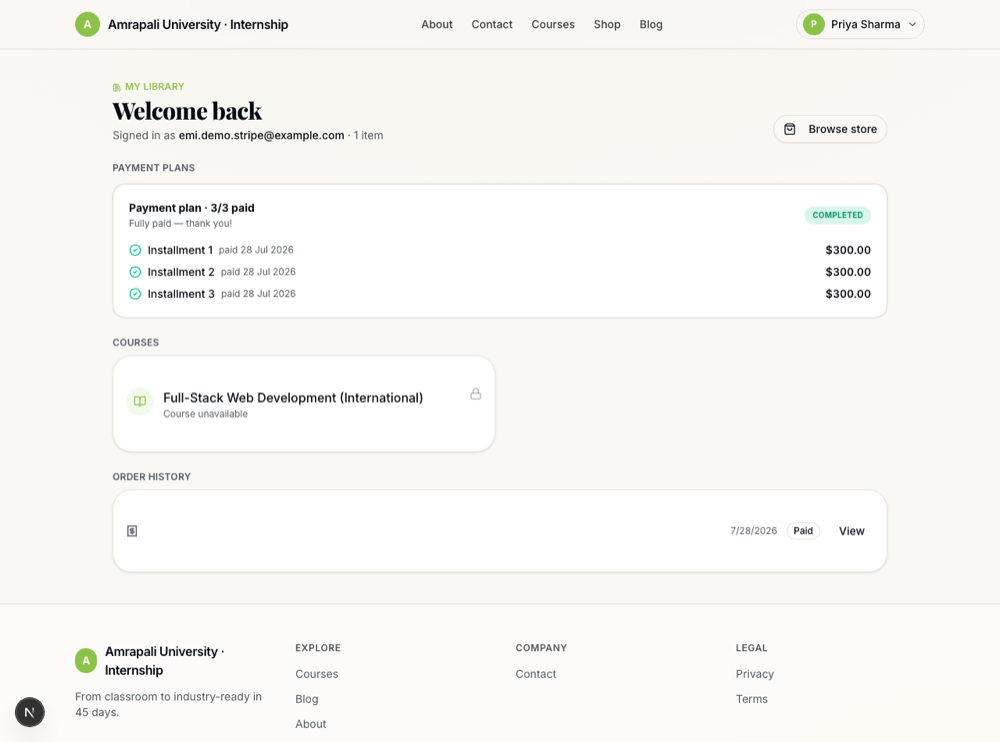
When the last installment clears, the plan is settled, the mandate stops, and the course is theirs permanently. On Razorpay the mandate expires on its own; on Stripe we cancel the subscription the moment the final installment lands, so nobody is ever debited after they’ve paid in full.
Access: fair by design
A student keeps access as long as they’re paying. If an installment goes more than three days past its due date — because a debit failed and they didn’t rescue it, or because they never paid a reminder — access to that course pauses and the lesson player shows a friendly “pay to resume” screen instead of the lessons. The moment they pay, access comes back. This works identically on automatic and manual plans.
Coupons and add-ons
A coupon discounts the course and the discount is spread across every installment — a 50% code on a $900 course in 3 parts makes each installment $150 instead of $300. An order bump (a one-time add-on like a resource pack) is charged ONCE, with the first installment only, since the student receives it up front. It is never folded into the recurring amount, so it can’t be charged again every cycle.
- Coupon → spread evenly across all installments
- One-time add-on → charged once, on installment 1
- Every amount computed server-side from your real prices
- The plan’s terms come from the COURSE, never from the browser — a tampered request can’t author its own repayment schedule
What automatic collection needs from you
Auto-debit runs on your own payment account, so your payouts are unchanged — the money settles to you exactly as a one-time sale does. What it needs is recurring payments enabled on that account: on Stripe it works out of the box; on Razorpay (India) the Subscriptions feature has to be switched on for your account.
- USD checkouts run on Stripe — works with a standard connected account
- INR checkouts run on Razorpay — needs the Subscriptions feature enabled on your account
- Which one a buyer sees follows the gateway YOU connected, not where the buyer is
- Academies connected through the Connect with Razorpay button (rather than their own API keys) can’t use auto-debit yet and stay on reminders
Reminders, and who gets them
On a reminder-based plan the student gets an email three days before each installment is due, another on the due date, one the day after if it’s still unpaid, and a final “access paused” email if it slips past the grace window. On an automatic plan they hear nothing until a debit actually fails — then they get the same escalation, worded as a collection failure rather than a missed payment.
Common questions
- Can a student pay early? Yes — the “Pay installment” button on their library card is always available, and clears the next one ahead of schedule. It charges that installment only, and never grants the course twice.
- Can they cancel? They can cancel the mandate from their bank or gateway like any standing instruction. The unpaid installments then behave like a manual plan: pay them, or access pauses after the grace window.
- Do I get the money differently? No. Each installment settles into your own Stripe or Razorpay account, at 0% platform commission, exactly like a one-time sale.
- What if I change the plan later? New buyers get the new terms; students already on a plan keep the one they agreed to.
- What happens if I refund someone mid-plan? Refunding the original order stops the auto-debit mandate at the gateway and takes the plan off auto-pay, so they are never charged again for a course you refunded.
- What if a charge notification goes missing? The plan self-heals. Razorpay only reports a mandate as finished once every installment has been charged, so that signal settles anything we never heard about — a student who has paid in full is never left looking overdue.
- Does a payment plan change my price? No. A $900 course on a 3-part plan still earns $900 — the student just begins with $300.
Related