For creators
Internships: enroll & pay → an offer letter + course access
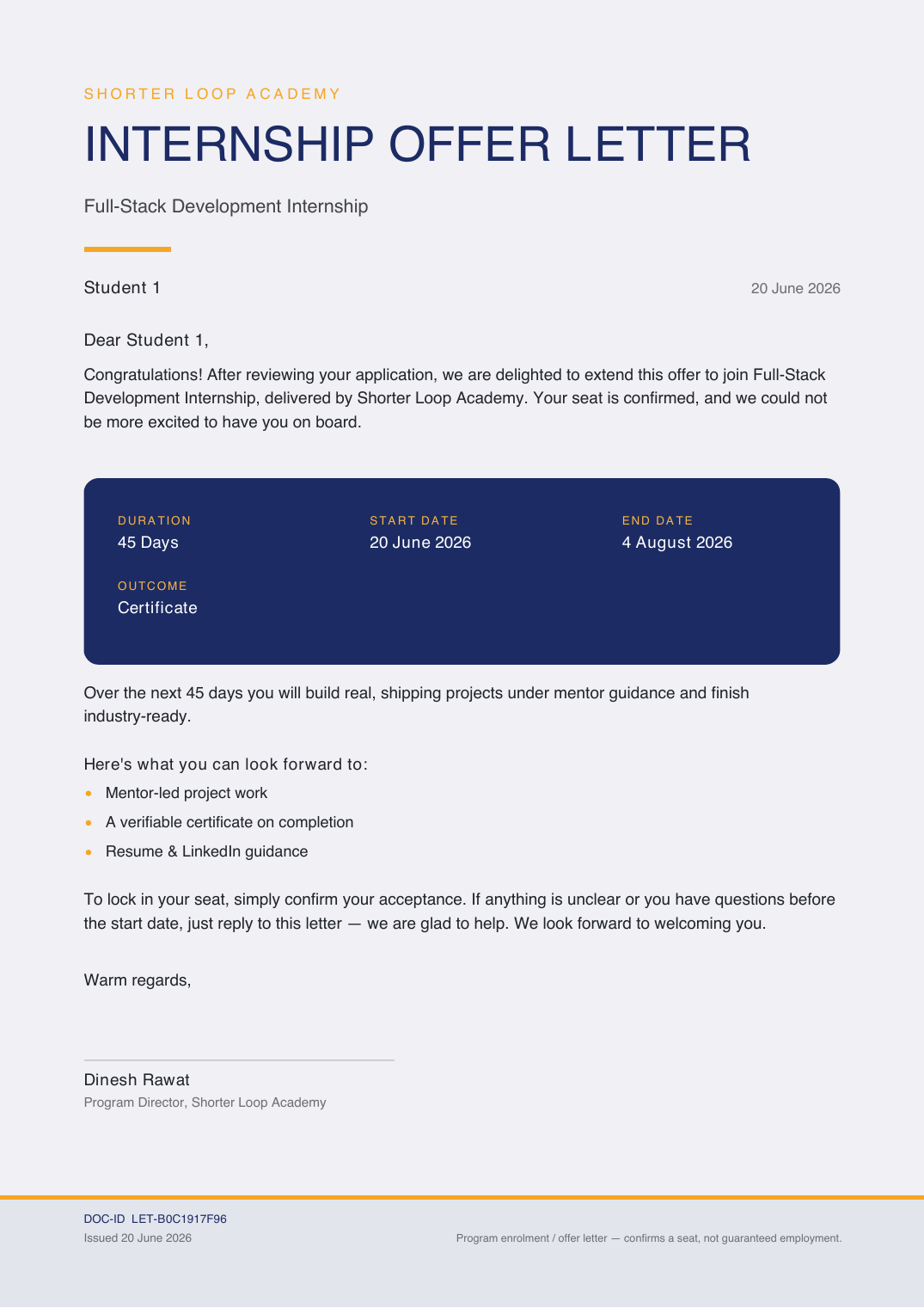
Sell an internship as a 2-step program: the student enrolls & pays, and instantly gets a branded, verifiable offer letter plus access to the internship course. The offer letter carries your logo, signatures and stamp — and anyone can verify it from a public link.
Last updated Jun 20, 2026
What it is
An Internship is a product type built for exactly the "enroll & pay → start" journey. Step 1: the student pays and their seat is confirmed. Step 2: they immediately receive a personalized offer letter (download + share on LinkedIn) and access to the internship course. Under the hood it grants course access, so checkout, the library and certificates all work like any course — you just also get the offer letter wired in.
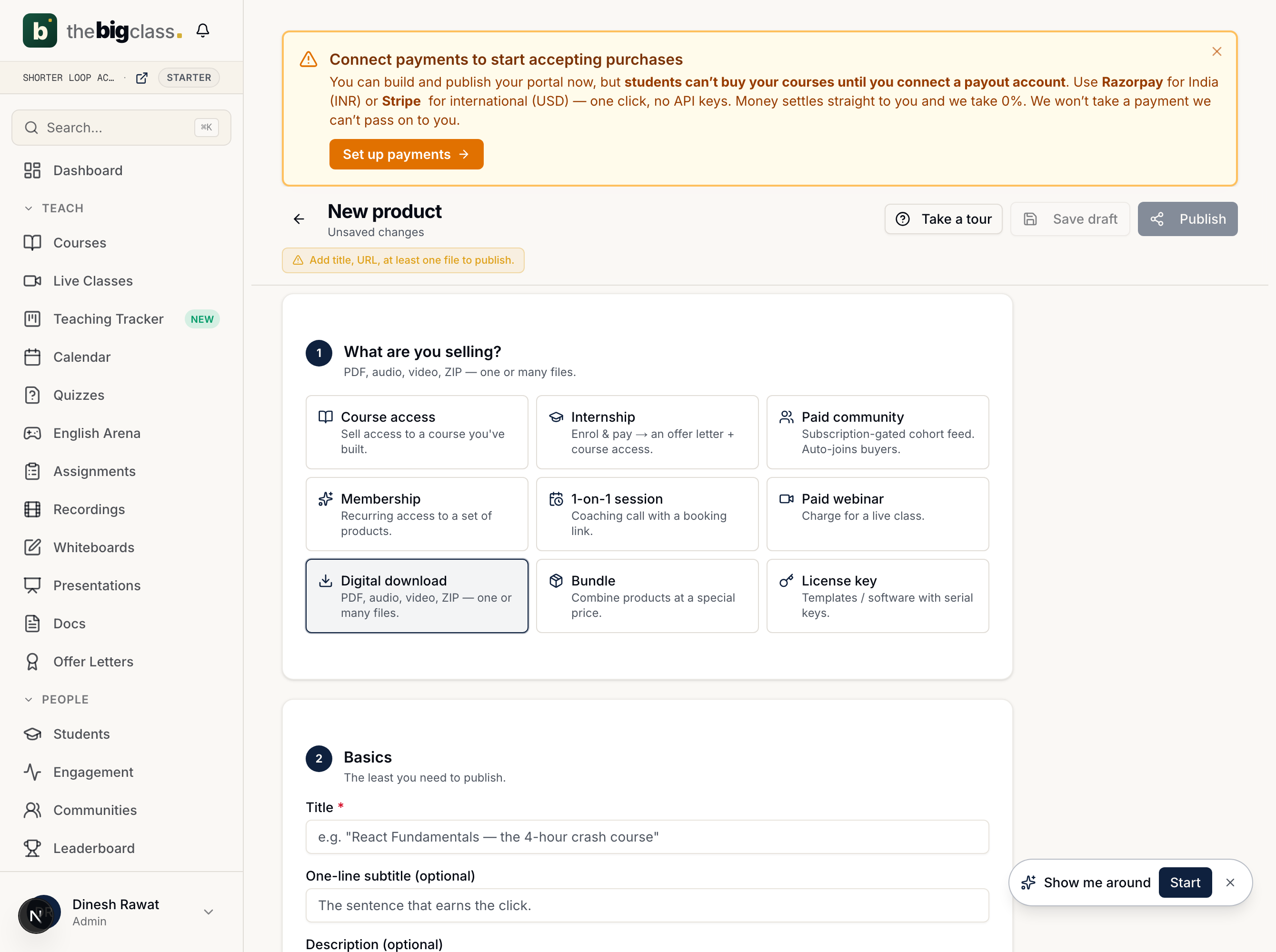
Step 1 — create the Internship product
Dashboard → Store → New product → under "What are you selling?" choose Internship. It's the same flow as a course product, with the offer letter added on top.
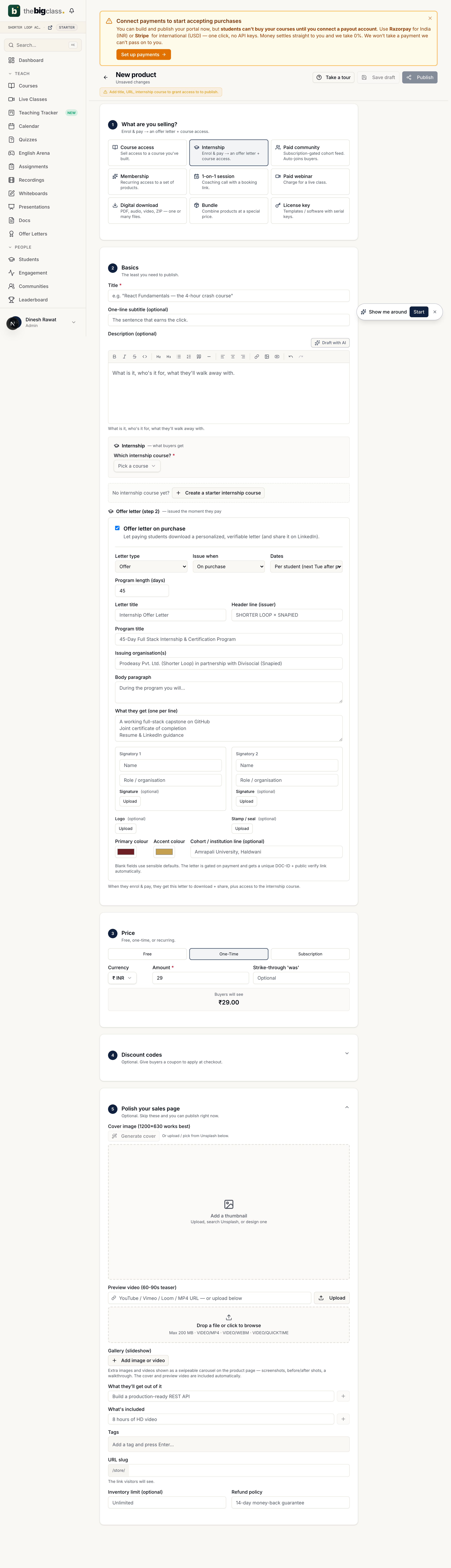
Step 2 — wire the offer letter
Pick the internship course (or create a starter one), set the price, then fill the Offer letter (step 2) panel. It saves onto the course with "issue on purchase" forced on, so every buyer's letter fires automatically.
- Letter type / issue-when / dates — Offer, on purchase, per-student (next Tuesday) or a fixed cohort window.
- Program details — letter title, header (issuer), program title, organization, body paragraph, and a "what they get" perks list.
- Two signatories — name + role each, with an optional signature image upload.
- Brand it — an optional logo (header) and stamp / seal (by the signatures), plus your primary + accent colors.
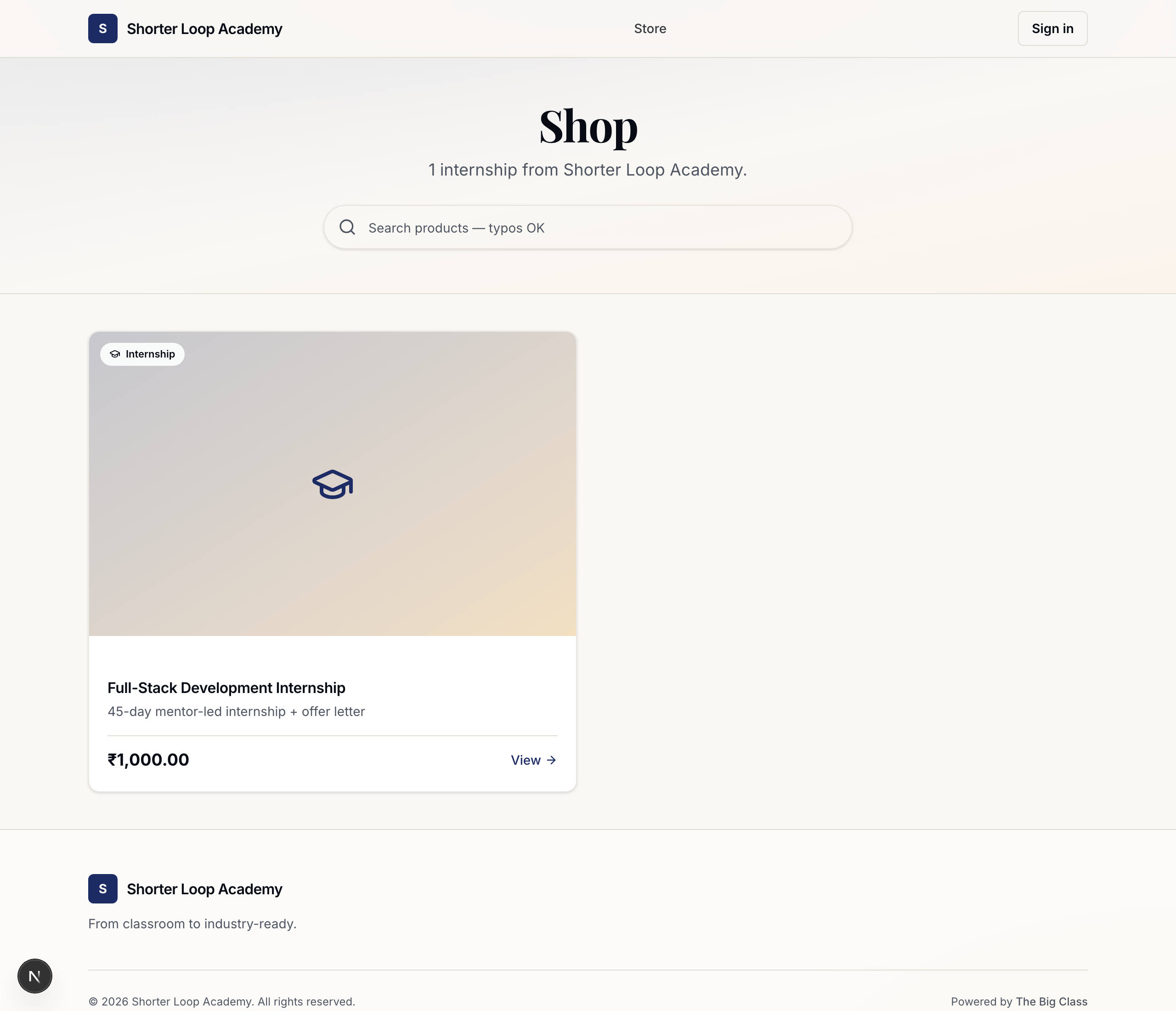
How a student buys it
Published internships appear in your storefront like any product, with the Internship badge and price.
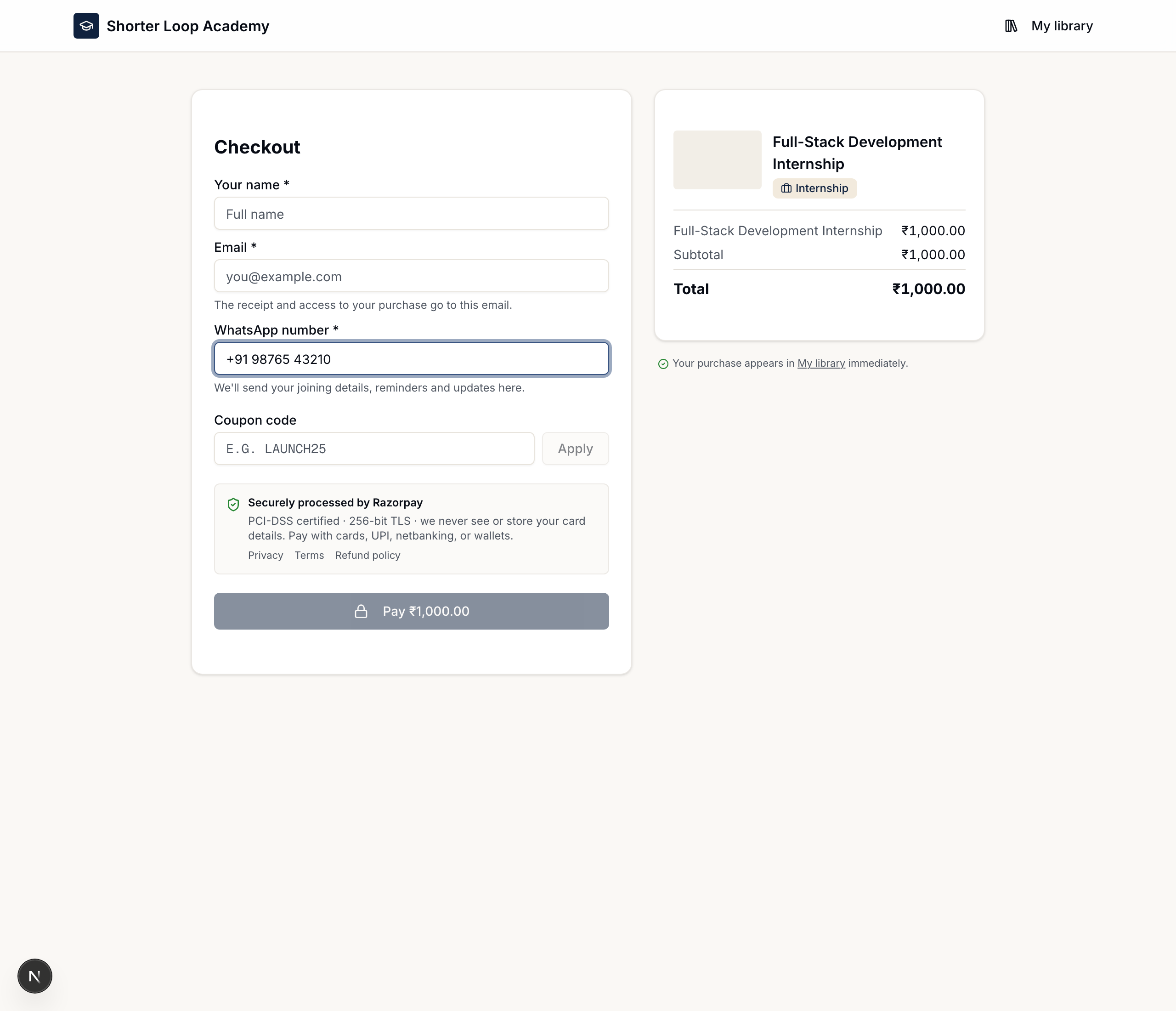
Checkout is short: name, email, a required phone number (for joining details & reminders), and an optional coupon code. Payment is processed securely by Stripe (USD) or Razorpay (INR).
How they see & download the offer letter
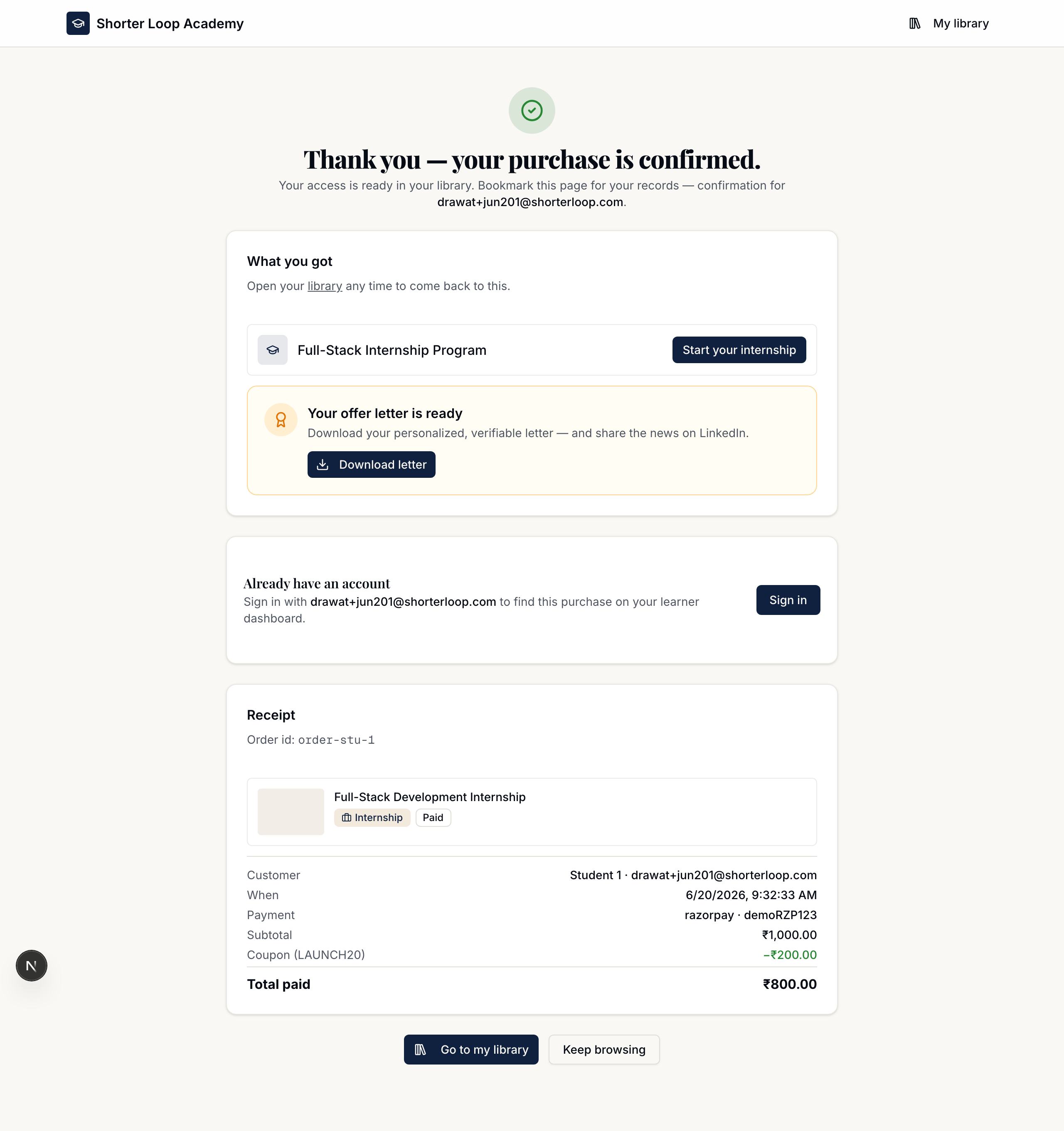
The moment they pay, course access is unlocked AND the offer letter is issued. Right on the confirmation screen they get "Start your internship" plus a "Your offer letter is ready" card — Download the PDF and share it on LinkedIn. The same card also appears on their course page, and the PDF is emailed to them (byte-identical to the download).
Anyone can verify it
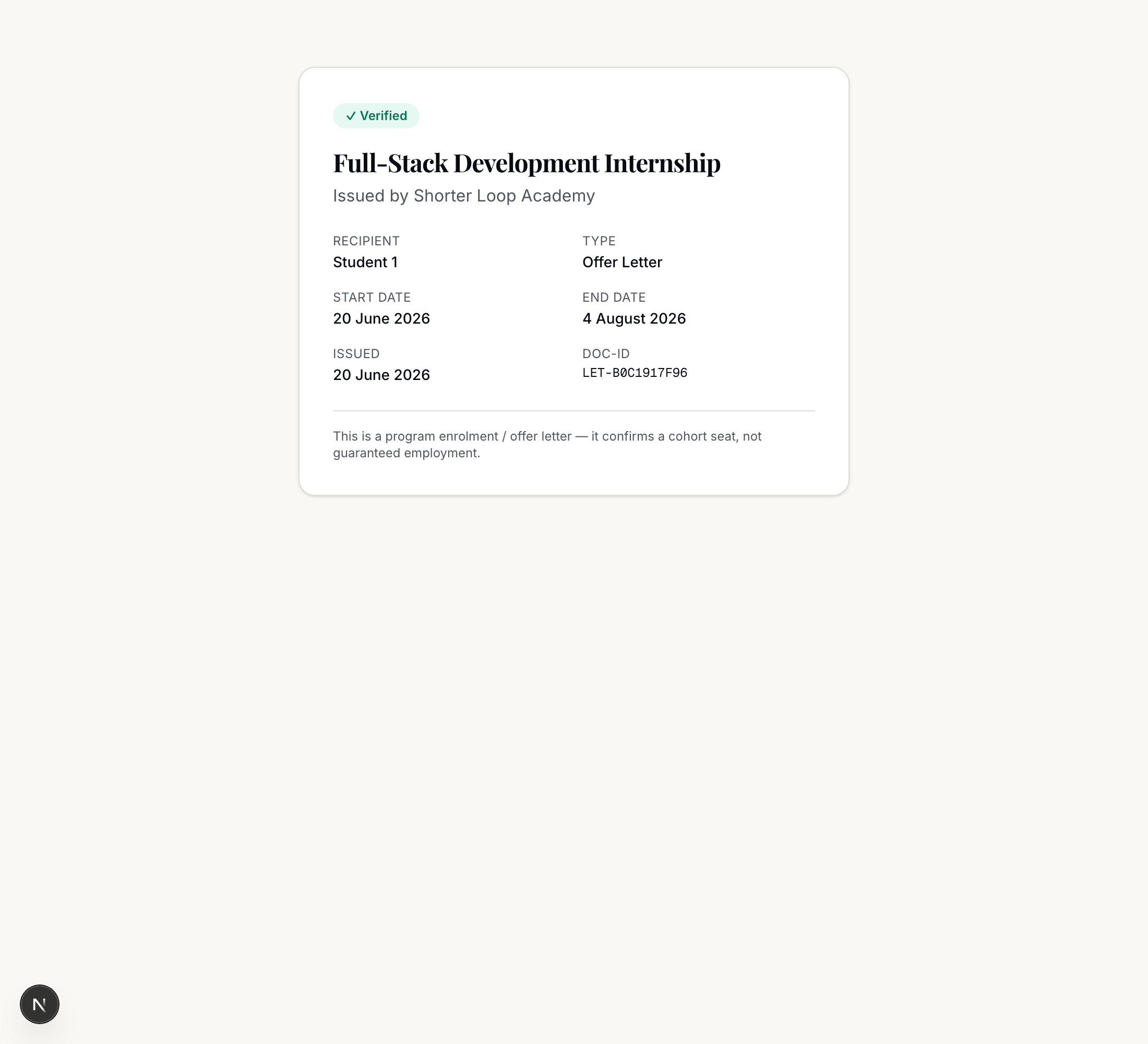
Every letter has a unique DOC-ID and a public verification page — a recruiter or university can open it with no login. It shows the program, recipient, dates and issuer, and never exposes the student's email.
Coupons & WhatsApp work here too
Internships use the standard checkout, so a discount code applies (create codes right on the product), and the required phone number is captured so you can send joining details and reminders. See the related articles below.
Related